

With the Ecoservice add-on module you hand over your entries to the tax advisor in DATEV format (the accounting software most German tax advisors use). SMARTBRIX creates a batch of entries as a CSV file and, if you want, a ZIP file with the documents, which the tax advisor reads in through DATEV’s document import. You download the files or send them by email. There is no online connection to DATEV.
Ecoservice is a paid add-on module that you buy from a third-party provider.
There are two ways:
- Finance export: all entries of selected journals of one company, for your own accounting.
- Client export: a separate batch of entries per owner with that owner’s advisor and client number, for properties you manage for others.
Each document is exported exactly once. Whatever is in one export, no later export picks up again.
In the Business plan, the DATEV export from the general ledger is the standard and costs nothing extra. That page also shows what Ecoservice adds. In the Light / Pro plan, Ecoservice is the only way to DATEV.
- Invoicing › Finance Interface: Create Finance Export, Finance Exports, Settings
- Invoicing › Client Export: Run Export, Export Profiles, Import Mapping, Export Mapping Template
- Accounting › Finance Interface: Create Finance Export, Finance Exports, Settings
- Accounting › Client Export: Run Export, Export Profiles, Import Mapping, Export Mapping Template
The steps below name the menus without the app name.
Set up
Section titled “Set up”- Open Settings and, on the left, the Finance Interface app.
- Under Select default journals, select the journals to be exported.
- In the DATEV Export section, enter your tax advisor’s data:
- Client No. and Consultant No.: you get these from the tax advisor.
- Length of analytic G/L account numbers: the number of digits of the general ledger accounts, usually “4” in the German standard charts of accounts SKR03 and SKR04.
- Preferred export method: gross or net. Agree on the choice with the tax advisor.
- Click Save.

Each general ledger account has further details in the Datev group, for example Datev Automatic Account for accounts on which DATEV calculates the tax itself. SMARTBRIX takes the DATEV tax key from the tax on the journal item.
Create a finance export
Section titled “Create a finance export”- Open Finance Interface › Create Finance Export.
- Check the Company. Under Journal you see the default journals from the settings; add or remove journals as needed.
- Under Export Scope, select what is created: Postings only, Documents only or Postings and documents. Both are preset.
- Set Date From and Date To. The period must lie within one calendar year.
- Click Start Export.
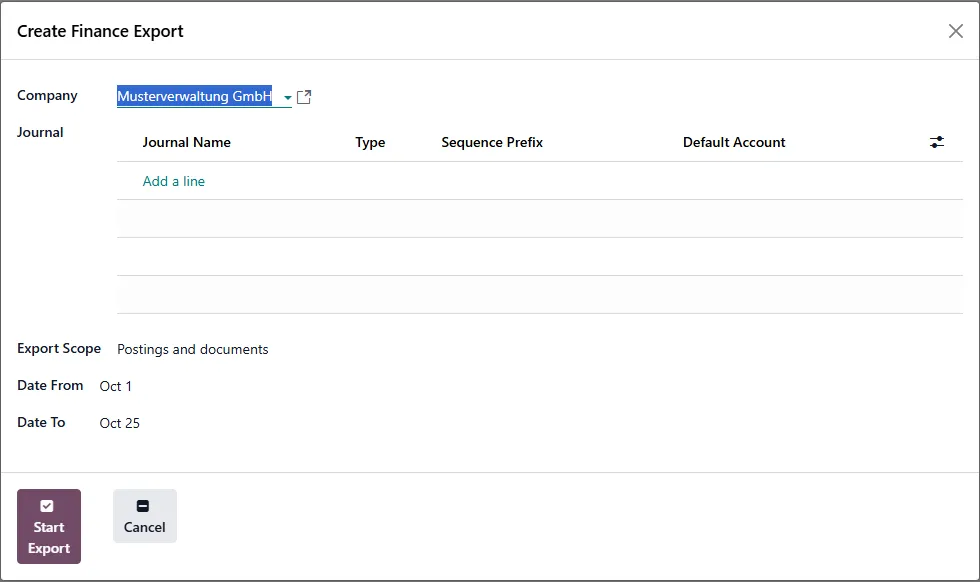
SMARTBRIX creates a finance export and opens it. It contains the CSV file, the ZIP file with the documents and the exported journal items. All finance exports are listed under Finance Interface › Finance Exports.
Only posted documents that are not yet in any export are exported. Invoices count by invoice date, all other entries by accounting date.
Send to the tax advisor
Section titled “Send to the tax advisor”- Open the finance export.
- Click Send Mail and check the recipients and attachments.
The status changes to Export sent. From now on the export is locked: it cannot be deleted, and exported invoices can no longer be reset to draft. A notice on the document shows that it has been sent to the tax advisor.
If a sent export has to be withdrawn, click Cancel Sent Export. Only users with accounting administrator rights may do this. The documents are then free again for the next export. Agree on this with the tax advisor beforehand.
Client export per owner
Section titled “Client export per owner”If you manage properties for owners who have their own tax advisors, each owner gets a separate batch of entries. It is based on one export profile per owner.
Create an export profile
Section titled “Create an export profile”- Open Client Export › Export Profiles and click New.
- Enter a Name and fill in the Client group:
- Owner: the owner of the properties.
- Main Property: leave empty to include all properties of the owner. With a main property, the profile only applies to that building.
- Tax Consultant: the contact the export goes to.
- Fill in the DATEV Header group: the owner’s Consultant Number, Client Number and Account Number Length.
- Set Deliver document images only after agreeing with the owner’s tax advisor. Each export then comes with a ZIP file containing the documents.
- On the Account Mapping tab, map each of your accounts to the account in the owner’s chart of accounts: Source Account, Account Type, Target Account, and if needed Automatic Account and BU Key (the DATEV posting key).
- On the Personal Accounts tab, map tenants and vendors to the owner’s personal accounts if the owner’s tax advisor assigns their own numbers.
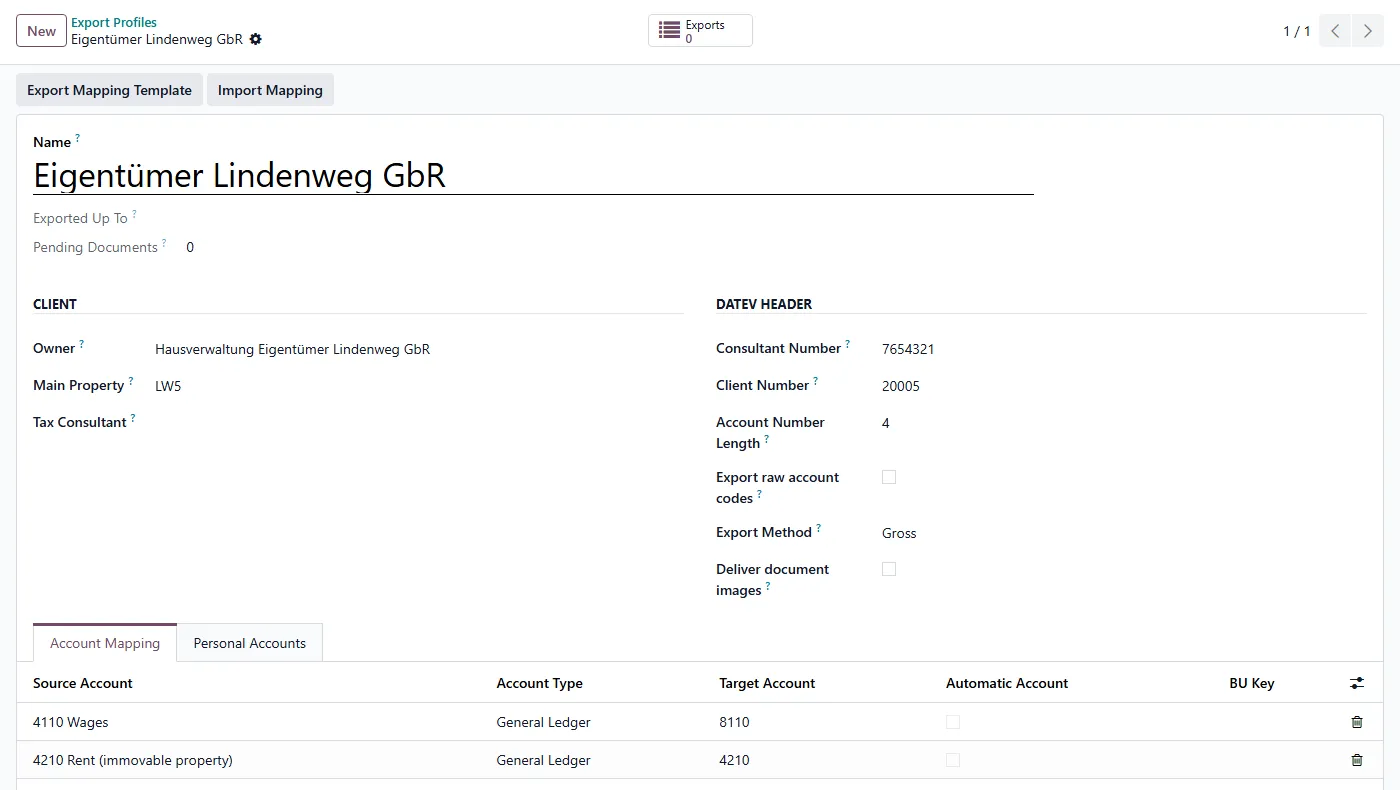
For many accounts, mapping through a spreadsheet is faster: Export Mapping Template creates a template with all accounts of the profile, Import Mapping reads the completed file back in.
Export raw account codes hands over the accounts without mapping, as they are in SMARTBRIX. This only works if the owner’s tax advisor uses the same chart of accounts.
Turn on the owner-client export partition
Section titled “Turn on the owner-client export partition”So that no document ends up in both your own finance export and a client export, the Owner-client export partition separates the two ways. If it is off, every client export stops with an error.
- First create all export profiles in full.
- Open Settings › Finance Interface and, in the DATEV Export section, check Owner-client export partition.
- Click Save.
From now on, the finance export no longer contains documents that belong to an export profile.
Run the export
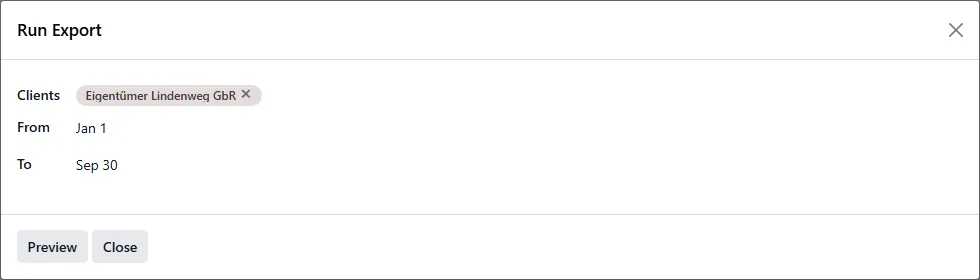
Section titled “Run the export”- Open Client Export › Run Export.
- Under Clients, select one or more export profiles and set From and To. The preset is the current month up to today.
- Click Preview.
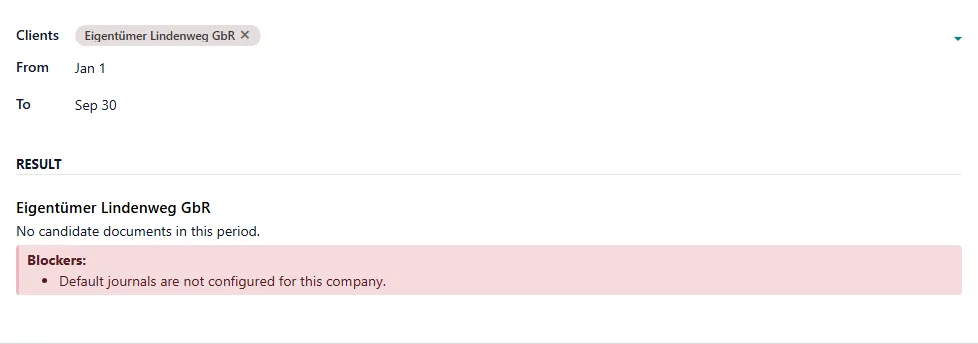
For each profile, the preview shows under Result how many documents can be exported and what stands in the way of the export. Notes do not hold up the export. Blockers must be fixed first, for example missing header data, accounts without mapping or journal items without a property.
- When everything is ready, click Export.
SMARTBRIX creates one finance export per profile, with the CSV file and, if document images are turned on, the ZIP file. You send the export as described above. Client exports are always gross and not grouped. The Exports button on the export profile shows all previous exports of the owner.
Frequently asked questions
Section titled “Frequently asked questions”The preview reports “Default journals are not configured for this company.” Under Settings › Finance Interface, select the journals in Select default journals and run the preview again.
A document is missing from the export. It is already in an earlier export, not yet posted, or outside the period. In the client export, the preview gives the reason, for example missing bank matching or a missing property assignment.
I posted an exported invoice incorrectly. An exported invoice can no longer be reset to draft. Correct it with a credit note; the credit note goes to the tax advisor with the next export. See Customer invoices.
Didn't find an answer? Contact support