

Record expenditures
Question about the manual? Ask Claude · Ask ChatGPT
An expenditure is a cost amount of the building with a cost type and a period. The items of the statement are created from the expenditures. As a rule, book expenditures on the building; SMARTBRIX allocates them to all child properties below it.
From the vendor bill
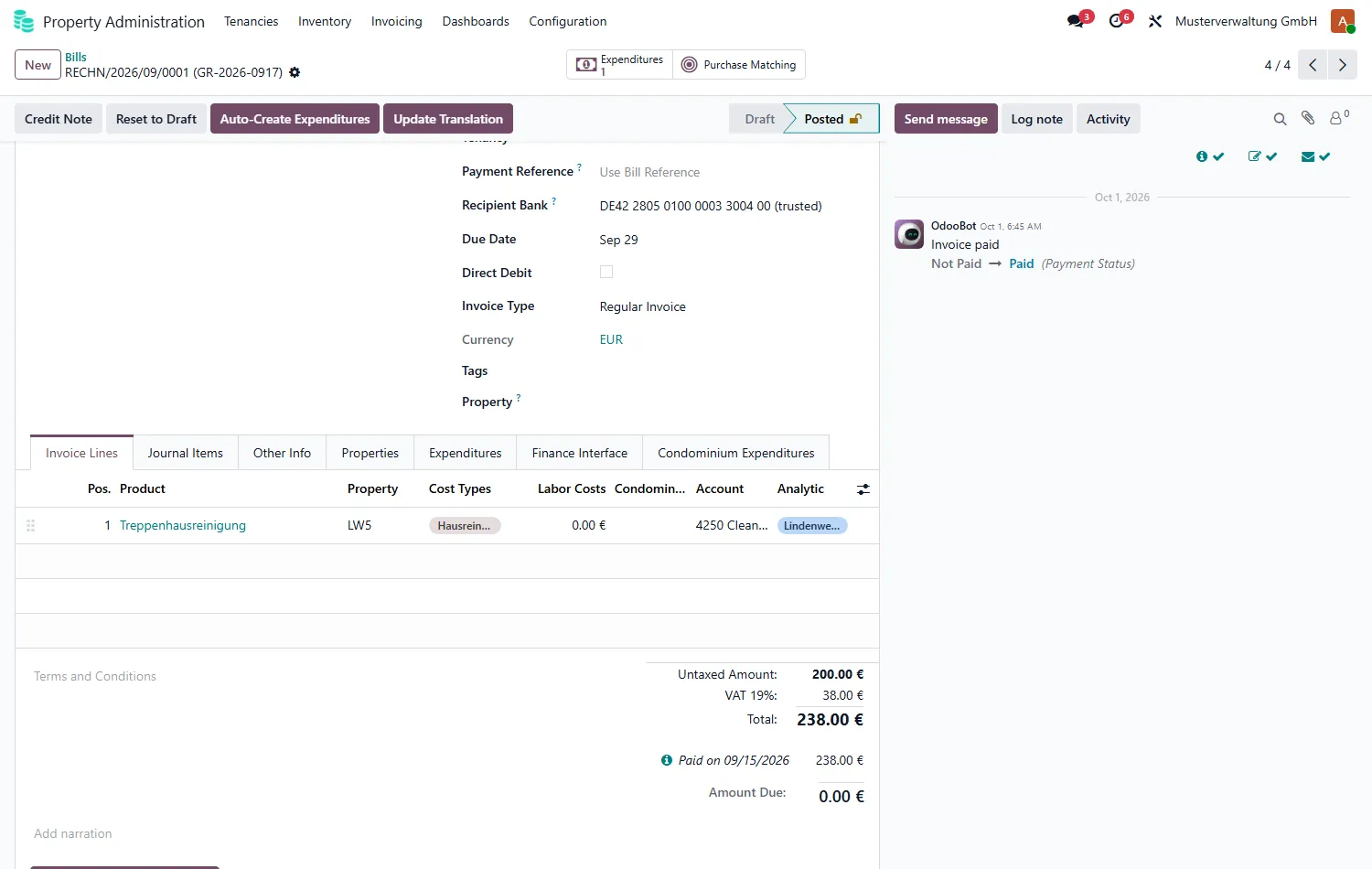
Section titled “From the vendor bill”- Record the service provider’s invoice as a vendor bill as usual.
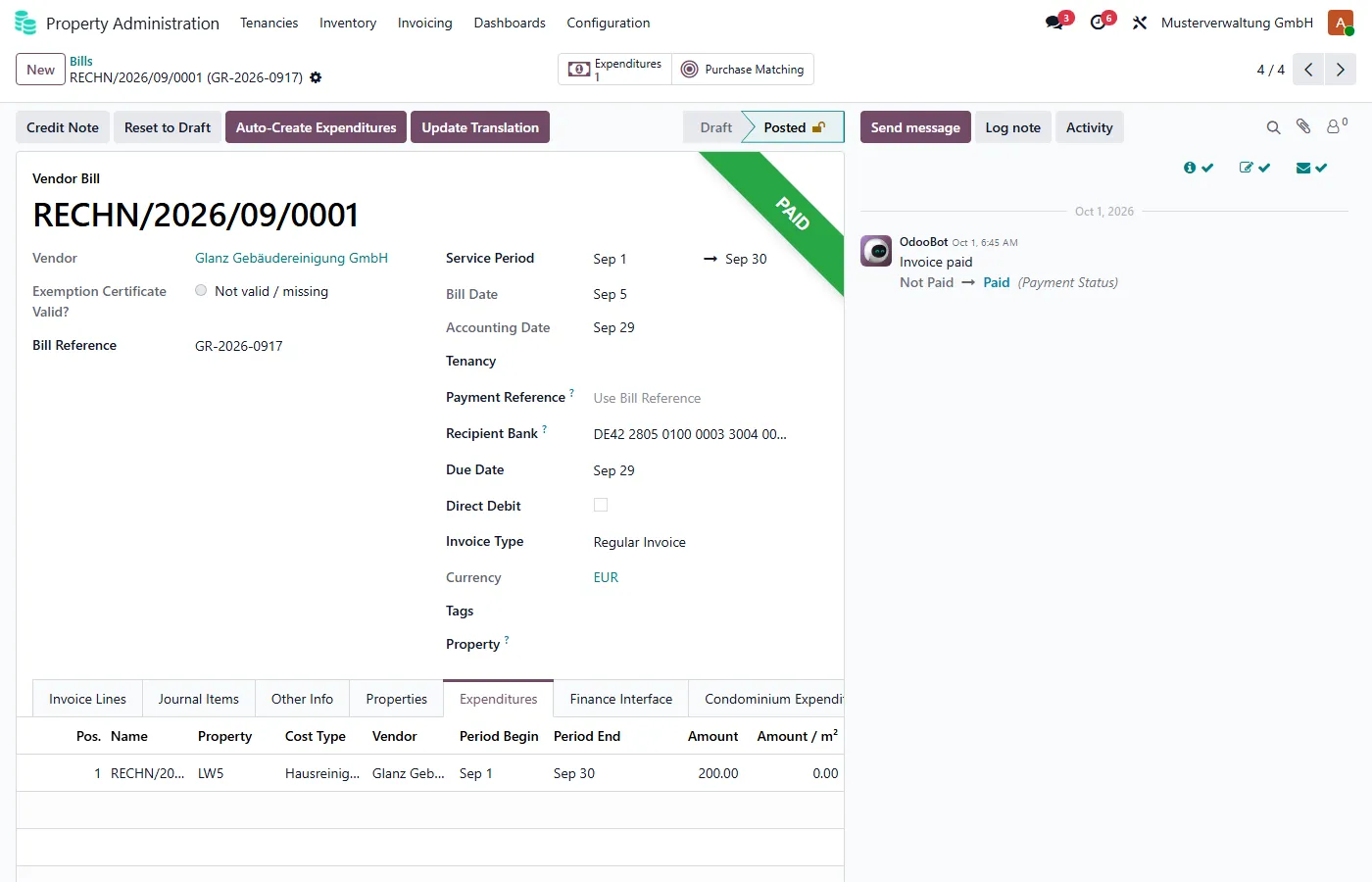
- In the header, enter the Service Period, for example 01/01/2025 to 12/31/2025.
- In the invoice line, choose the Property (the building) and, under Cost Types, the cost type. If the invoice contains labor costs, enter them under Labor Costs. Whether they appear on the statement as a household-related service or a craftsman’s service is set by the cost type (see Tax deduction under § 35a).
- Click Confirm. SMARTBRIX creates an expenditure for every line with a property and a cost type. You find it in the Expenditures tab of the invoice.
In property administration
Section titled “In property administration”For costs without a vendor bill, such as the property tax assessment:
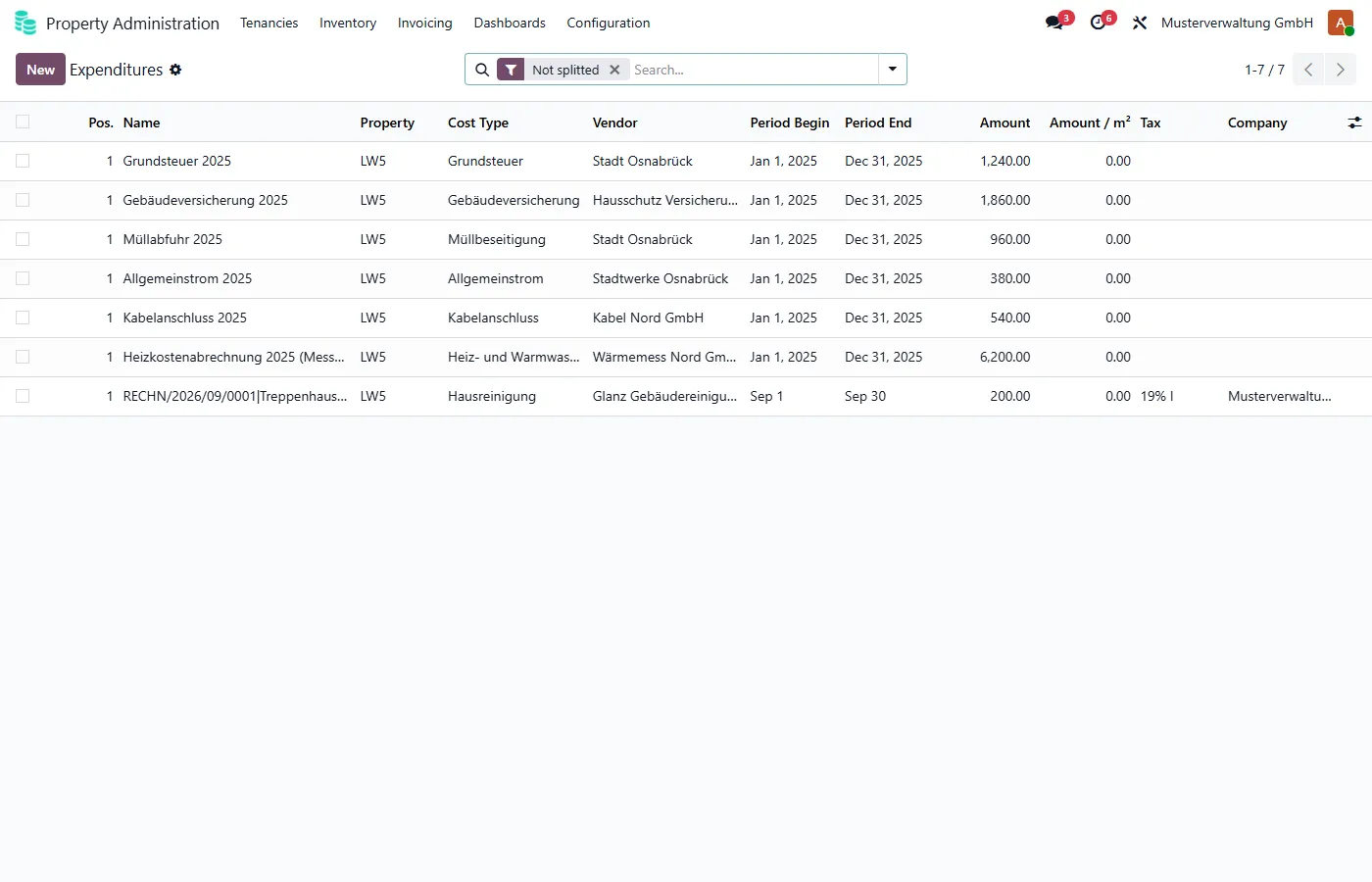
- Open Property Administration › Invoicing › Expenditures and click New, or click Create Expenditure on the building.
- Fill in the name, Property, Cost Type, Vendor, Period Begin, Period End, Amount and Tax. Enter labor costs under Labor Costs.
The period of the expenditure matters: SMARTBRIX allocates each expenditure to the day among the usages that existed during its period. An expenditure for half a year is therefore only borne by those who were in the building during that half year.
Several bills for one cost type
Section titled “Several bills for one cost type”On the statement, SMARTBRIX combines the expenditures of a cost type into one line when their service periods are the same or follow each other without a gap. Periods with gaps or partial overlaps each get a line of their own.
Record costs that arise throughout the year like this:
- Caretaker paid per job: give each bill the whole settlement period as its service period, not the day of the job. A single day would only be charged to the tenants who lived in the building on that day.
- Wages of a cleaner: give each wage payment its month as service period, so 01/01 to 01/31, 02/01 to 02/28 and so on. Record cleaning supplies with the whole settlement period.
The caretaker’s bills then make one line, and so do the twelve wage payments. The supplies join the wage line if they carry the same tax. Supplies with VAT next to wages without tax get a line of their own. Expenditures with different reference values, for example when one bill covers only part of the building, and cost types with direct assignment also stay apart.
Invoices spanning the turn of the year
Section titled “Invoices spanning the turn of the year”Many utilities do not bill by calendar year, for example water from 03/18/2024 to 03/21/2025. You record the invoice once with this service period. Each service charge statement allocates only its time share of it: the 2024 statement the part from March 18 to December 31, 2024, the 2025 statement the rest.
The Time Share By field on the expenditure decides how the time share is measured:
- Consumption: by the consumption that the meters of the usages involved show in the respective settlement year, in proportion to the whole service period. Default for cost types with the Consumption allocation key.
- Days: by the days in the respective settlement year. Default for all other cost types. If the cost type has Change of Tenant By set to Degree Days, the days count by the heating demand of their month: a heating invoice from 03/01/2025 to 02/28/2026 then falls 680 ‰ on 2025 and 320 ‰ on 2026 (see Heating costs when the tenant changes).
You can change the default. If, for example, you book the unit price and the base price of a water invoice as two invoice lines, set the base price to Days.
The year in which the service period ends gets the remainder. This way exactly the invoice amount is allocated in total, even if a meter reading changes after the first statement. A year already settled keeps its share. The Time Shares tab on the expenditure shows which amount fell on which year.
For cost types with the Consumption allocation key, you can enter under Consumption per Invoice the consumption the invoice states for the whole service period, for example “101” m³. If the meters differ from it by more than 1 %, the allocation check reports it.
Direct assignment
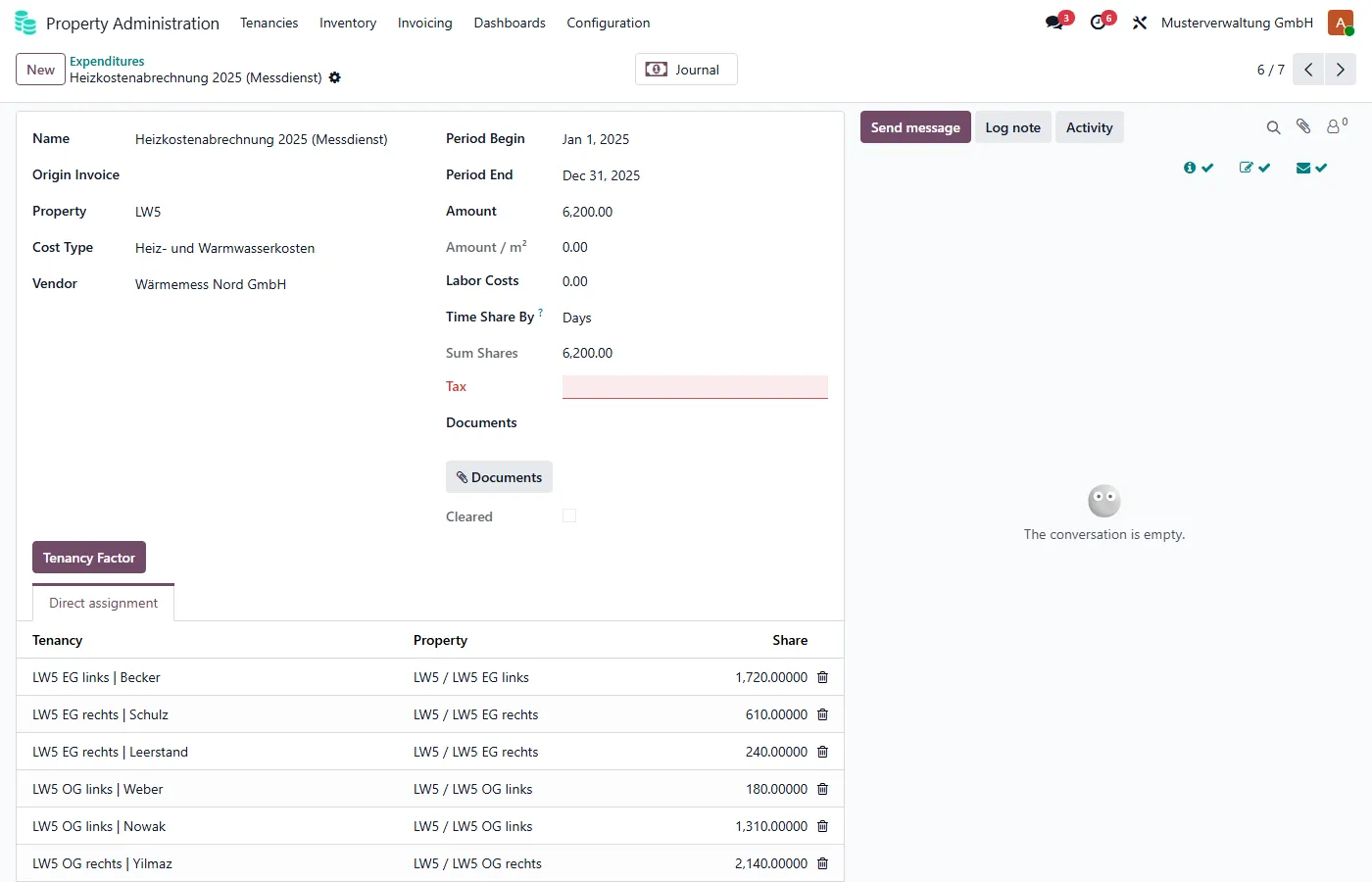
Section titled “Direct assignment”With the allocation key “Direct Assignment”, the expenditure shows the Direct assignment tab. Tenancy Factor lists all usages in the period. Enter the amount for each usage, typically the amounts from the metering service’s heating cost statement or an invoice that only one tenant bears.
Fixed values per unit that recur every year and are split by days when the tenant changes do not belong here but in a property allocation key.
Didn't find an answer? Contact support