

A community consists of a building with its units and the community record. What the community posts is carried by the building; each unit carries its apartment owner.
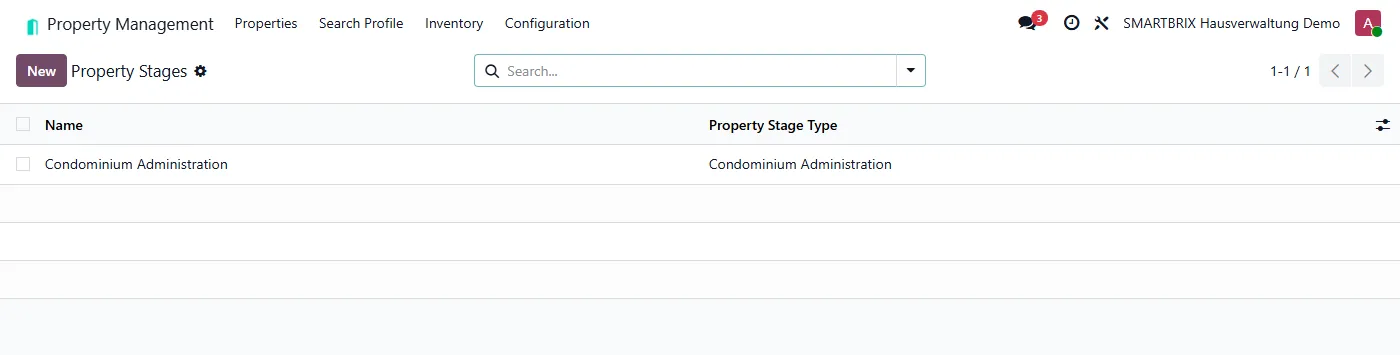
Property status and building
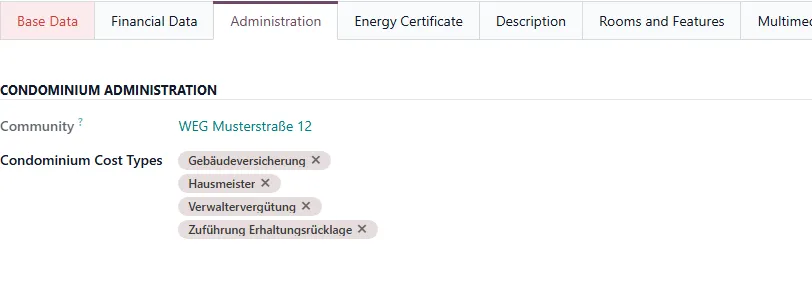
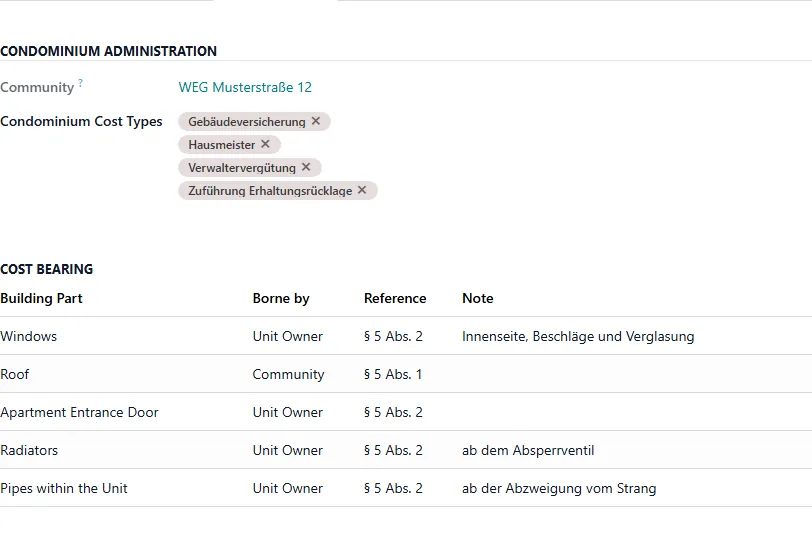
Section titled “Property status and building”- Under Property Management › Properties › Properties, open the building and, on the Base Data tab, choose the status Condominium Administration under Property Status. The Administration tab appears with the Condominium Administration section.
- There, under Condominium Cost Types, choose all condominium cost types the community uses.
- Create the units as child properties of the building. Maintain the living space and heated area if costs are allocated by area.
The analytic account, bank accounts and advisory council apply to the whole community. You enter them on the community, not on the building (see below).
You open the community’s condominium ownerships from the building and from each unit with the Ownerships button at the top of the form.
The community
Section titled “The community”- Open Condominium › Communities › Communities and click New.
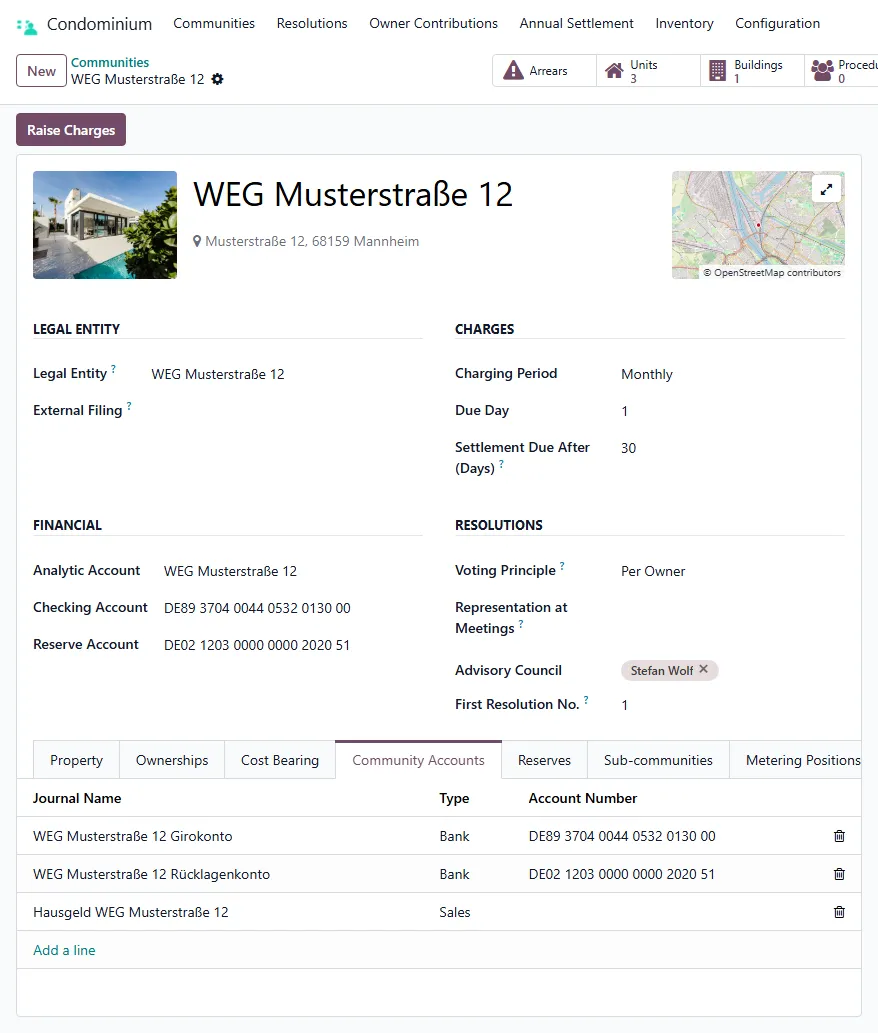
- Enter the name and, under Legal Entity, choose the community’s contact, for example “WEG Musterstraße 12”.
- Under Charging Period, choose Monthly, Quarterly or Yearly, and under Due Day the day on which the owner contribution is due. For round owner contributions, choose the type under Rounding and the step under Rounding Step (EUR) (see Round owner contributions).
- Under Settlement Due After (Days), enter how long the apartment owners have after the resolution to pay a settlement balance.
- In the Financial block, choose the community’s Analytic Account and, under Checking Account and Reserve Account, its bank accounts. The checking account appears as the payee account on owner contribution invoices, on settlement balance invoices and, for an additional payment, on the owner contribution statement. For this, it must be confirmed as trusted with Send Money and belong to the community’s company; otherwise the documents keep the company’s bank account. Documents with direct debit stay unchanged.
- In the Resolutions block, choose the members of the advisory council under Advisory Council. Under Representation at Meetings, record who may represent an apartment owner at the owners’ meeting, as the community regulations provide.
- If you keep the community’s documents in another location, for example a network drive, enter the link under External Filing. You can open it from the form.
- On the Property tab, choose the building under Booking Property and save.
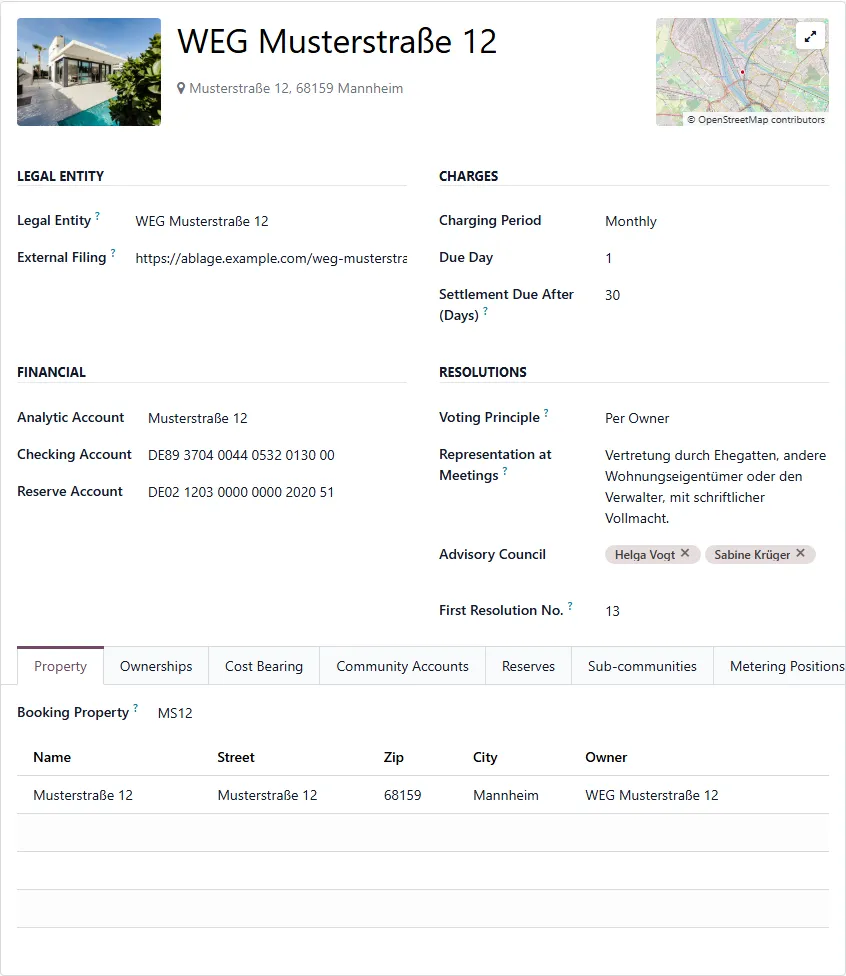
The building then carries the community as its owner. The head of the community shows the cover photo, address and location map of the booking property; click the map to open it large. You maintain photo and address on the property. At the top you see the Arrears, Units, Buildings and Object Keys buttons. Units counts each apartment once, even if it has had several owners over time. Object Keys opens the community’s own allocation keys (see Object keys).
Cost bearing
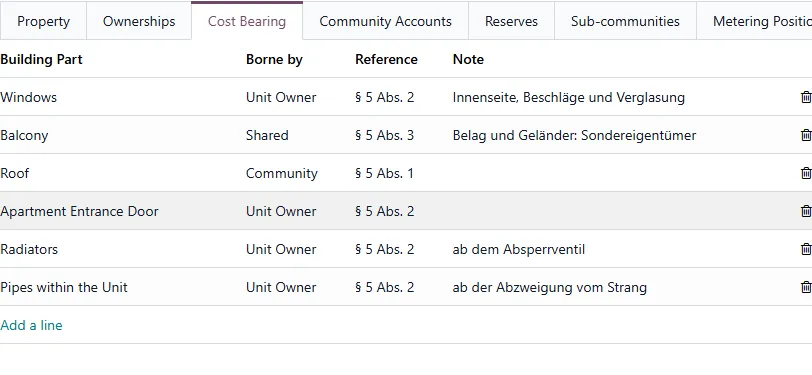
Section titled “Cost bearing”On the Cost Bearing tab, you record who pays for a building part according to the declaration of division: the community, the owner of the separate property or both in shares. This information is for documentation only. How costs are allocated in the annual budget and the annual settlement is still determined by the allocation key.
- Open the community, switch to the Cost Bearing tab and click Add a line.
- Choose the Building Part. The building parts from Condominium › Configuration › Building Parts are offered (see Setup).
- Under Borne by, choose Community, Unit Owner or Shared. Community is preset.
- Under Reference, enter where the declaration of division regulates it, for example “§ 5 Abs. 2” (section 5, paragraph 2). Under Note, record details, for example “from the shut-off valve”.
Each building part appears only once per community. The order of the lines follows the catalog of building parts.
Display on the unit
Section titled “Display on the unit”Cost bearing applies equally to all units of the community. On each unit, you can look it up on the Administration tab in the Condominium Administration section under Cost Bearing. You cannot change it there, only on the community.
A building part that is tied to a feature in the catalog only appears on units with this feature: balcony, terrace or parking space. You set the features on the unit’s property on the Base Data tab in the Details group with the Balcony?, Terrace? and Garage/Parking Space? checkboxes.
If something differs for a single unit, record it in an owner statement.
Projects, equipment and documents
Section titled “Projects, equipment and documents”Projects, building maintenance assets and documents are attached to the property. The community shows them together through the Projects, Equipment and Documents buttons at the top of the form. Everything attached to the building or to a property below it counts, including a single unit.

If you create a new entry through one of these buttons, the building is already entered as the property. A button only appears if the corresponding app is installed and you are allowed to see it.
The community’s accounts
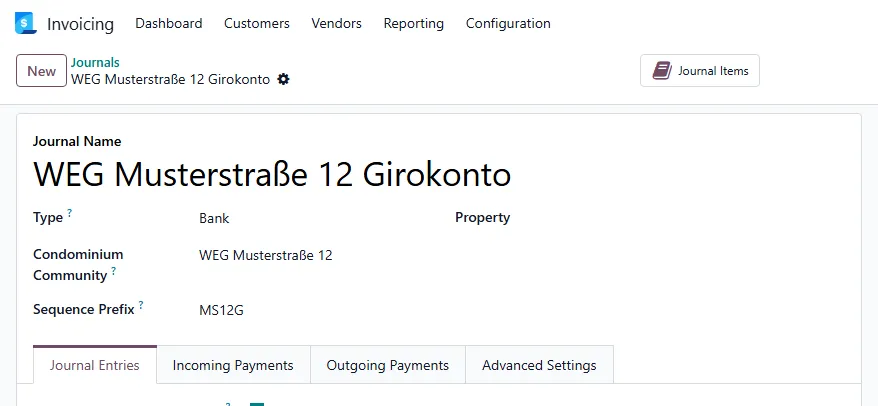
Section titled “The community’s accounts”- Open Invoicing › Configuration › Journals and create a journal of the type Bank for each bank account of the community, in the example the checking account and the reserve account.
- In the Condominium Community field, choose the community.
- In the same way, create a journal of the type Sales with the community. This gives the owner contribution invoices their own number sequence.
- Open Accounting › Configuration › Journals and create a journal of the type Bank for each bank account of the community, in the example the checking account and the reserve account.
- In the Condominium Community field, choose the community.
- In the same way, create a journal of the type Sales with the community. This gives the owner contribution invoices their own number sequence.
Didn't find an answer? Contact support