

Create a reserve
Section titled “Create a reserve”- Open the community, Reserves tab, and click Add a line. Alternatively: Condominium › Owner Contributions › Reserves › New.
- Enter the name and select the Kind: Maintenance Reserve or Other Reserve. Each community has at most one maintenance reserve.
- Under Account, select the general ledger account that holds the reserve, in the example the account of the reserve bank journal.
- If the reserve earns interest, select the income account for the interest under Interest Account and the account for the tax withheld by the bank under Capital Gains Tax Account. Both fields are optional.
Check the development
Section titled “Check the development”The Balance is read from the account, limited to the community’s entries. If you enter a Fiscal Year in the Development section, SMARTBRIX shows for that year:
- the opening balance and the closing balance
- Contributions: additions, usually from the owner contributions
- Interest and Capital Gains Tax: entries against the reserve’s interest account and tax account
- Withdrawals for Maintenance and Withdrawals for Improvements: expenses marked on the invoice line as a withdrawal from this reserve (see Expenses paid from a reserve), also when the payment goes through an intermediate account
- Other Movements: decreases that are neither a withdrawal nor tax, such as a transfer back to the checking account
Whatever SMARTBRIX cannot assign to one of these lines appears as a contribution (increase) or other movement (decrease). This way the development always adds up. The Entries button lists the entries behind it.
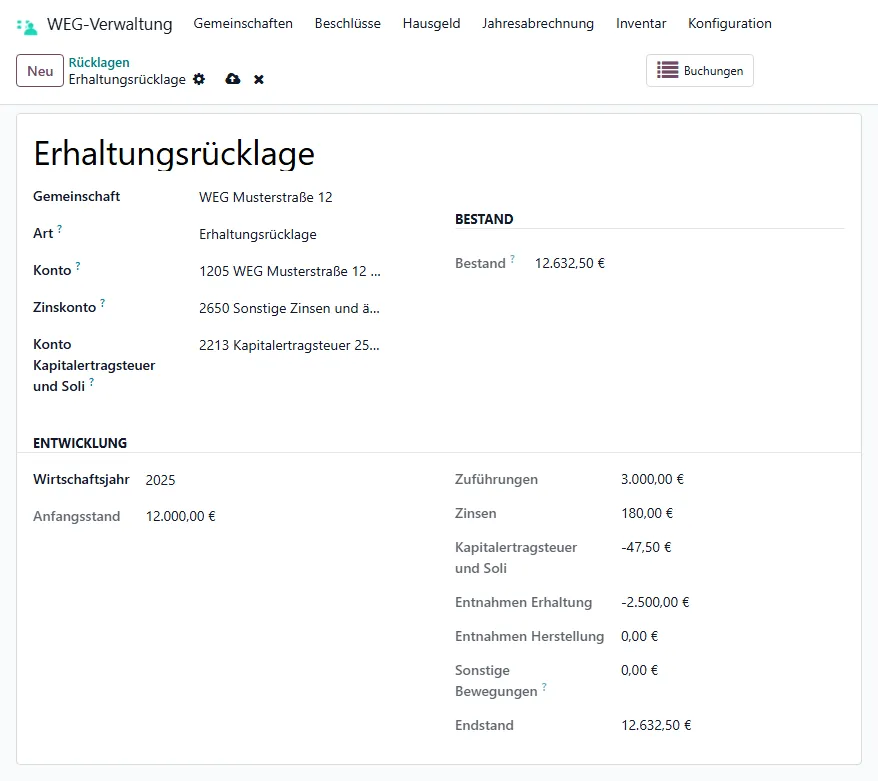
In the example: €12,000.00 opening balance plus €3,000.00 contributions plus €180.00 interest minus €47.50 tax minus €2,500.00 for the new gutter gives €12,632.50.
Transfer between community accounts
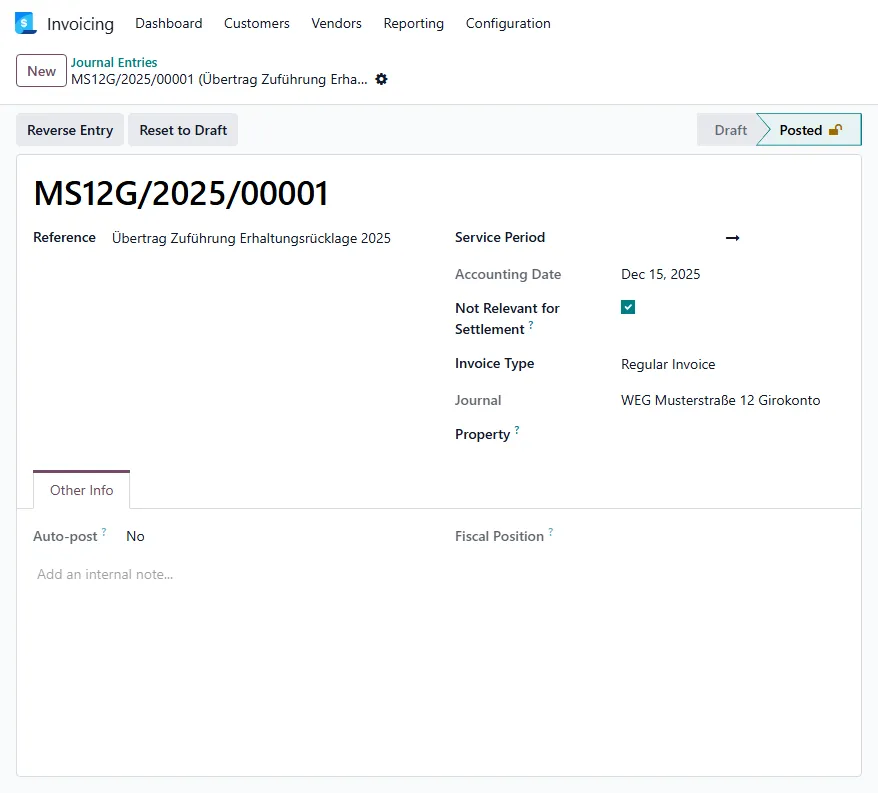
Section titled “Transfer between community accounts”Money that only moves between two accounts of the community is neither income nor expense. Mark such entries as Not Relevant for Settlement; the annual settlement then lists them in the Transfers column.
Didn't find an answer? Contact support