

In the owner portal, the owners of your properties see which units are let, to whom, at what rent and whether the rent has been paid. They use the same customer portal as the tenants and can only read there. You invite the owners once and store documents for them. SMARTBRIX reads occupancy and figures from the tenancies and rent invoices.
Prerequisites
Section titled “Prerequisites”- You have booked Portal Plus and this additional product.
- The Owner is entered on the property. If it is a company, all contact persons of that company with portal access see its properties.
- Rents are posted as rent invoices through the rent debits.
- Incoming payments are matched to the rent invoices, see Bank matching.
Invite owners
Section titled “Invite owners”- Open Contacts in the list view.
- Choose the Owners filter. The list shows all owners and the contact persons of owner companies.
- Select the contacts you want to invite.
- Click Actions › Invite owners to portal.
The owners receive an email with the subject “Your access to the owner portal” and the link they use to set their password. SMARTBRIX skips contacts without an email address and contacts who can already log in. If an owner is also a tenant, the same email also mentions the content for tenants.
After logging in, the start page shows the My properties card with the address and occupancy of each property. The bar at the top shows My properties.
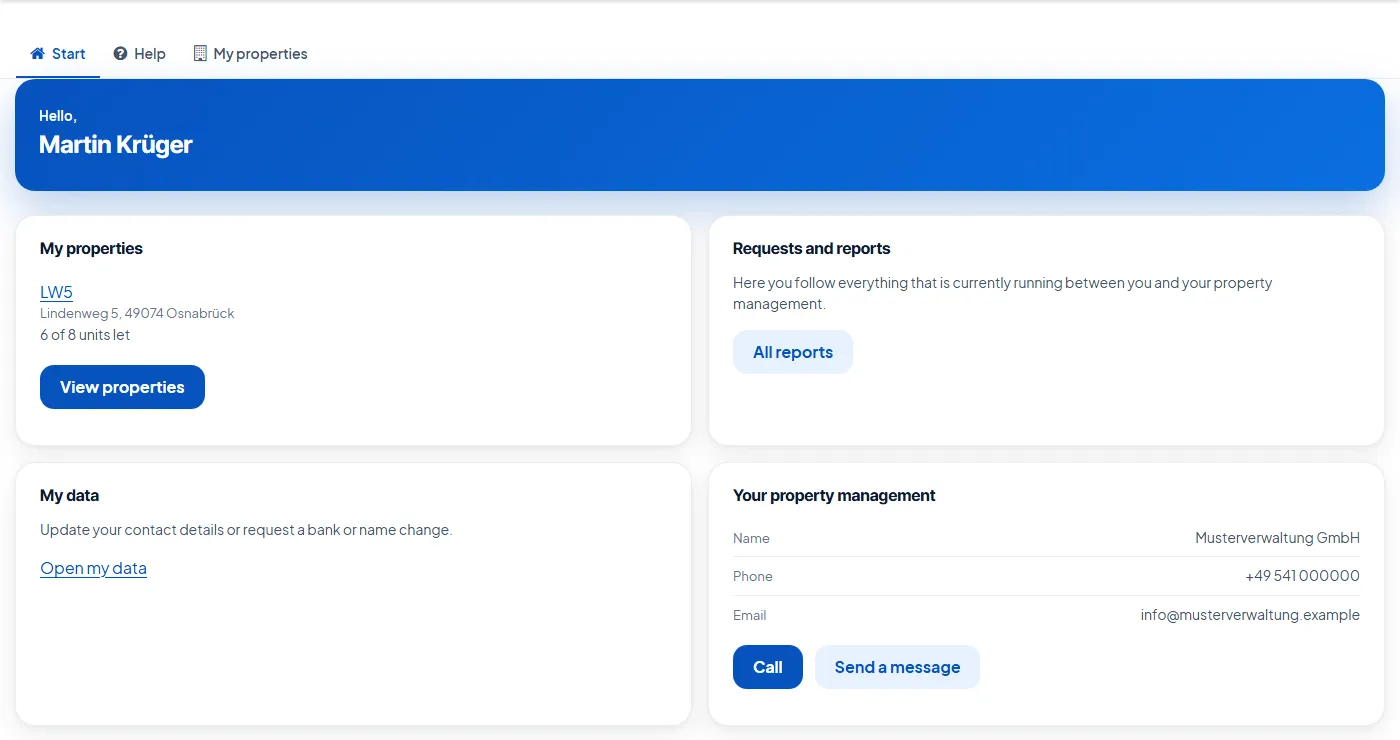
My properties
Section titled “My properties”My properties shows a card for each property and below them the key figures across all properties.
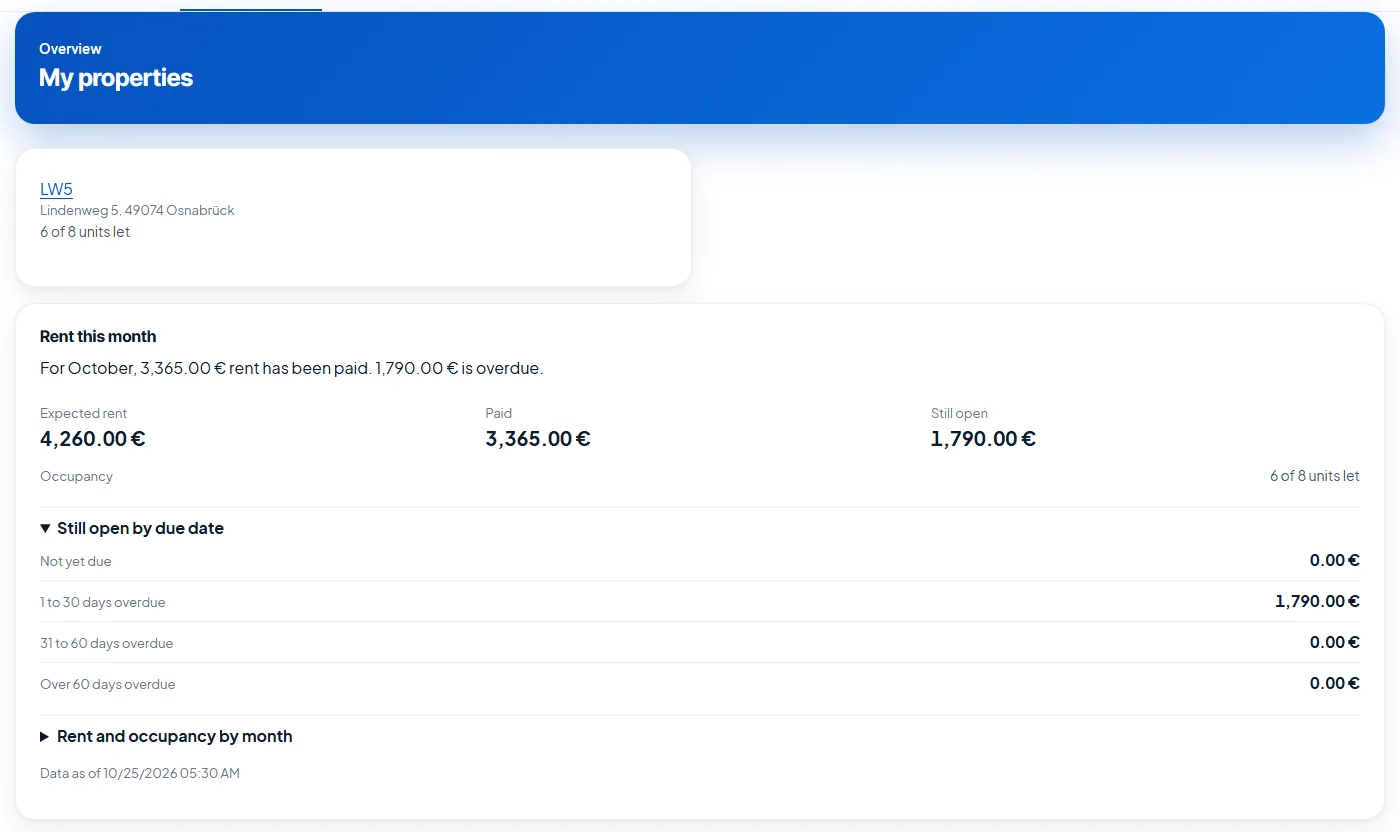
- Rent this month: one sentence about the current month, for example “For October, 3,365.00 € rent has been paid. 1,790.00 € is overdue.”
- Expected rent: the total rent of all tenancies in the current month.
- Paid: how much of it has been received and matched.
- Still open: all open rent invoices, including those from earlier months.
- Occupancy: how many units are let, with the next move-in.
- Still open by due date: the open amount split into not yet due, 1 to 30, 31 to 60 and over 60 days overdue.
- Rent and occupancy by month: expected rent, paid, open and occupancy for the current month and the twelve months before.
Below the block is the date of the data, Data as of …. The key figures are rebuilt every night. If a rebuild is overdue, it shows Update pending. If the properties belong to several of your companies, the portal shows a separate block for each company.
Property page
Section titled “Property page”Clicking the property opens its page with all units below it.
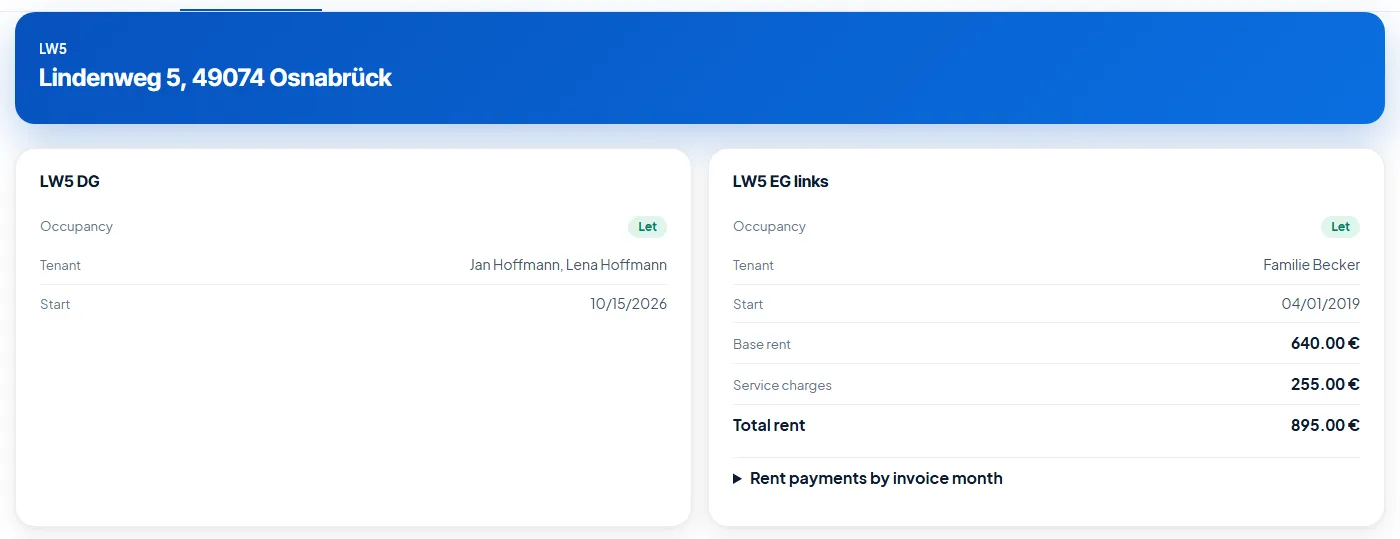
Each unit shows its status under Occupancy: Let, Let from with a date for a signed future agreement, or Vacant with the date since it has been vacant. Each tenancy shows:
- Tenant, Start, End and, after a termination, Notice given for with a date.
- Base rent, Service charges and Total rent.
- Rent open since with the due date of the oldest open rent invoice.
- Rent payments by invoice month: Paid, Partially paid or Open for each month.
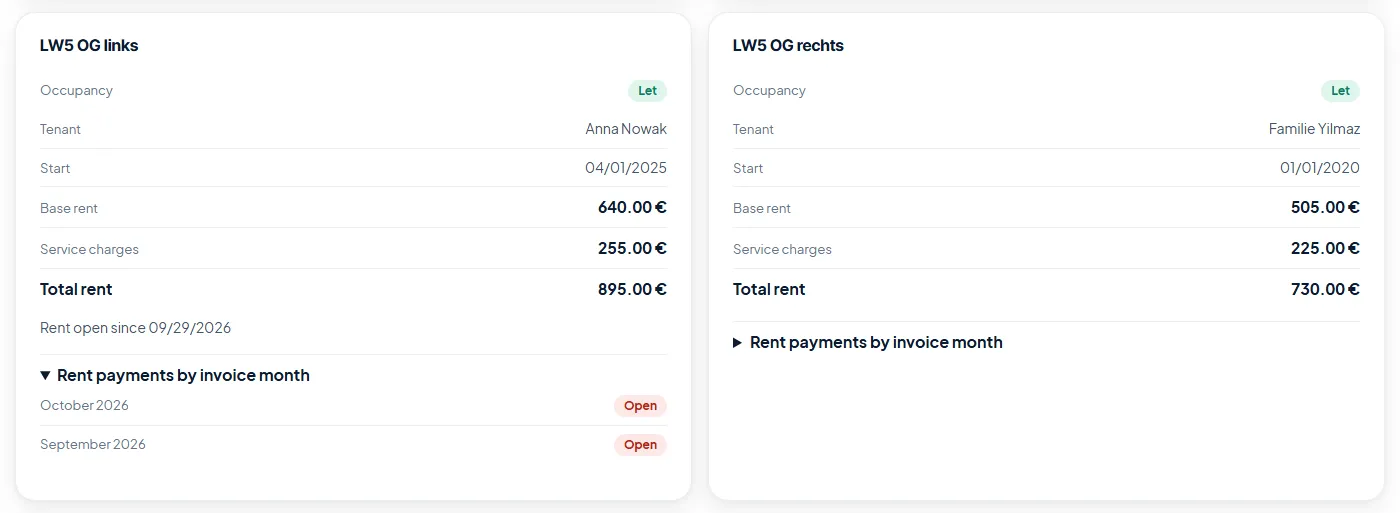
The owner does not see the tenants’ contact details and bank details, credit information, correspondence or follow-up levels.
Below that follow the Owner documents and the key figures for this property only.
Store documents for owners
Section titled “Store documents for owners”- Open the property.
- Switch to the Administration tab and expand the Owner documents section.
- Upload the file.
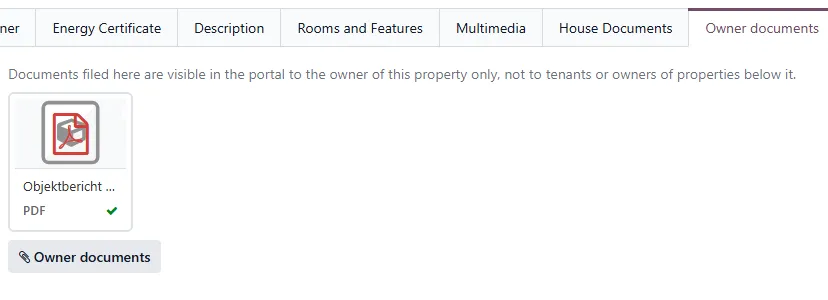
The file appears immediately on the owner’s property page. The owner opens it by clicking the name or downloads it with Download. SMARTBRIX does not notify the owner.

Tenants do not see these documents; for them there is the House Documents tab. If a unit belongs to a different owner than the building, that owner does not see the building’s documents either.
Release issue reports for owners
Section titled “Release issue reports for owners”If a ticket concerns one of the owner’s properties, tick Visible to owner on the ticket. The owner then sees the ticket on the property page under Reports with title, property, date and status, and receives an email. They do not see the history, replies or attachments.
Checkpoints
Section titled “Checkpoints”- An invited owner sees My properties in the bar after logging in.
- A matched rent payment shows Paid in the unit.
- Below the key figures, Data as of … shows today or last night.
Common errors
Section titled “Common errors”| Problem | Cause | Solution |
|---|---|---|
| The owner sees no properties. | A different contact is entered as owner on the property, or the contact person does not belong to the owner company. | Check the owner on the property and assign the contact person to the company. |
| A rent shows Open although it has arrived in the account. | The payment has not been matched to the rent invoice yet. | Match the transaction to the invoice in bank matching. |
| The unit shows Paid, but the key figures still count the rent as open. | The payment is recorded but not yet reconciled with the bank statement. The unit already counts it, the key figures only after reconciliation. | Match the transaction in bank matching. The key figures are correct after the next nightly rebuild. |
| The Rent this month block is missing. | The key figures have never been built, for example right after installation. | It appears after the first nightly rebuild. |
| For the current month it says “No rent has been billed for October yet.” | The rent invoices of the month have not been posted yet. | Run the rent debits for the month. |
What is not included
Section titled “What is not included”- The owner cannot change anything, cannot submit requests and cannot write messages to tenants.
- The portal only shows rents from posted rent invoices. Anything that does not go through the rent debits, such as rents that only exist as a transaction in the account, does not appear there.
- The portal does not create a statement for the owner.
Didn't find an answer? Contact support