

Framework contracts
Question about the manual? Ask Claude · Ask ChatGPT
If a tenant rents several properties under one contract, for example three parking spaces or a shop with a storage room, you create a framework contract. Each property gets its own usage under it with its own rent: the framework usage. SMARTBRIX bills all framework usages on one rent invoice. The rent of the framework contract is the sum of the running framework usages. You do not agree a rent of its own for it.
Prerequisites
Section titled “Prerequisites”- The let properties are child properties of one common property, in the example parking spaces 1 to 3 under “LW5 Hof”. See Properties.
- No regular usage runs on the common property. A framework contract and a regular usage exclude each other on one property.
Create a framework contract
Section titled “Create a framework contract”- Open the common property, for example “LW5 Hof”.
- Click Create Tenancy.
- Choose the contact and the start date.
- Tick Framework Contract?. Area, vacancy and deposit disappear from the dialog because they belong to the framework usages.
- Click Create Tenancy.
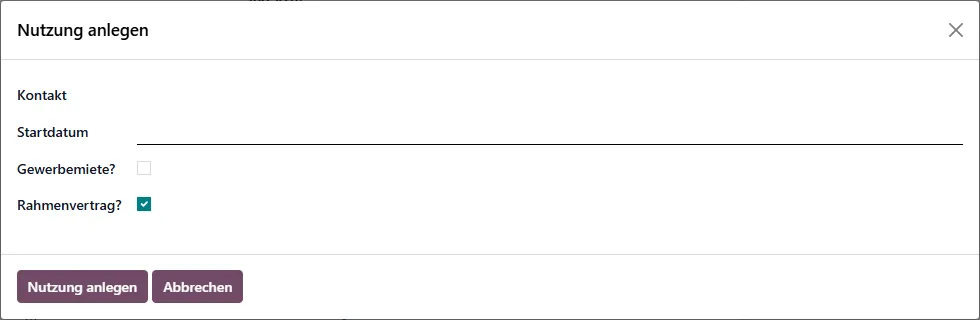
SMARTBRIX creates the framework contract without a rent line and without cost types. Then enter the Contractual Partner in the form.
Set up billing
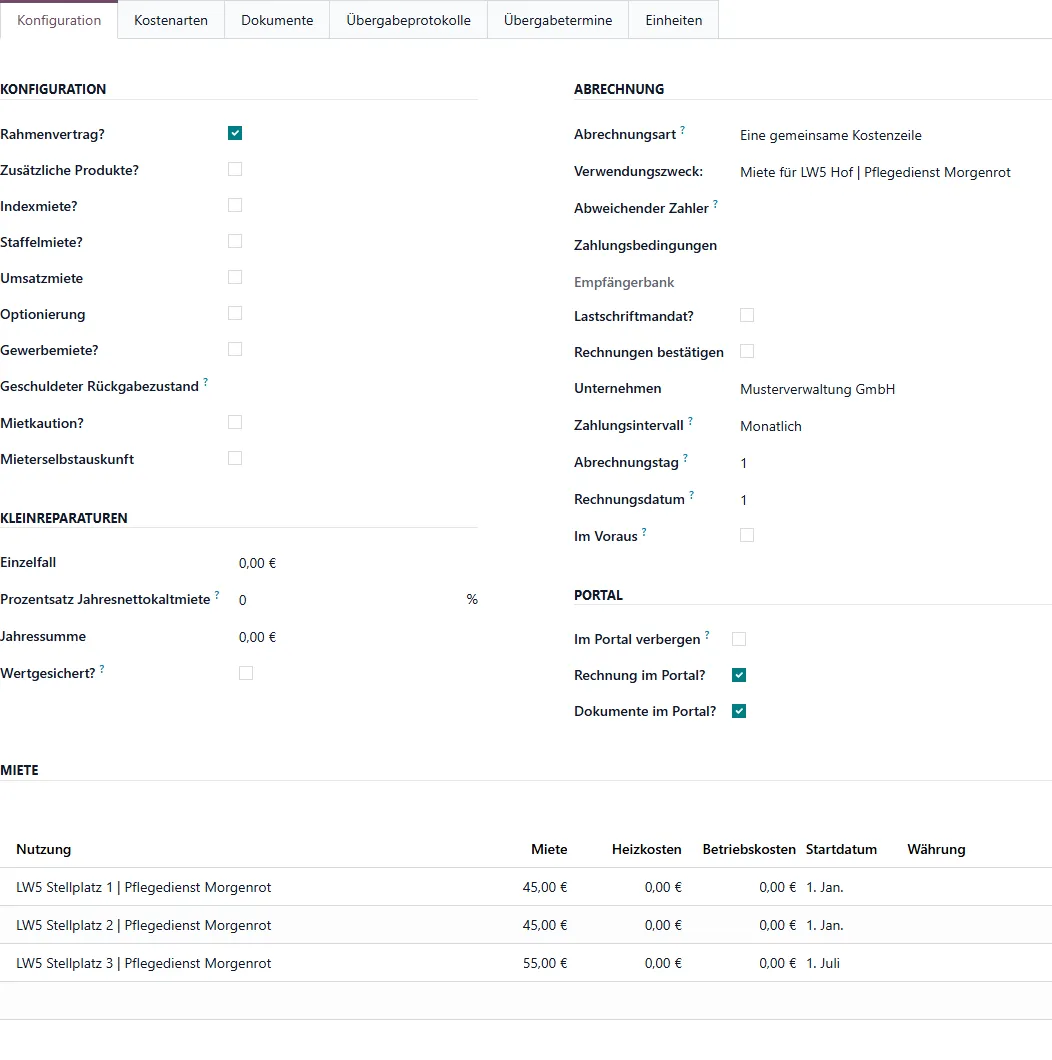
Section titled “Set up billing”On the framework contract, the Configuration tab has a Billing section with four fields that only a framework contract has:
- Billing Period: Monthly, Quarterly or Yearly. All framework usages are billed together in this rhythm.
- Billing Day: day of the month on which SMARTBRIX creates the rent invoice.
- Invoice Date Day: day of the month shown as the invoice date.
- In Advance: if ticked, SMARTBRIX bills the coming period instead of the current one.
Fields for a rent of its own, such as Debit Position Rent and the rent lines, are missing on the framework contract. Under Rent, it shows the current rent lines of its framework usages instead, read only.
Assign framework usages
Section titled “Assign framework usages”Create a usage of its own for each property under the framework contract:
- Open the property, for example “LW5 Stellplatz 1”.
- Click Create Tenancy, choose contact and start date and create the usage.
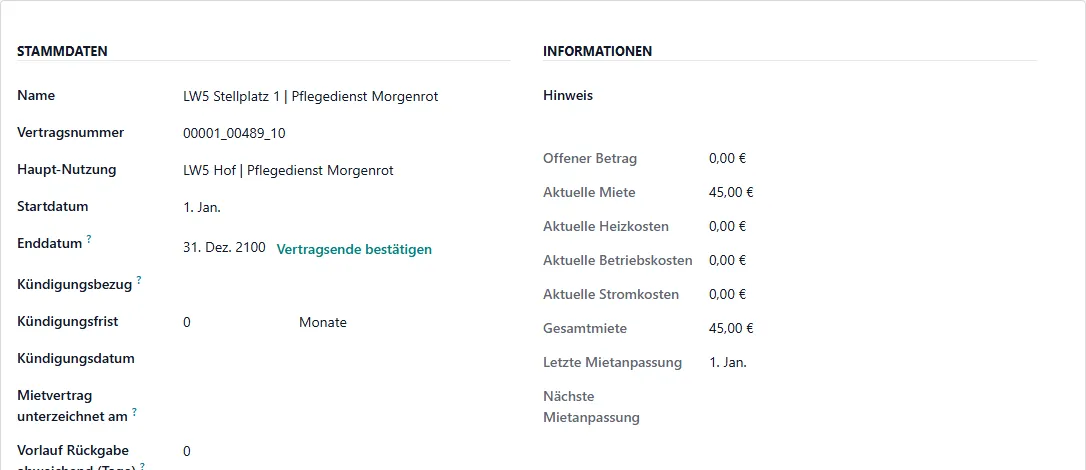
- In the form of the new usage, select the framework contract in the Parent Tenancy field.
- On the Configuration tab, check that Debit Position Rent is set, and enter the rent as a rent line.
- Save.
When you assign it, the framework usage takes over the invoice recipient, the contractual partners, the residents, the end date and the switches for index-linked rent, graduated rent and renewal options from the framework contract. Invoice Recipient and Contractual Partner are then locked on the framework usage. You maintain rent, start date and end date on each framework usage yourself.
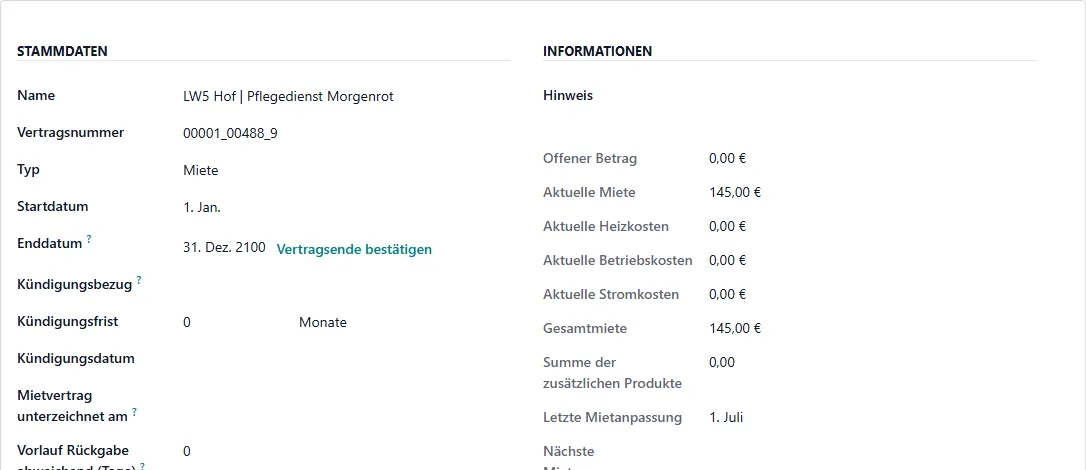
The framework contract shows its framework usages through the Sub Tenancies button at the top of the form. Current Rent and Total Current Rent show the sum of the framework usages running today.
Rent invoice
Section titled “Rent invoice”On the billing day, the rent debits create one rent invoice to the invoice recipient of the framework contract. Each running framework usage appears on it as a line of its own with its property, its rent and its taxes. If a framework usage starts within the billing period, SMARTBRIX prorates the first month.
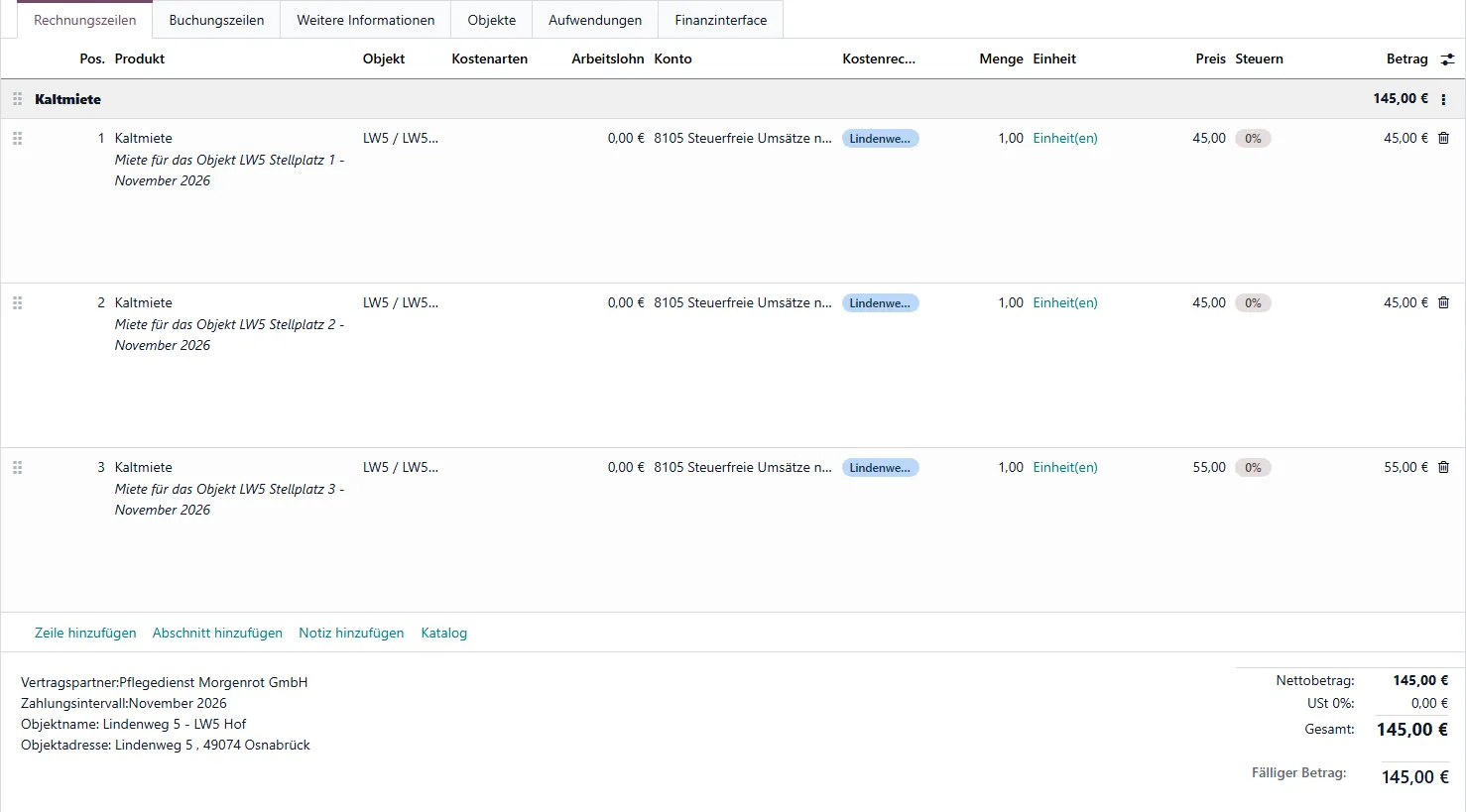
A framework usage in the Move-out phase is still on the invoice, a closed one no longer is. When a framework usage ends, it drops out of the sum from the following day. To create an invoice by hand, use Manual Rent Invoice on the framework contract, see Rent debits.
Index-linked rent
Section titled “Index-linked rent”You maintain the index agreement on the framework contract in the Index-linked Rent tab, and the framework usages take it over. Only the reference date, Locked Till and the maximum amount in euros are maintained per framework usage. You trigger the increase on the framework contract. SMARTBRIX then increases only the framework usages that are due, each on its own reference date. Details under Index-linked rent.
Checkpoints
Section titled “Checkpoints”- The Sub Tenancies button on the framework contract counts all framework usages.
- The Rent list on the Configuration tab shows each running framework usage with its rent.
- The rent invoice has one line per running framework usage. Its total matches the Total Current Rent of the framework contract.
Common mistakes
Section titled “Common mistakes”| Problem | Cause | Solution |
|---|---|---|
| Message “A framework contract can only be created on a property that has sub-properties.” | The chosen property has no child properties. | Create the framework contract on the parent property. |
| Message that a framework contract and a regular usage cannot run in parallel on this property | A regular usage already runs on the property in the same period. | End the regular usage or choose another property. |
| A framework usage is missing from the rent invoice. | Debit Position Rent is empty on the framework usage, the framework usage is closed, or the rent debit safeguard holds it back. | Set Debit Position Rent. Check the phase and the contract proof of the framework usage. |
| The Framework Contract? tick cannot be removed. | Framework usages still hang under the framework contract. | First detach all framework usages from the framework contract. |
Special cases
Section titled “Special cases”Several framework contracts on one property: framework contracts on the same property may overlap in time, for example when two companies each rent part of the parking spaces.
Service charges: the framework contract never takes part in the allocation of service charges. The framework usages are full usages and are allocated like any other usage, see Properties and usages.
Tenant list: to include framework contracts in the tenant list, use the Include Framework option.
What is not included
Section titled “What is not included”- SMARTBRIX does not check whether a framework usage lies within the term of the framework contract, or whether its property sits under the property of the framework contract.
- If you later change the invoice recipient or contractual partner on the framework contract, existing framework usages do not take it over.
- There is no termination of its own for the framework contract. Terminate the framework usages one by one.
- No further level hangs under a framework usage.
Didn't find an answer? Contact support