

Decision
Question about the manual? Ask Claude · Ask ChatGPT
You decide who gets the apartment. As a rule, you give the acceptance yourself, as part of the contract process.
Without the customer portal
Section titled “Without the customer portal”- Open the opportunity you decide on and click “Won”.
- If other opportunities for the property are still open, the “Remaining Opportunities” dialog opens. For each line, check “Close opportunity” and “Send rejection” and click “Apply”. With “Skip”, the opportunities stay open. How the dialog works is described under Award.
- Get in touch and agree on the contract.
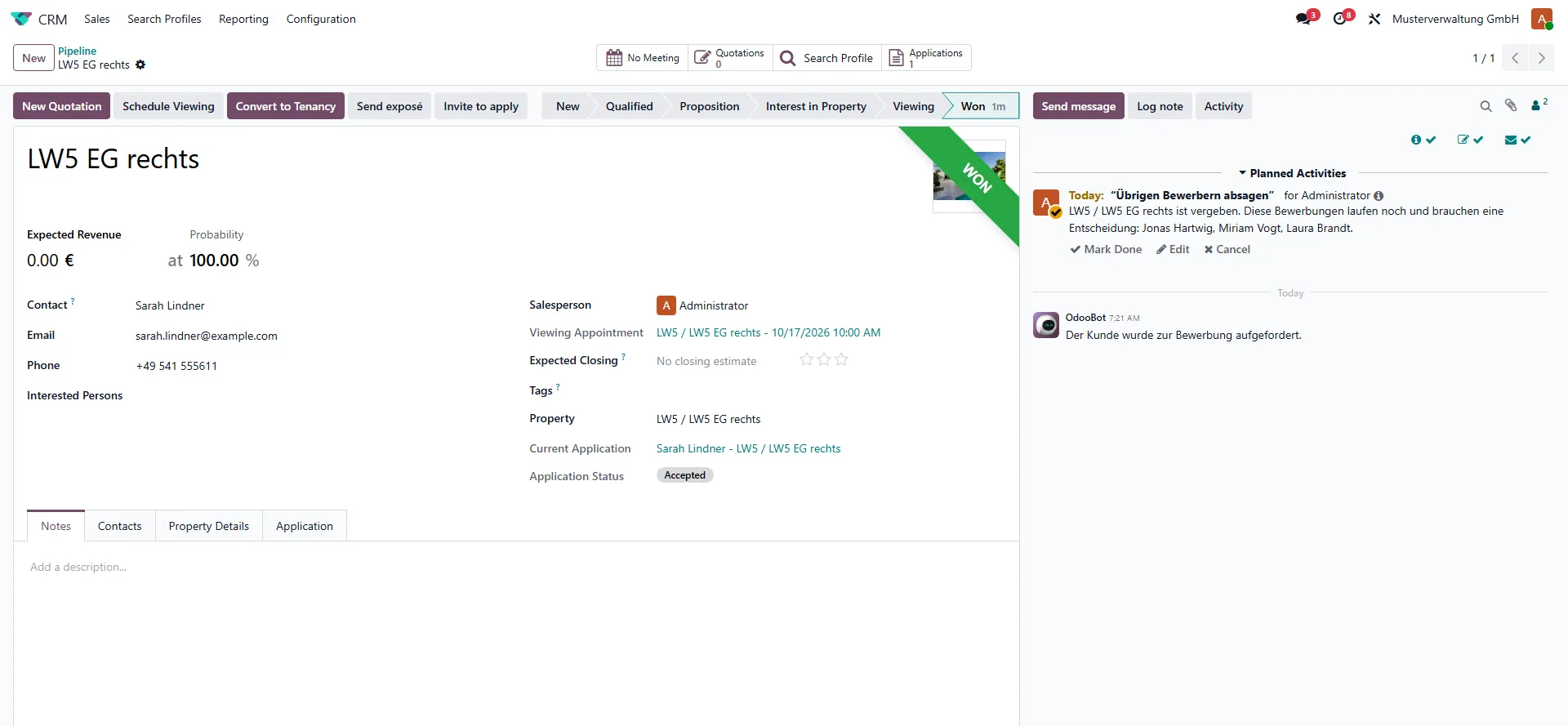
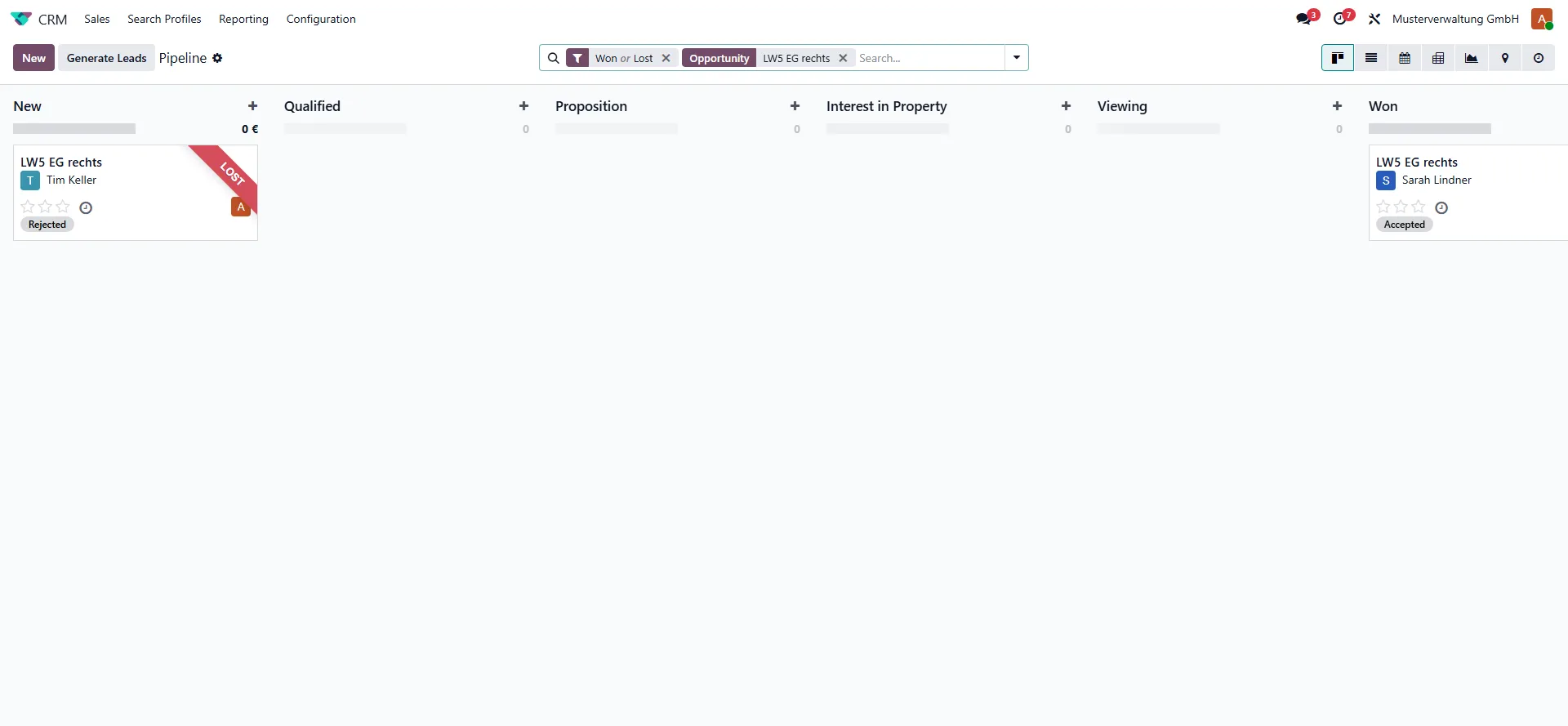
The won opportunity moves to the won stage of your pipeline. No acceptance email is sent. The system only sends rejections for lines where you checked “Send rejection”. You find what remains open under CRM › Sales › Open after award.
With the customer portal
Section titled “With the customer portal”with customer portal Decide on the application
Here the system takes care of rejecting the other applicants.
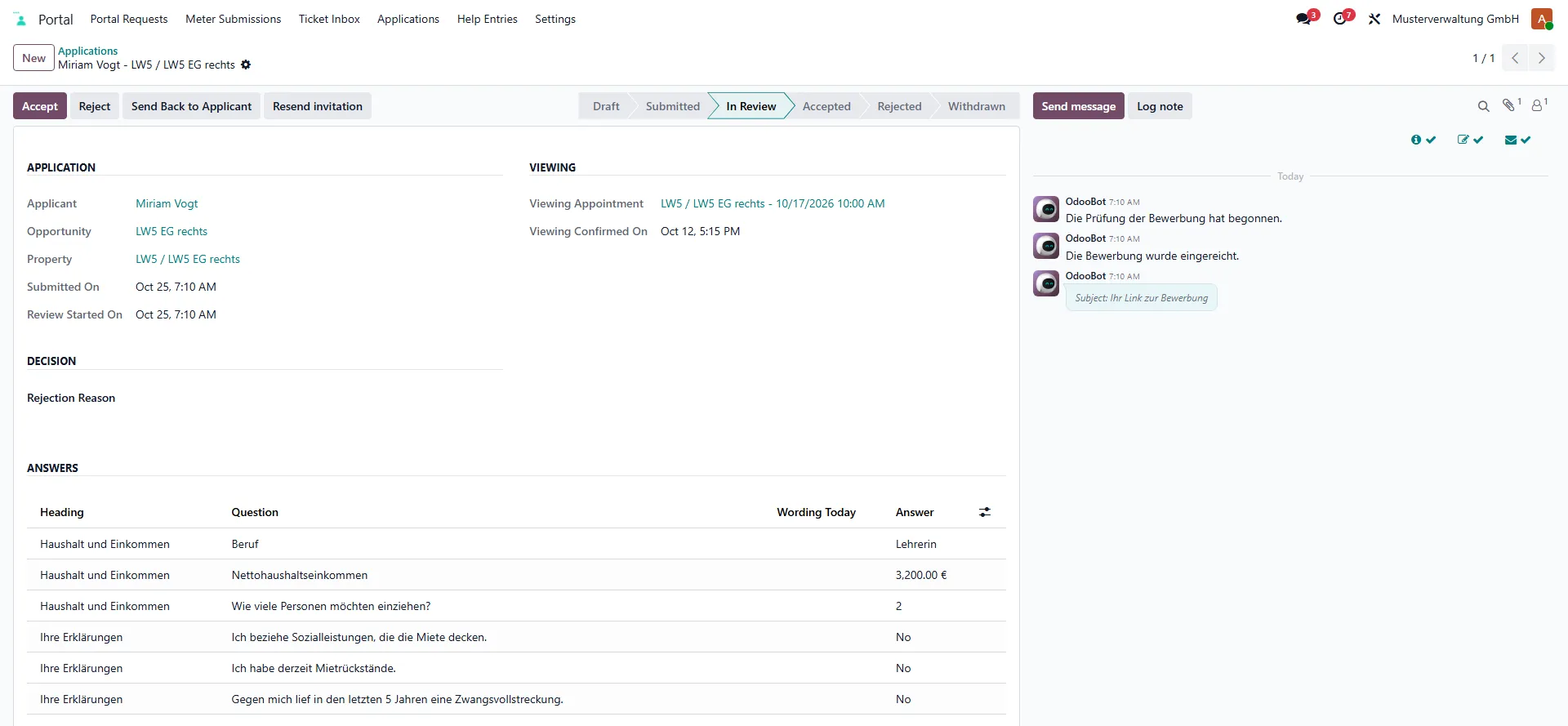
- Open the application you decide on. Click “Accept”.
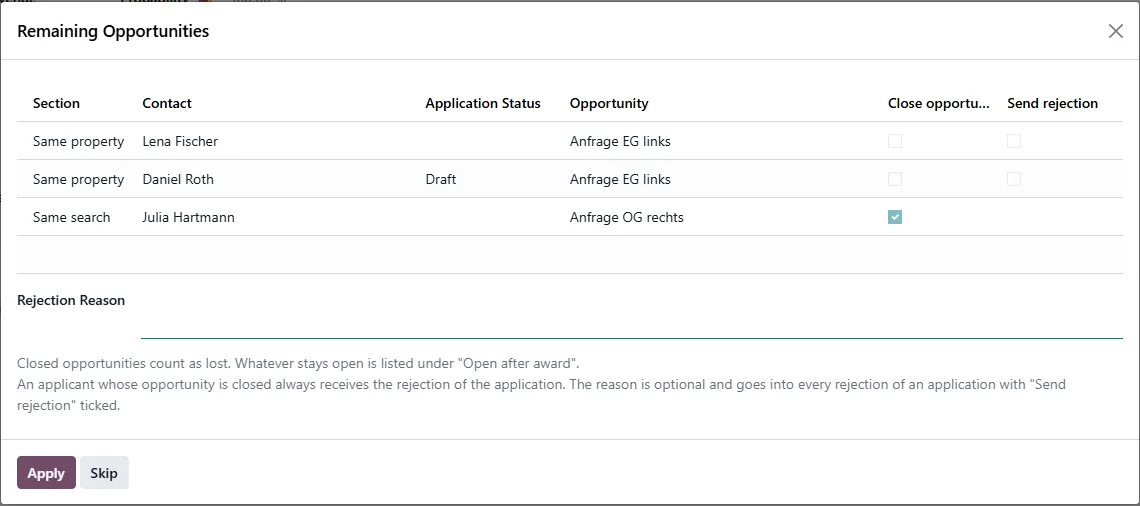
- In the “Remaining Opportunities” dialog, decide on the other prospects. The “Application Status” column shows who has an open application. “Send rejection” rejects the application, “Close opportunity” marks the opportunity as lost. A “Rejection Reason” is optional and appears in every rejection of an application. Applications without an opportunity of their own appear as separate lines in the dialog. For details, see Award.
- Click “Apply”. With “Skip”, opportunities and applications stay open.
- Then get in touch yourself and agree on the contract. An acceptance email is only sent if your company has entered a text under “Accepting applicants”.
- Check under Portal › Applications that nothing has been left open. Do this especially after skipping. Open opportunities appear under CRM › Sales › Open after award as soon as an opportunity for the property is won. The acceptance alone does not win the opportunity.
What happens automatically
- The acceptance sets the status to “Accepted” and starts the retention period. The history shows “The application was accepted.”
- An acceptance email is only sent if a text is entered under “Accepting applicants”. The email “Your application was successful” carries exactly this text, and the application page shows it below the status. If the field stays empty, the system sends nothing. The acceptance then belongs in your own letter as part of the contract process.
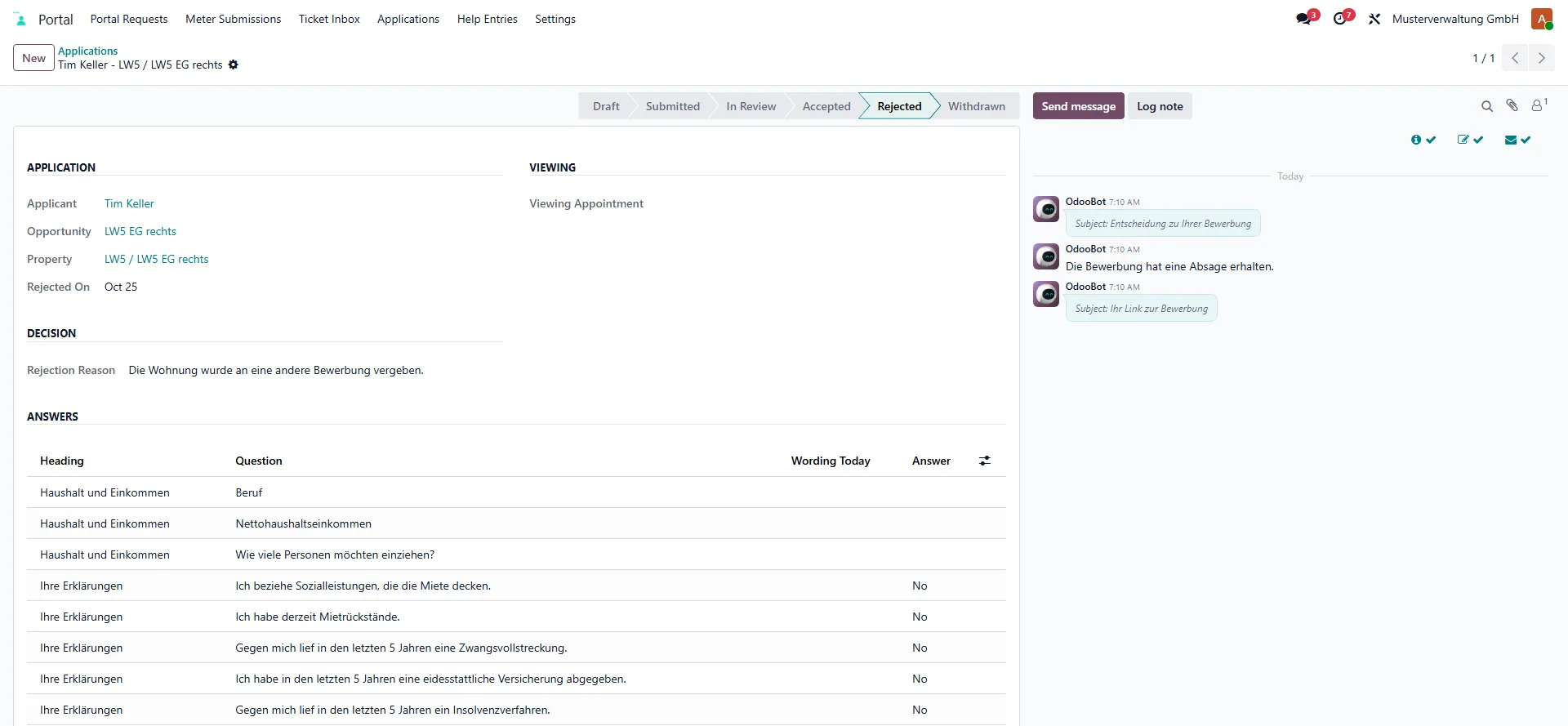
- The rejection sets the status to “Rejected” and sends the email “Decision on your application”. A reason you entered appears in it. The history shows “The application was rejected.”
- If the decision comes through the opportunity, the notes read “Accepted upon conversion.” or “Rejected upon loss of the opportunity.”
- The dialog reaches beyond the opportunity: it lists every open application for the same property, including that of a second applicant of the same opportunity and those from another opportunity. The accepted applicant is not listed.
- A rejection from the dialog works like a manual rejection: for each applicant, the same email and the same note in the history of their application.
- Only a change of the outcome decides through the opportunity. If the outcome is already set, saving again changes nothing.
- Acceptance and rejection are final, whatever the route. A new round starts with a new application. Reopening an opportunity does not reverse the decision either.
- After the retention period ends, decided applications disappear together with their answers and documents. The link then stops working. The opportunity and its history remain.
with customer portal What the applicant sees in the portal
- The accepted applicant reads on their page “Your property management accepted your application and will get in touch with you.” If you have entered an acceptance text, it appears below, and the applicant also receives it by email. Without this text, no email is sent.
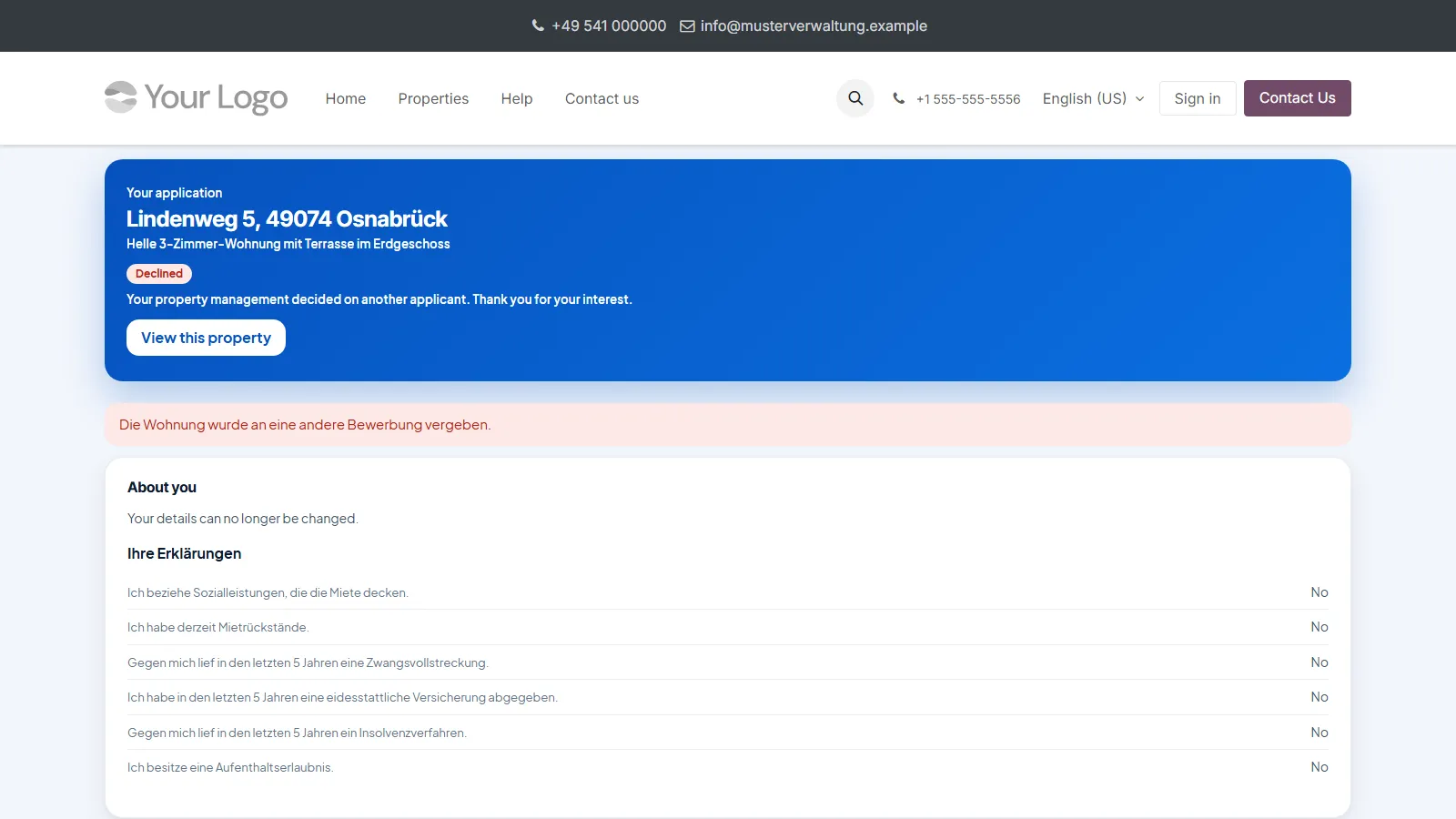
- The rejected applicant receives the email “Decision on your application” and reads on their page “Your property management decided on another applicant. Thank you for your interest.”
- The message thread is then closed. The page stays readable until the period ends.
Didn't find an answer? Contact support