

Link projects to properties
Question about the manual? Ask Claude · Ask ChatGPT
A project bundles the tasks of an undertaking. If you assign it to a property, you also see it on the property and on all of its child properties. The examples show the facade renovation of the building Lindenweg 5.
Create a project
Section titled “Create a project”- Open Project › Projects and click New.
- Enter the name, for example “Fassadensanierung Lindenweg 5”, and create the project.
- Open the project for editing via Project › Configuration › Projects.
- Enter the Project Manager and, under Planned Date, the start and end. The Gantt chart in the Business plan uses these dates.
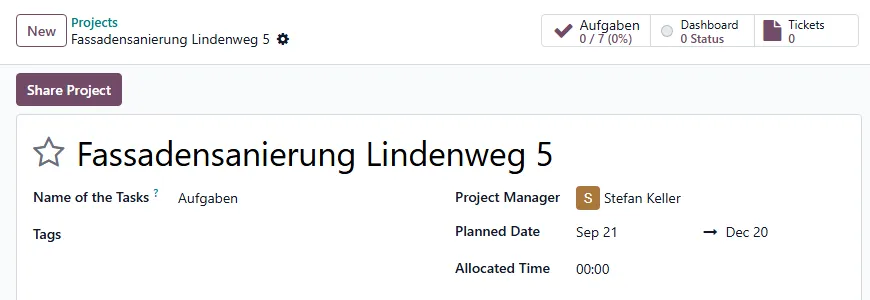
Assign a project to a property
Section titled “Assign a project to a property”- In the project, open the Settings tab.
- In the Property Management group, choose the property under Property, usually the main property.
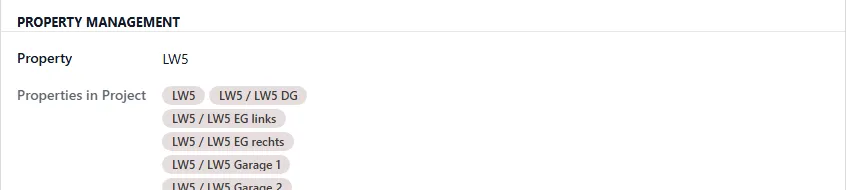
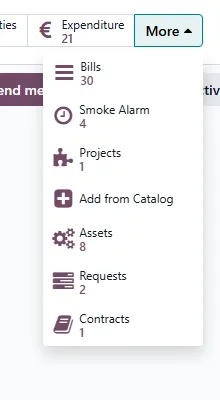
Under Properties in Project, SMARTBRIX shows all properties the project applies to: the selected property and all properties below it. On the property, you find the project through the Projects button, depending on the screen width under More. The button counts the projects of the property and its child properties.
Plan tasks
Section titled “Plan tasks”- In the project overview, click the project. The tasks are shown in columns by stage.
- Use the plus above a column to create a task, for example “Gerüst stellen lassen”.
- Open the task and enter the colleagues responsible under Assignees and the date under Deadline.
- Drag the task to the next stage as soon as its status changes.
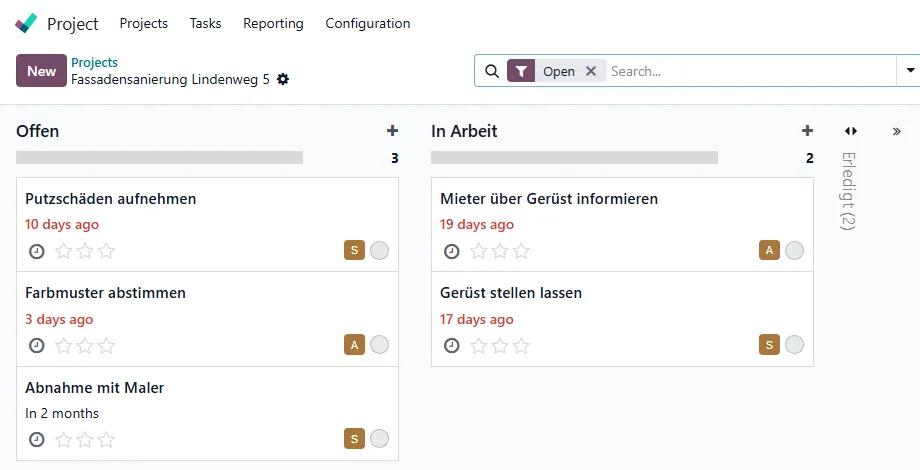
You add further stages directly in the Kanban view, to the right of the last column. SMARTBRIX does not ship its own stages or project templates.
Tasks created from a maintenance also have the Maintenance and Inspection Checklist tabs.
Views by plan
Section titled “Views by plan”Project › Projects shows the projects as cards or a list. Within a project, you see tasks as Kanban, list or calendar, among others.
Project › Projects shows the projects as cards, a list or a Gantt chart. The Gantt chart shows the duration of all projects on a timeline, grouped by project manager. Within a project, you also see tasks in the Gantt chart.
Maintenance as project tasks
Section titled “Maintenance as project tasks”Under Property Maintenance › Configuration › Settings, the Execution Mode defines whether a maintenance job runs as a maintenance or as a project task. In project task mode, the jobs are created as tasks “Maintenance: …” in the property’s project. If the property has no project, SMARTBRIX uses the project of the main property, and after that the Default Maintenance Project.
You enter a property’s project on the property in the Project field. Child properties take it from the main property. For more, see Carry out maintenance.
Several companies
Section titled “Several companies”If you work with several companies, you see the projects and tasks of all companies you have selected in the company switcher at the top right. See Companies.
Didn't find an answer? Contact support