

Move-out and closing
Question about the manual? Ask Claude · Ask ChatGPT
The tenancy ends with the move-out: appointment, walkthrough, move-out protocol, closing readings, deposit settlement and the final service charge statement. After that you close the tenancy.
Enter the phase and schedule the appointment
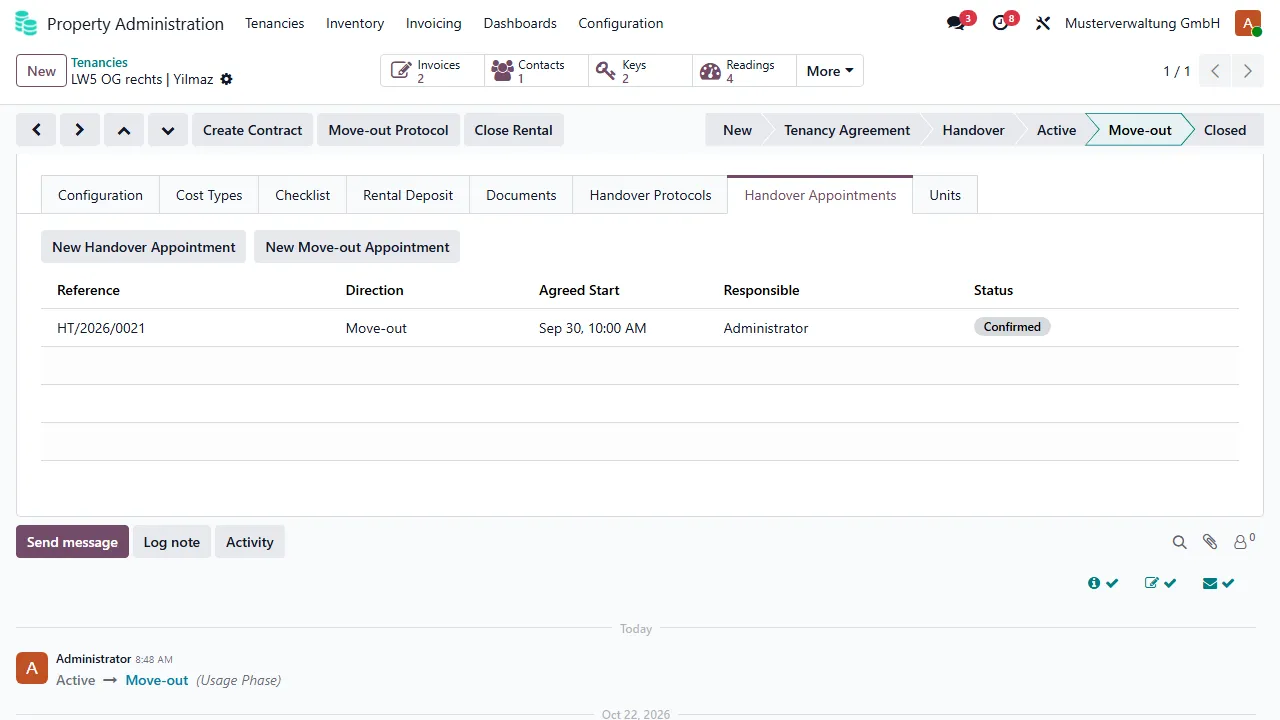
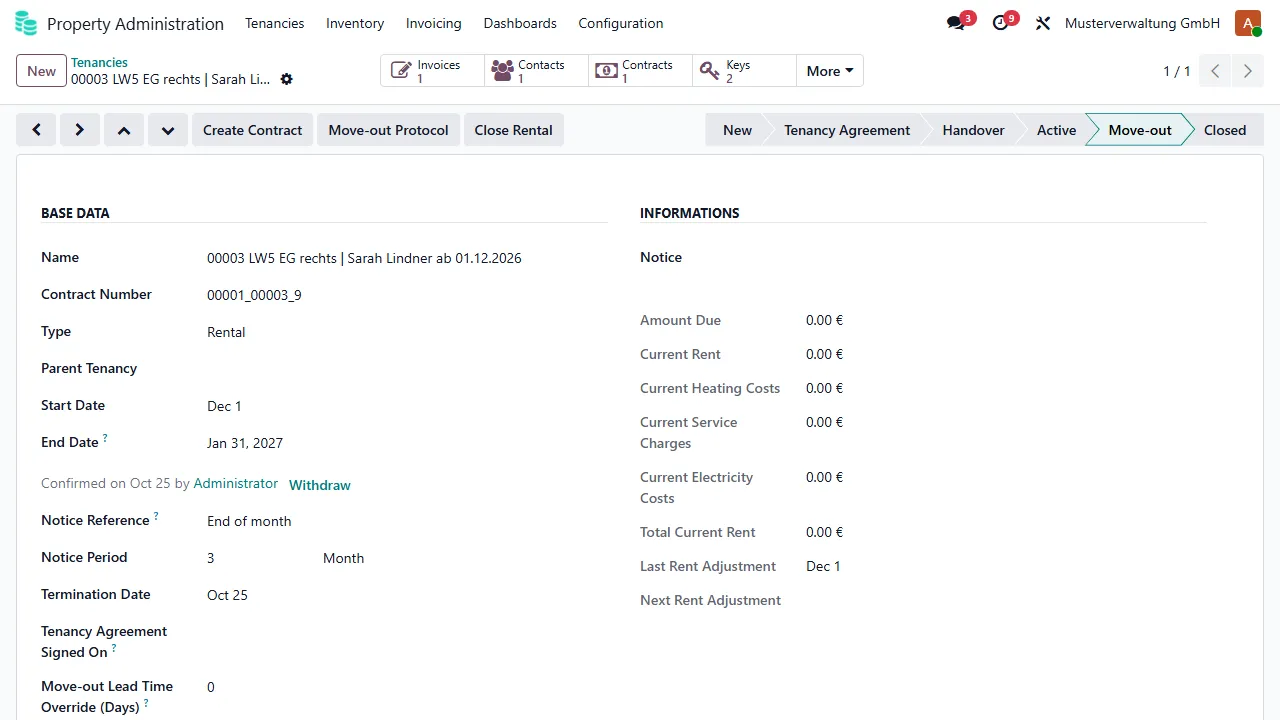
Section titled “Enter the phase and schedule the appointment”- In the header of the tenancy, click Start Move-out if the phase has not been reached automatically. The button only appears if your company has the Move-out Phase switch turned on.
- Open the Appointments button or the Handover Appointments tab and click New Move-out Appointment. From there everything works as for the handover appointment: Create Proposals, Send Proposals, record the answer, Confirm.
- Create the protocol with the Move-out Protocol button in the header of the tenancy or on the Handover Protocols tab with New Move-out Protocol. The previous protocol is then already entered.
Fill in the move-out protocol
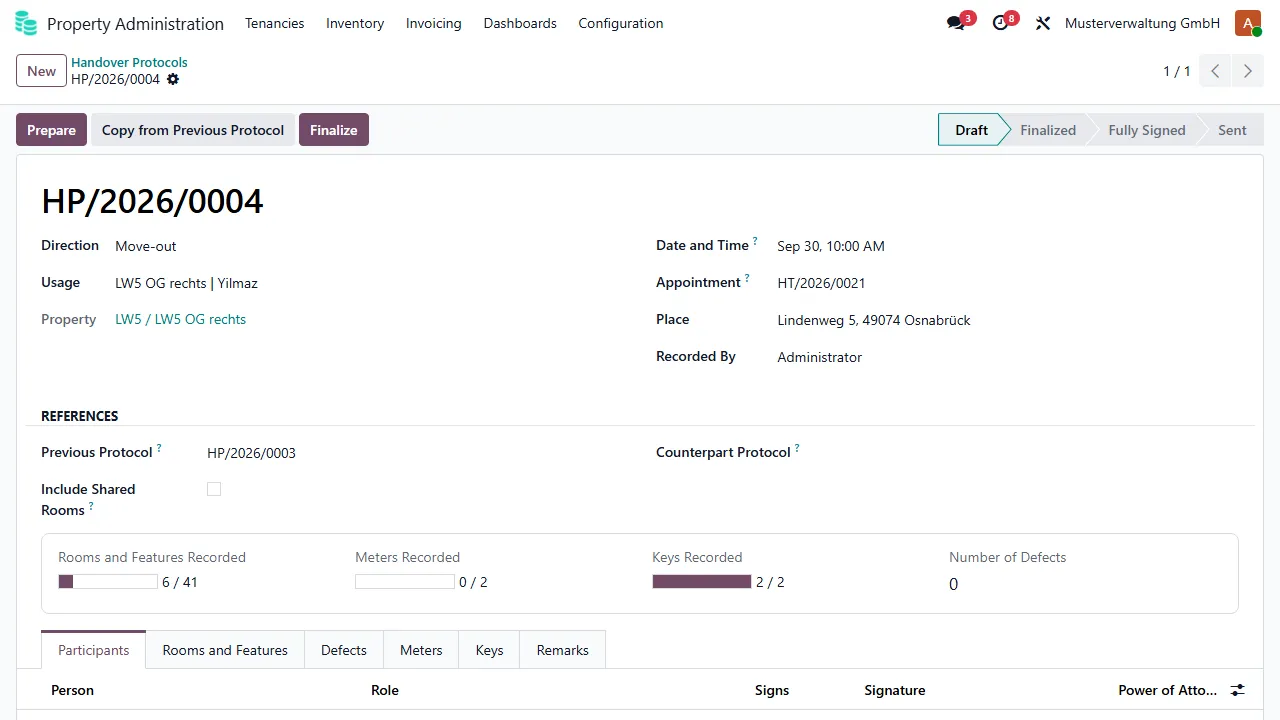
Section titled “Fill in the move-out protocol”- In the header of the protocol, check the Previous Protocol field in the References group. The most recent finalized handover protocol of the same usage is already entered, whether you created the protocol from the tenancy, the appointment or the list.
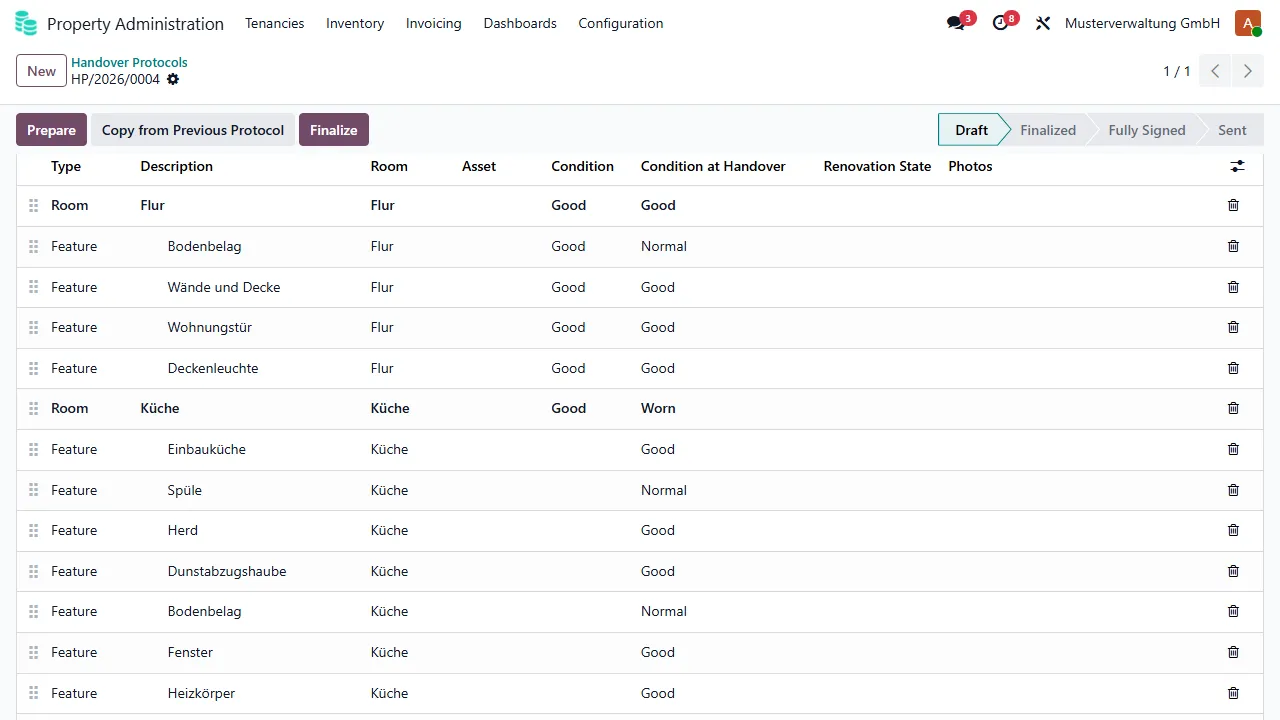
- Click Copy from Previous Protocol. The system enters the condition at handover as a comparison value, takes over the defects documented then, creates meter lines without a reading and sets the expected quantities for the keys.
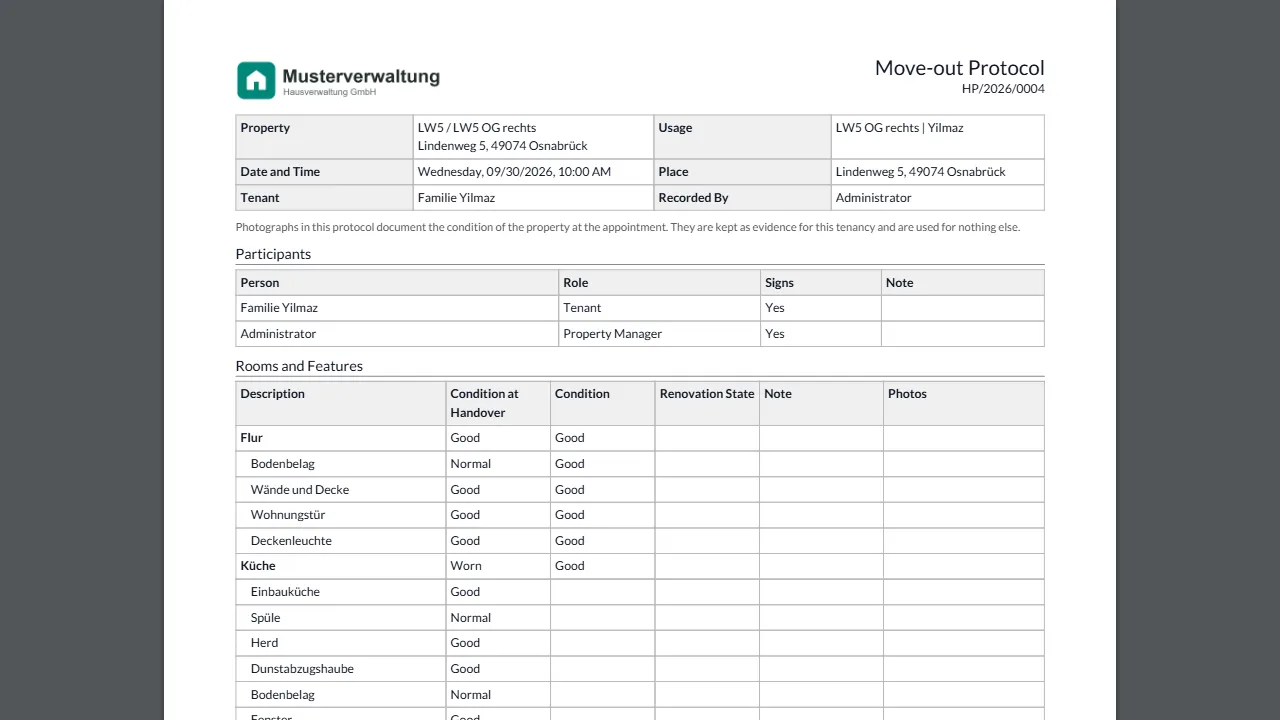
- Go through the Rooms and Features tab. Next to Condition there is now the Condition at Handover column. It shows what the room looked like at handover and cannot be changed.
- Record new defects on the Defects tab. The rows taken over have Already Present at Handover ticked. This keeps old and new damage apart.
- For each new defect, set Caused By and Consequence. Only a defect caused by the Tenant with the consequence Offset Against Deposit later becomes a retention proposal.
- Enter the closing readings on the Meters tab.
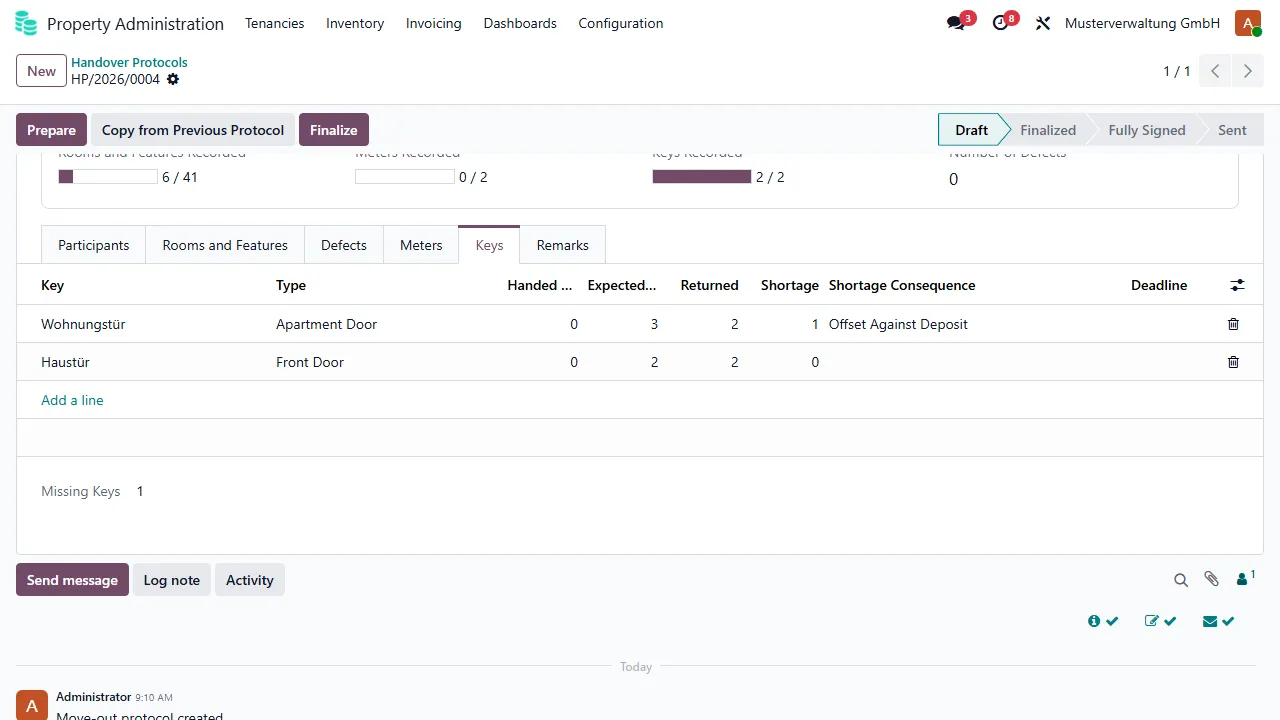
- Count the keys on the Keys tab. Next to Expected Back, enter Returned; the system calculates the Shortage. Below the list, the total is in the Missing Keys field.
- For each shortage, choose a Shortage Consequence: Subsequent Delivery by Deadline, Replacement, Lock System Change or Offset Against Deposit. For a deadline, enter it next to it.
- Record agreements on the Remarks tab. For the move-out, templates such as Cosmetic repairs and Broom-clean Move-out are available.
- Click Finalize and confirm the message.
- Have the protocol signed with Signatures and send it with Send. Both work exactly as for the handover.
Checklist, deposit and closing
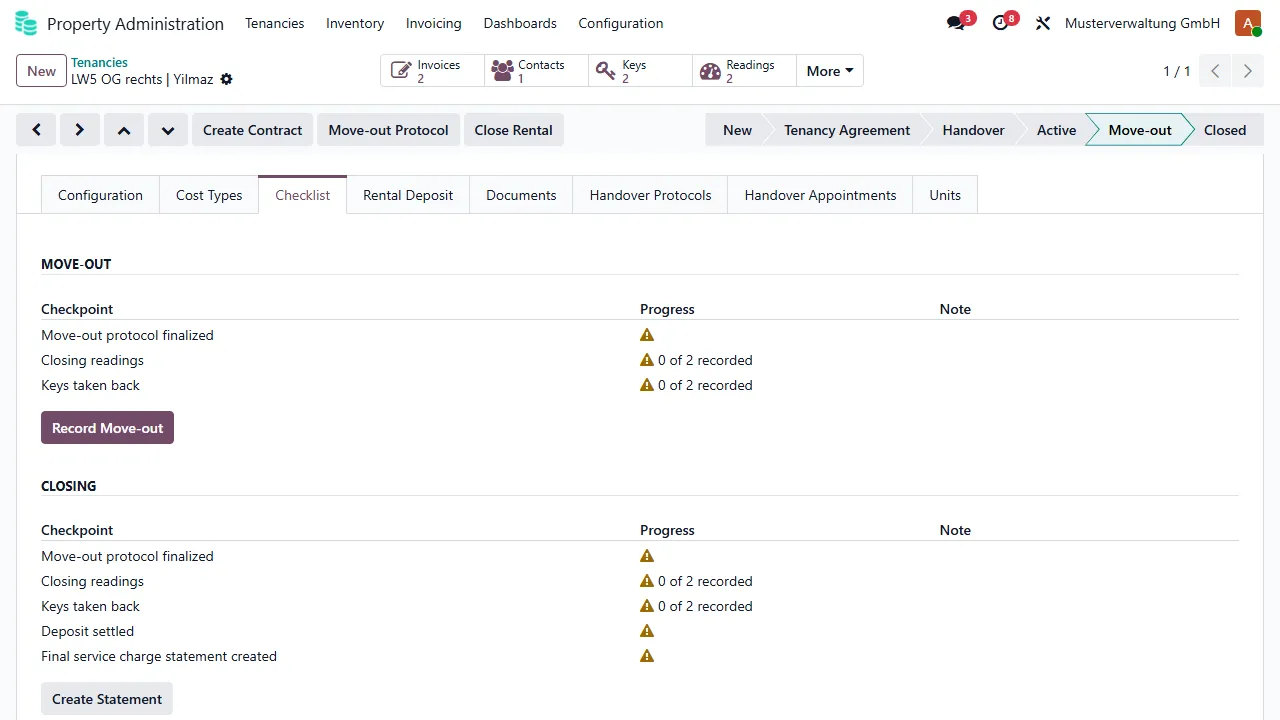
Section titled “Checklist, deposit and closing”- Open the Checklist tab. It now shows the Move-out and Closing groups.
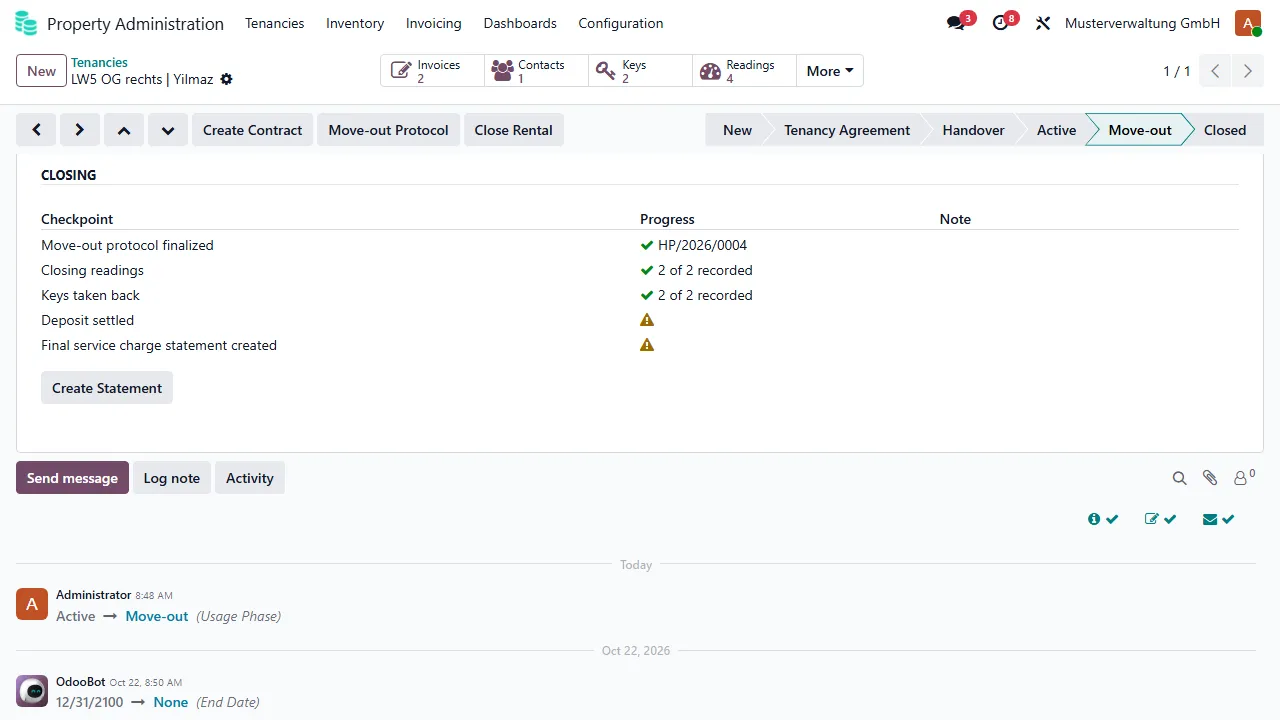
- Move-out lists Move-out protocol finalized, Closing readings and Keys taken back.
- Closing lists the same three items plus Deposit Settled and Final service charge statement created. As long as the final statement is outstanding, the Create Statement button appears below the items.
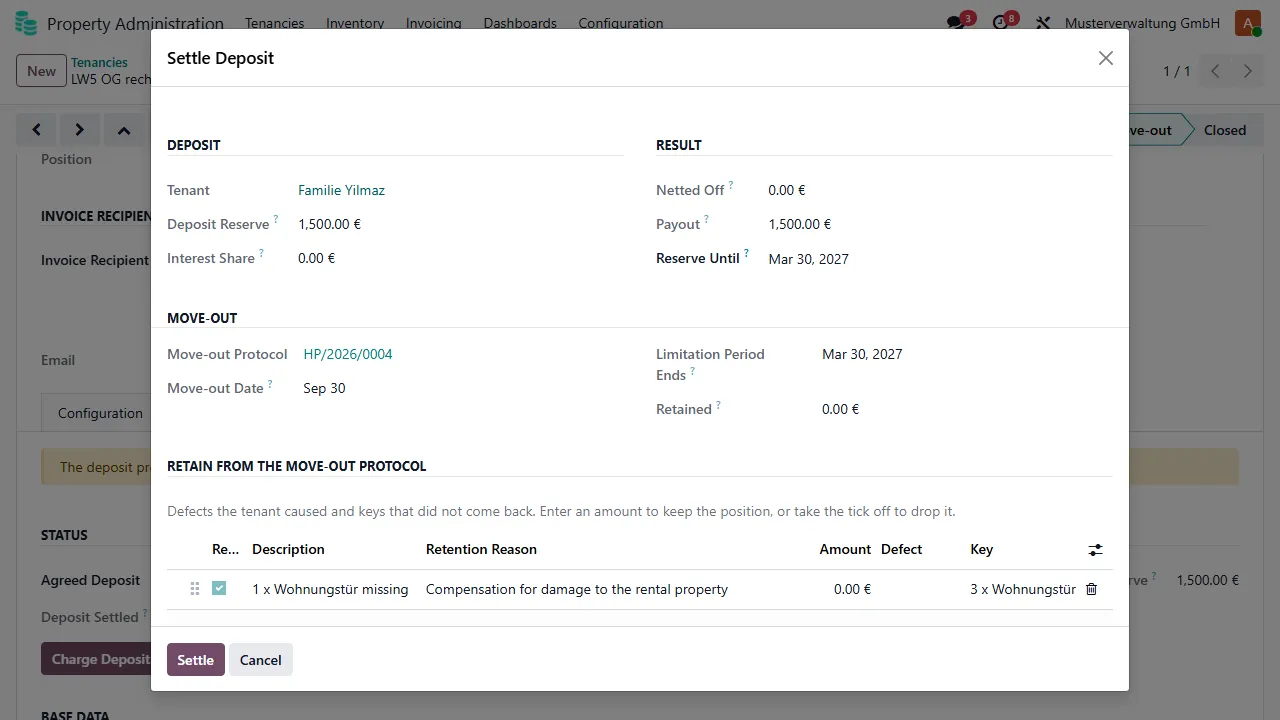
- Switch to the Rental Deposit tab and click Settle Deposit.
- In the dialog, check Deposit Reserve and Interest Share under Deposit, and Move-out Date, Limitation Period Ends and Retained under Move-out.
- Work through the Retain from the Move-out Protocol block. It proposes the defects caused by the tenant with the deposit as consequence and every key shortage, each without an amount. Enter in Amount what you want to retain, check the Retention Reason, and clear the Retain box for everything you discard.
- Under Net Off Against Open Invoices, select the invoices to be covered from the deposit.
- Under Result, check the Netted Off and Payout fields and set Reserve Until to the day by which the rest is to be settled.
- If part of the deposit was never paid, tick Write off remaining deposit claim under Unpaid Deposit Claim.
- If the security is a certificate, tick Certificate returned to tenant.
- Click Settle. The retentions are created as deposit movements, and the credit note is posted and reconciled.
- Create the final service charge statement. The Create Statement button in the Closing block opens the statement dialog, prefilled with the service charge building of this property and the settlement year of the contract end. Both can be changed. The statement always covers the whole building, not the single usage.
- Finally, click Close Rental. The tenancy is then Closed.
What happens automatically
Section titled “What happens automatically”- A move-out protocol gets as its previous protocol the most recent finalized handover protocol that is not after the move-out date. A draft does not count.
- If you change the date in a draft, the system checks the previous protocol again. If it lies after the new date, the matching earlier one takes its place. A previous protocol you chose yourself stays if its date still fits.
- A second click on Copy from Previous Protocol only adds what is missing. Lines that are already prefilled receive their comparison value instead of a second line.
- Shortage is the difference between Expected Back and Returned and is calculated, not typed.
- On finalizing, the closing readings are created with the reading reason End Of Tenancy and the capture method Handover Protocol. A second run corrects instead of duplicating.
- If a reading date falls in a service charge period that has already been settled, the reading is rejected. When you correct a reading, both days are checked: the new one and the previous one.
- The key movements are updated with the returned quantity and the return date.
- The date of the most recent finalized move-out protocol is the reference point for the limitation period. Six months later is the date in the Limitation Period Ends field. Claims must be asserted by then. A draft does not set this reference point.
- The Keys taken back check asks the same in the Move-out and Closing groups: every key issued must be settled. Settled means returned, lost or replaced. A partial return is not enough. A finalized move-out protocol always settles the check, even with a shortage. The status then names the shortage, for example “2 of 2 recorded, 1 key missing”.
- Final service charge statement created counts as done as soon as the settled period reaches the contract end. Once it is done, the Create Statement button disappears as well. With an all-inclusive rent, without cost types and without a contract end, it does not appear at all.
- A proposal in the settlement dialog without an amount is rejected; a proposal without a tick disappears without a trace. The amounts taken over are deducted before the payout and the offsetting are calculated.
- If a deposit reserve remains after the settlement, the system reminds you on the Reserve Until date with the activity “Resolve deposit reserve”.
- Close Rental is possible even with open checks. The history then keeps the note “Rental closed with open points:” with the list.
- Open receivables never hold up the closing. The checklist points them out and refers you to dunning, see Incoming payments and reminders.
- If the company switch Protocol Required (Handover and Move-out) is set, the Move-out phase cannot be left without a finalized move-out protocol.
- If there was never anything to check for the move-out, that is, no deposit, no meters, no keys and no statement, the system closes the tenancy by itself after the contract end.
- Closing starts the period after which the protocol photos are deleted.
with customer portal What the tenant sees in the portal
- The appointment page is the same as for the handover, only with the heading Return appointment. The tenant picks a date with Choose this date or proposes another one with Suggest this date.
- If you send them a signature link, they open the Your protocol page with the heading Move-out Protocol, the preview and the Your signature card.
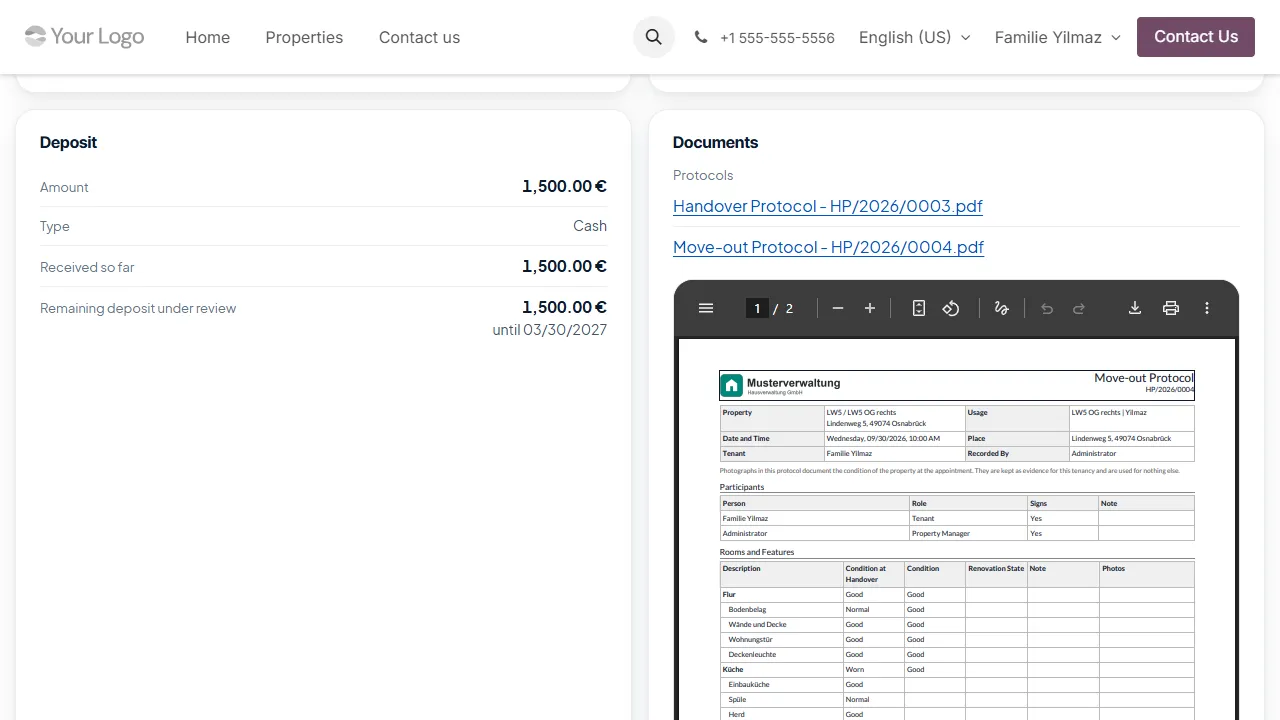
- After sending, the move-out protocol is in the Documents card on the page of their tenancy.
- After the contract end, the Deposit card shows the line Remaining deposit under review with the amount, below it until and the date. The portal does not show reasons for a retention.
- Their tenancy then has the Ended badge. Documents and invoices remain available to them. They can only report meter readings within the closing reading window.
Didn't find an answer? Contact support