

SMARTBRIX does not recalculate the metering service’s heating cost distribution. You take over its amounts per unit and position.
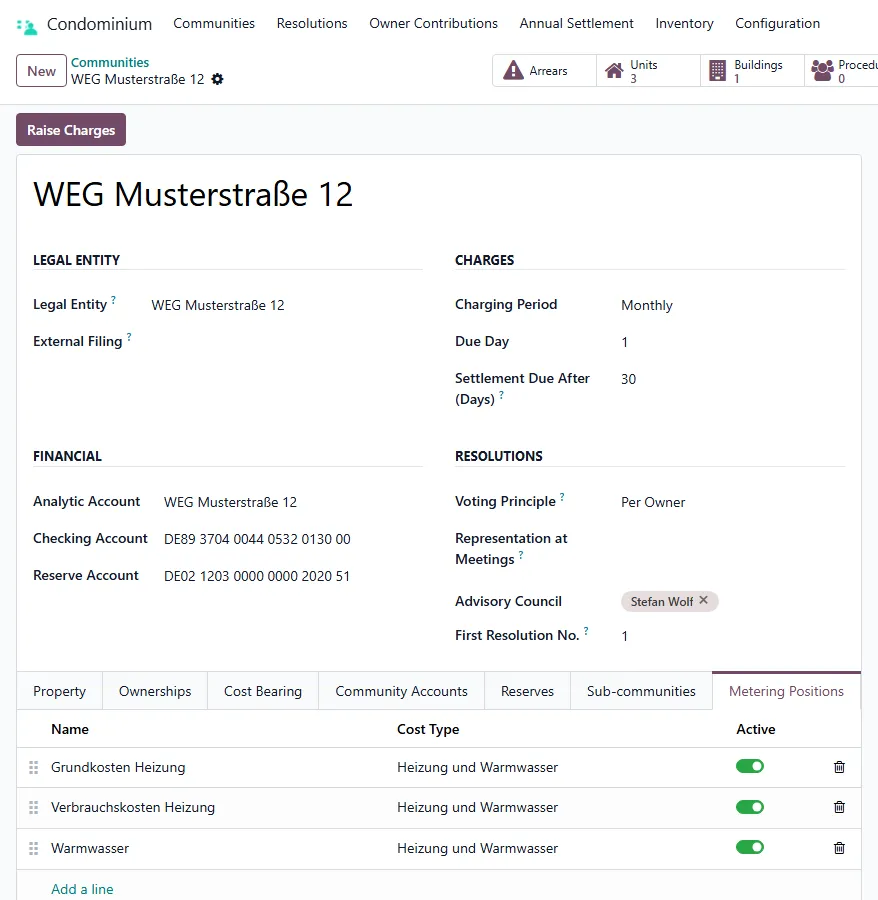
- Open the community, Metering Positions tab, and add one line per position of the metering settlement: the Name as on the settlement and the Cost Type. The positions remain in place for the following years.
- Check that the allocation key Metering Service applies to this condominium cost type (see Setup).
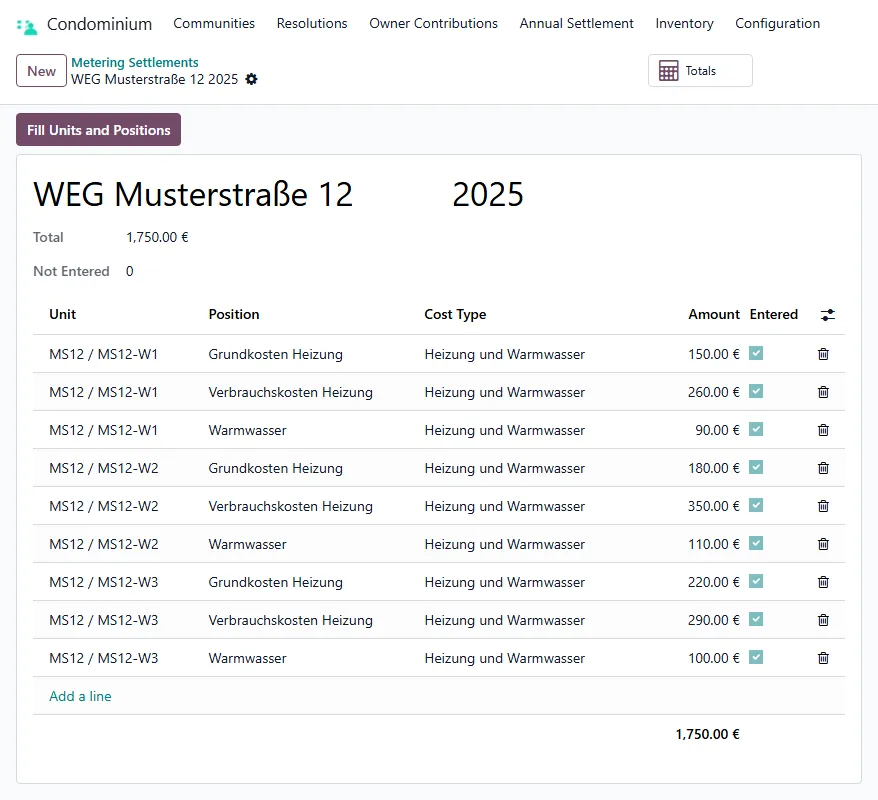
- Open Condominium › Annual Settlement › Metering Settlements, click New, select the community, enter the year and save.
- Click Fill Units and Positions. One line is created per unit and position.
- Enter the amounts from the metering service’s settlement.
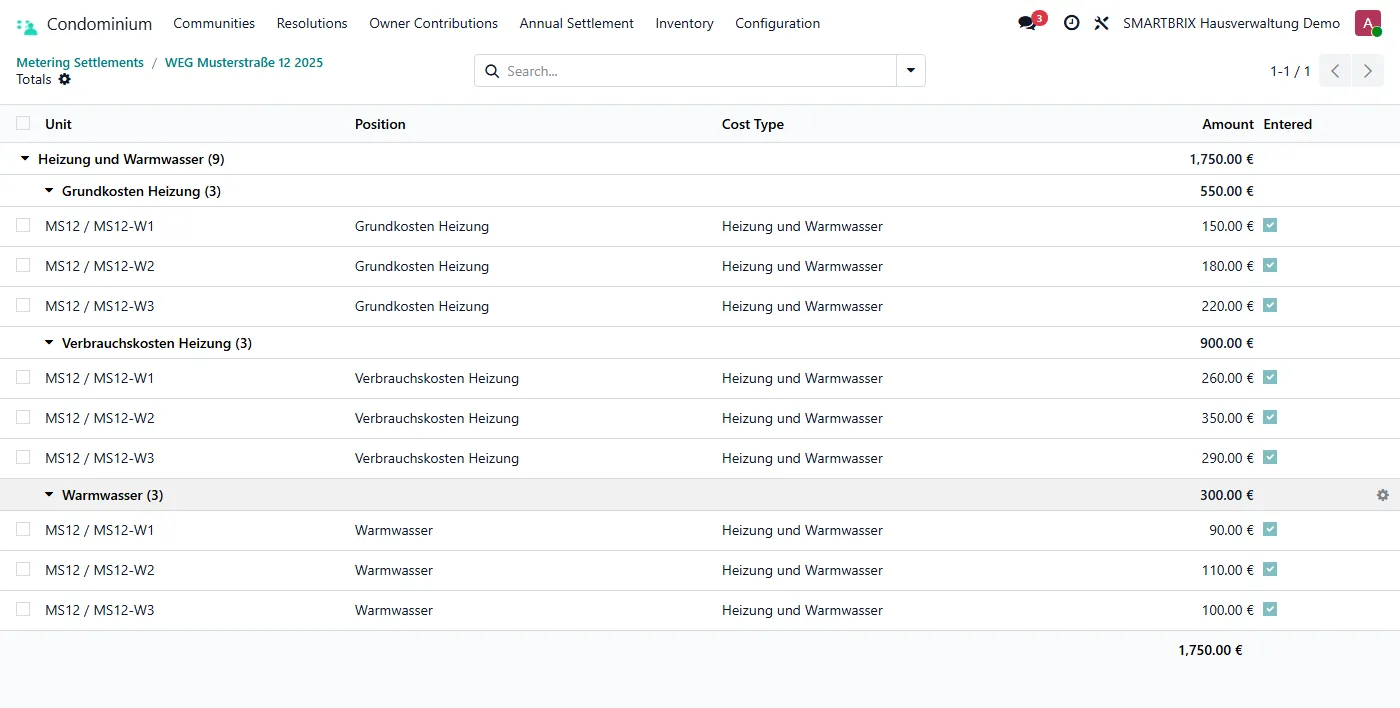
- Use the Totals button to compare the totals per condominium cost type and position with the metering service’s summary page.
Didn't find an answer? Contact support