

Contracts and maintenance packages
Question about the manual? Ask Claude · Ask ChatGPT
The commercial side is optional. Duties and maintenance work without it. You need it if a specialist company does the work or if you pass services on to a client, for example to an owner.
- Maintenance package: the service on an asset, for example “Heizungswartung”. It bundles duties of the asset and its components and links them with purchasing and sales.
- Maintenance contract: the contract with the service provider who does the work (purchasing).
- Customer contract: the contract with your client (sales).
A maintenance package can belong to a maintenance contract, a customer contract or both. If you do the work yourself, the customer contract is enough. If you do not charge anything on, the maintenance contract is enough.
The menus are under Property Maintenance › Contracts. For orders, SMARTBRIX uses the Sales and Purchase apps.
Utility, insurance and other contracts that are not about maintenance are kept in the same list with their own contract type, see Contract management. Maintenance Contract only shows contracts of the type Maintenance.
Create a maintenance contract
Section titled “Create a maintenance contract”- Open Property Maintenance › Contracts › Maintenance Contract and click New.
- Fill in the details:
- Name and Contract No.
- Service Provider: the specialist company.
- Start of Contract and End of Contract. SMARTBRIX calculates the Contract Period (Months).
- Notice Period and Notice Period Unit: for example “3” and Months.
- Properties and Contract Documents, such as the signed contract as a PDF.
- Save.
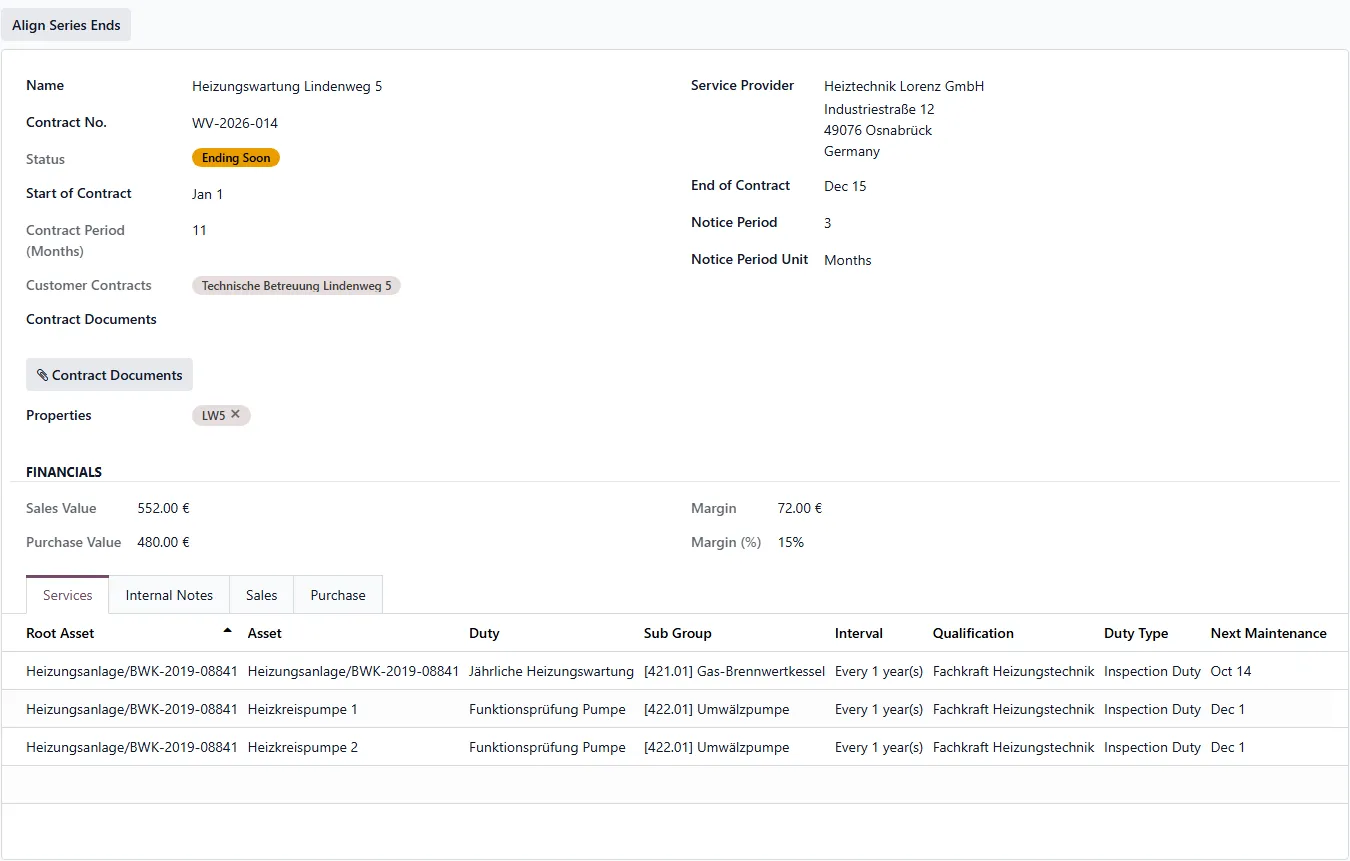
The Status follows from the dates:
- Planned: The start of the contract is in the future or missing.
- Running: The contract is running and the notice period has not been reached yet. Without an end of contract, it stays running.
- Ending Soon: The notice period before the end of the contract has begun.
- Ended: The end of the contract has passed.
If no notice period is entered, SMARTBRIX assumes 90 days. As soon as a contract enters its notice period, the user who created it gets the activity Contract Notice Reminder once: they should decide on termination or renewal. If you change the end of the contract, the reminder comes again for the new end.
A termination is not a status of its own. Enter the end of contract on which the termination takes effect.
Record the service provider’s price as a purchase order in the Purchase app. You then select the purchase order line on the maintenance package.
Create a maintenance package
Section titled “Create a maintenance package”- Open Property Maintenance › Contracts › Maintenance Packages and click New.
- Enter the name, for example “Heizungswartung”, and select the Asset.
- Select the Contract (the maintenance contract) and the Customer Contract, if there are any.
- Select the Purchase Order Line from the purchase order with the service provider. The purchase orders of this service provider are available.
- On the Tasks tab, select the duties that belong to the package. The duties of the asset and its components are available.
- Save.
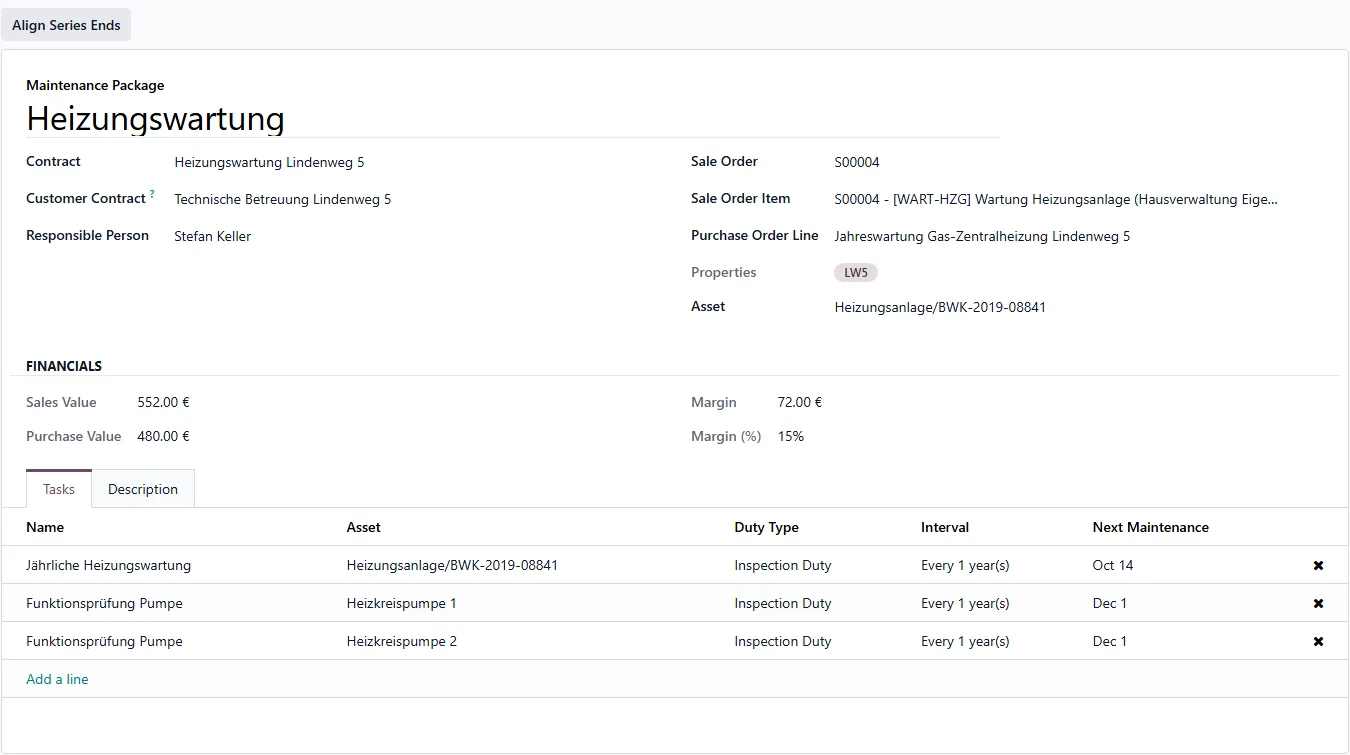
A duty belongs to at most one maintenance package. You can also assign duties on the duty itself in the Maintenance Package field, or several at once in the list of all duties with Assign to Maintenance Package.
When you schedule duties of a package, the maintenance takes over the package, the maintenance contract and the service provider. This way the technician sees which company has been commissioned.
Create a customer contract
Section titled “Create a customer contract”- Open Property Maintenance › Contracts › Customer Contract and click New.
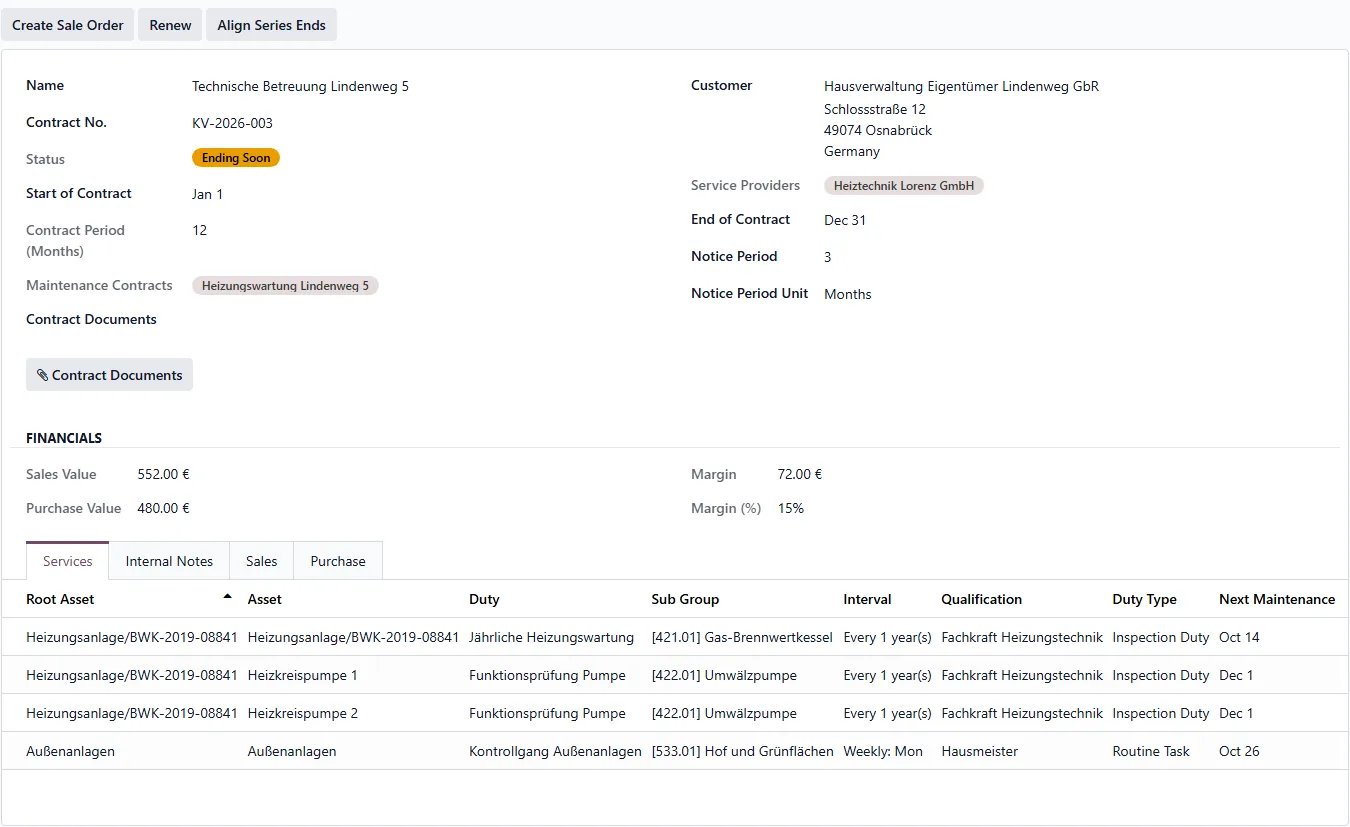
- Enter Name, Contract No., Customer, Start of Contract, End of Contract, Notice Period and Notice Period Unit.
- Save.
- Attach the maintenance packages by selecting the customer contract on each package.
A customer contract typically covers one year. The Services tab shows all duties of its maintenance packages. Maintenance Contracts and Service Providers show which companies carry out the services. Status and the notice period reminder work as for the maintenance contract.
Create a sales order
Section titled “Create a sales order”- Open the customer contract and click Create Sale Order.
- Enter the Margin. It is a markup on the purchase value: with “15” %, a purchase value of €480.00 becomes a price of €552.00. A changed margin overwrites the prices of all lines that have a purchase value.
- Select the Service Product under which the items appear in the order.
- Check the lines. Price packages without a purchase value, that is your own services, by hand. Clear Include to leave a package out.
- Click Create.
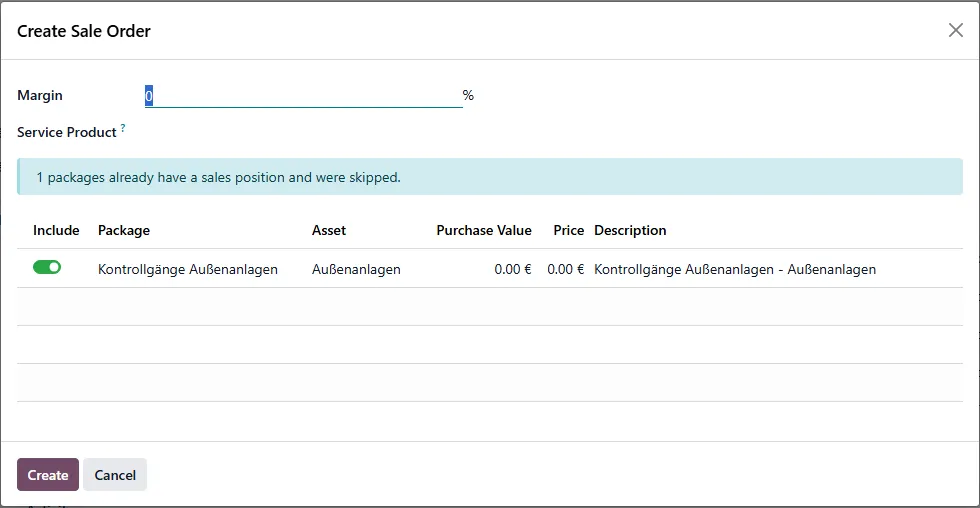
SMARTBRIX creates a sales order to the customer with one item per package, links the items with the packages and opens the order. The wizard skips packages that already have a sales item and states how many.
The other way round: If you have already recorded the order as a bill of quantities, select the customer contract on the sales order and click Derive Maintenance Packages. SMARTBRIX suggests one package per item. Enter the asset, if known. You can split one item across several packages. Create Packages creates the packages.
Renew a customer contract
Section titled “Renew a customer contract”- Open the customer contract and click Renew.
- Enter the date under New Contract End. The suggestion is the previous end plus the contract period.
- If needed, enter a Surcharge on the previous year’s prices and check the lines.
- Click Renew.
SMARTBRIX creates a new sales order with the new prices, attaches the packages to it and sets the end of contract. The old order stays as a record. Each click on Renew adds another period. SMARTBRIX does not renew the purchase order with the service provider. Create the new purchase order in purchasing and select the new purchase order line on the package, otherwise the margin is wrong.
Key figures
Section titled “Key figures”Package, maintenance contract and customer contract show in the Financials section:
- Sales Value: the value of the sales items.
- Purchase Value: the value of the purchase order lines.
- Margin: sales value minus purchase value.
- Margin (%): the margin relative to the purchase value. Without a purchase value, the field stays hidden.
If several packages share one item, SMARTBRIX splits it into equal parts.
Align series ends
Section titled “Align series ends”When a contract ends, the routine tasks it covers should end too. On the maintenance contract, customer contract or maintenance package, click Align Series Ends. SMARTBRIX lists the routine tasks with the end of contract as the Target Date. Tasks with a different series end are deselected. With Archive affected packages you close the packages at the same time. Apply writes the series ends and notes this in the contract’s history.
Inspection duties never appear here. A mandatory inspection does not end with a contract, only with the decommissioning of the asset.
Frequently asked questions
Section titled “Frequently asked questions”Why is my purchase order line not available? The package only offers purchase orders with the service provider of its maintenance contract. Canceled purchase orders are never listed.
The margin is too high after the renewal. The package still has last year’s purchase order line or none at all. Select the current purchase order line.
Didn't find an answer? Contact support