

Properties and usages for service charges
Question about the manual? Ask Claude · Ask ChatGPT
The building
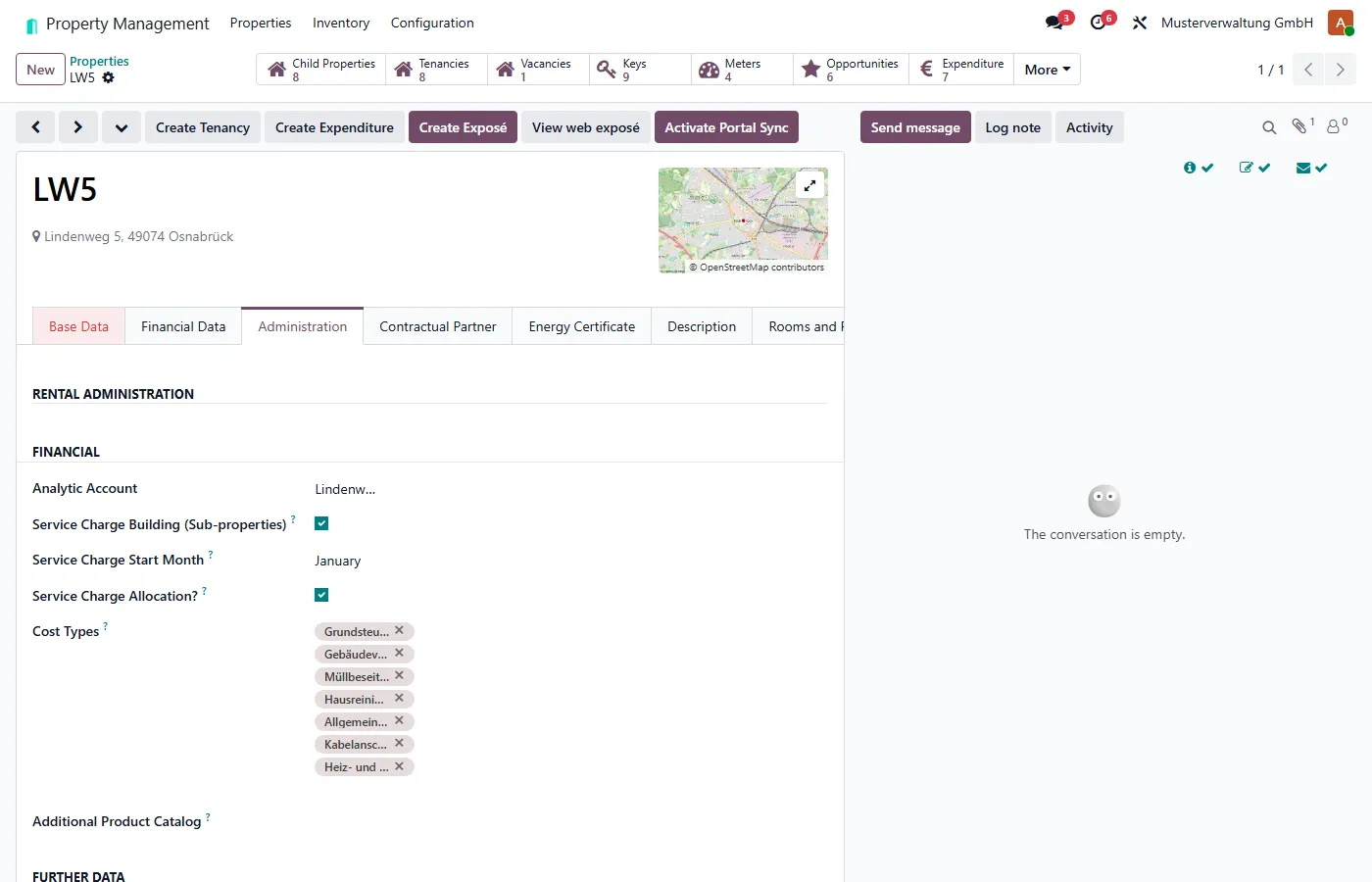
Section titled “The building”- Open the building under Property Management › Properties and switch to the Administration tab. The tab appears as soon as the property has the administration status.
- Fill in the Analytic Account.
- Tick Service Charge Building (Sub-properties). Only such buildings can be settled later.
- Select the Service Charge Start Month. It determines when the settlement year starts, usually January.
- Leave Service Charge Allocation? ticked and under Cost Types, select all cost types that occur in this building.
The child properties
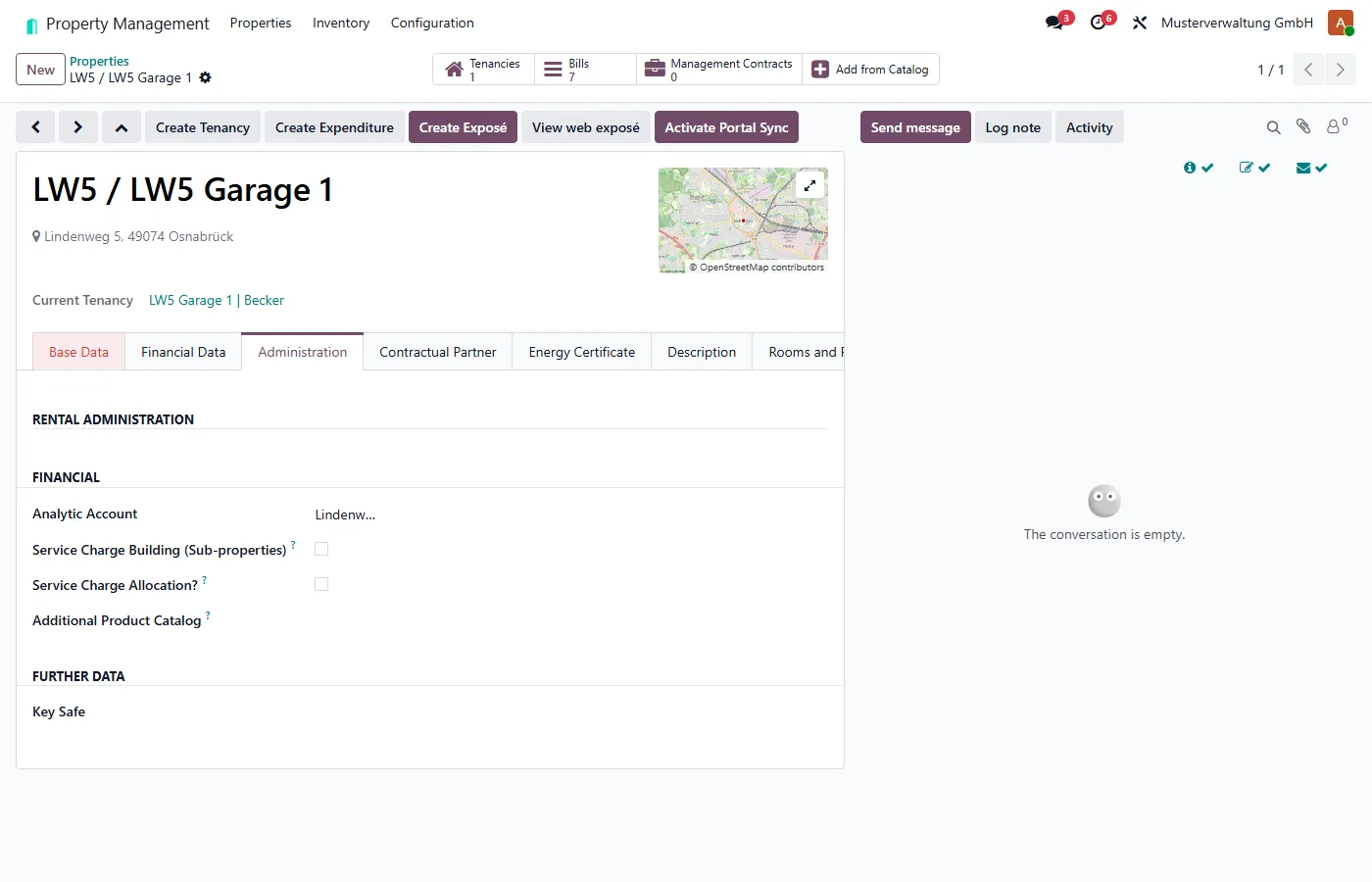
Section titled “The child properties”Apartments, garages and other spaces are child properties of the building, at any depth (complex, house, apartment). They take over the cost types of the building. A child property can leave out cost types that do not apply to it. If you add a cost type on the building, all child properties get it, also on import. Child properties without the tick at Service Charge Allocation? and child properties of another company are left out. If you remove a cost type on the building, it disappears on all child properties. The usages do not change: you adjust their cost types on the usage itself.
If a property has no service charges at all, for example a parking space, untick Service Charge Allocation?. The cost types are then hidden and cleared, and no usage of this property takes part in the allocation.
The usage
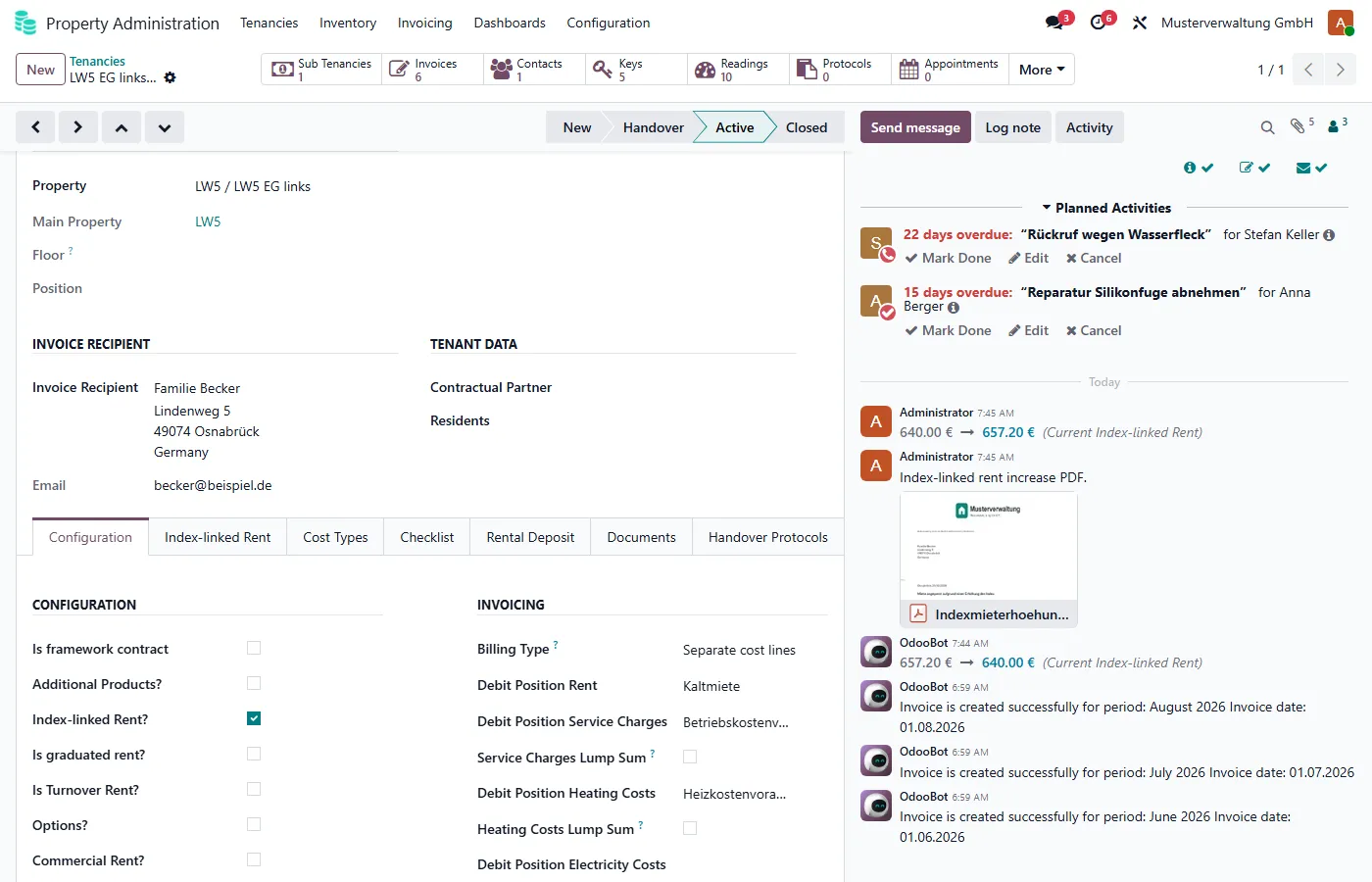
Section titled “The usage”Open the usage under Property Administration › Tenancies › Tenancies. New usages take over the cost types and the service charge allocation from the property.
Configuration tab, Invoicing block
Section titled “Configuration tab, Invoicing block”- Billing Type: how many lines the rent invoice has (“Separate cost lines”, “One combined cost line”, “One line for rent and costs”). It says nothing about whether a statement is made.
- Debit Position Service Charges and Debit Position Heating Costs: the prepayment cost types the tenant pays monthly. Only cost types whose category has Advance Payment? set and that match the block are available.
- Service Charges Lump Sum and Heating Costs Lump Sum: if ticked, the block is covered by the monthly amount as a flat amount and does not appear in the statement. The usage still counts with its area, and its share stays with the owner.
Rent lines
Section titled “Rent lines”Besides the rent and prepayments, the rent line holds the values for the allocation: Space (m²), Heating Space (m²), Persons and Co-Ownership. Heating space and co-ownership share are hidden; show them with the icon at the right edge of the table. If something changes during the year, create a new rent line with a later start date; SMARTBRIX then calculates to the day.
For parking spaces without an area, tick No space needed. Without this tick, SMARTBRIX requires an area.
Cost Types tab
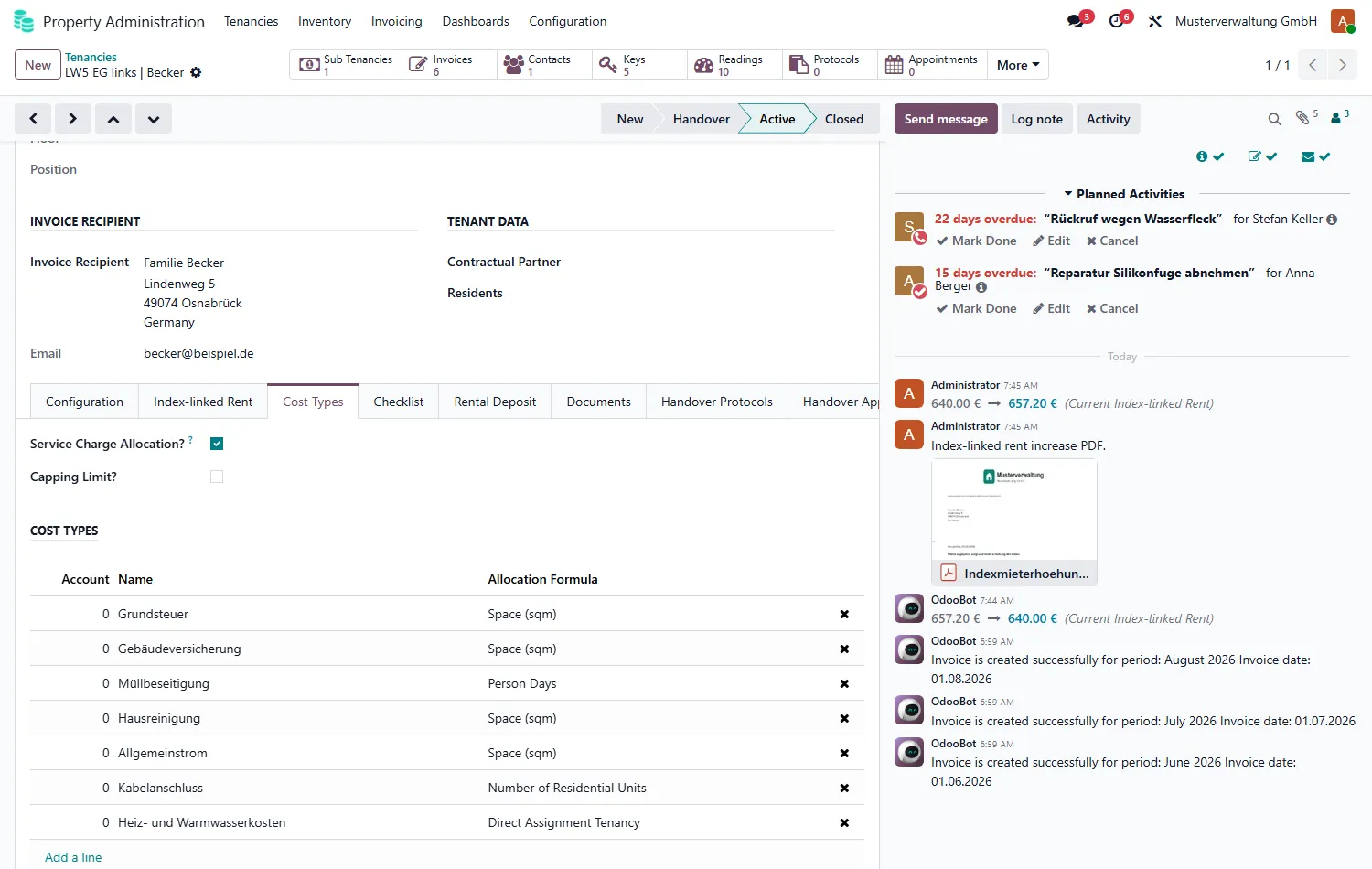
Section titled “Cost Types tab”- Service Charge Allocation?: does the usage take part in the allocation? The default is yes.
- Cost Types: the cost types the usage takes part in. You can choose from the cost types of the property.
- Capping Limit?: shows the Capping Limits table (see below).
Capping limit and fixed amount
Section titled “Capping limit and fixed amount”Tick Capping Limit? and add a line under Capping Limits. Under Affected Cost Types, select the cost types it applies to. The Kind column determines how the amount works:
- At most: The tenant’s share is reduced to the limit. If it is below, it stays unchanged.
- Fixed amount: The tenant carries exactly this amount, whatever the share would be, for example for a cable flat fee agreed in the contract. The other tenants stay unchanged, and the owner carries the difference.
Enter the amount as an absolute value under Absolute Capping Limit or as a percentage under Relative Capping Limit, with the reference value under Relative Capping Limit Relation (monthly or annual rent). An absolute amount applies to the whole settlement period; if the usage only runs for part of it, the share of its days counts. With No Passing, the owner carries the cost type in full.
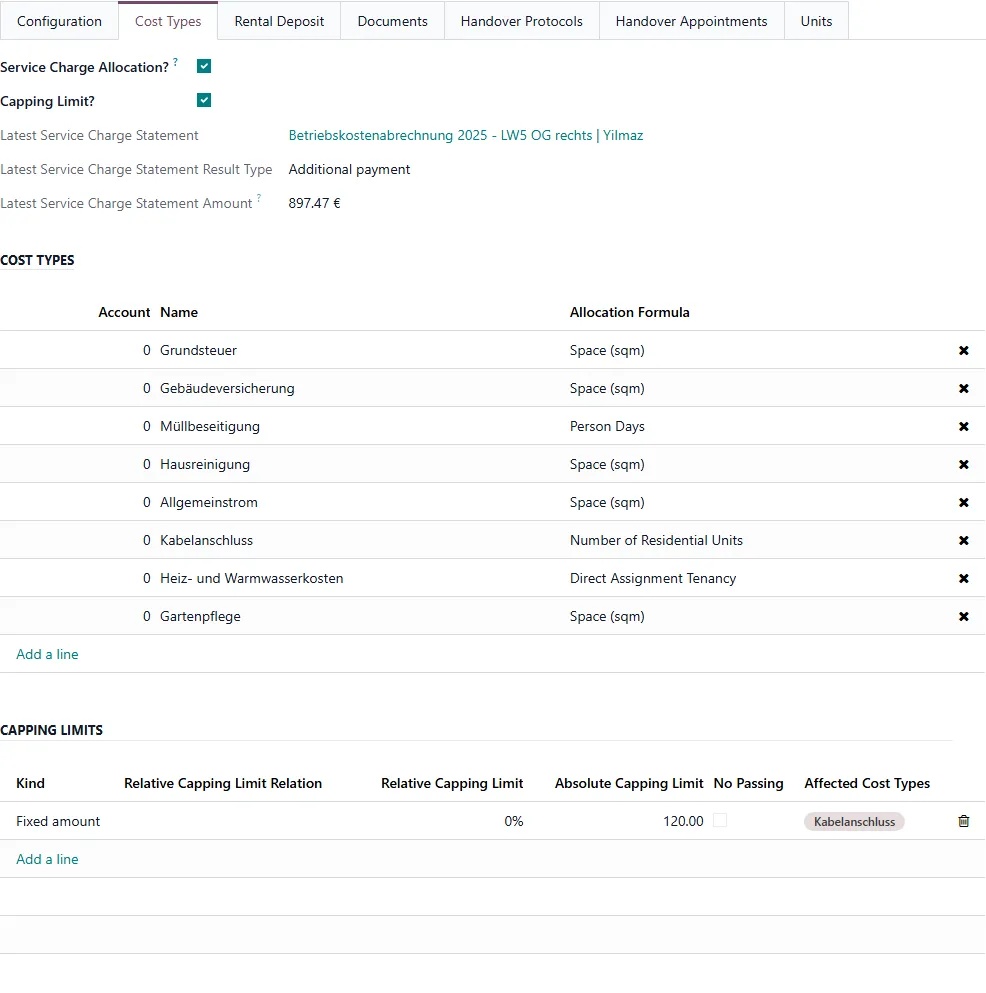
The fixed amount applies in the overall statement. If you split an expenditure by hand, it works like At most.
Sub-usages
Section titled “Sub-usages”A sub-usage adds accessory spaces to a main usage, for example a garage rented with the apartment. It starts with Service Charge Allocation? turned off, because accessory spaces are usually not charged. If its area should go into the allocation after all, turn it on and select cost types of its own, also just some of those of the main usage. It then receives a statement of its own based on its own values.
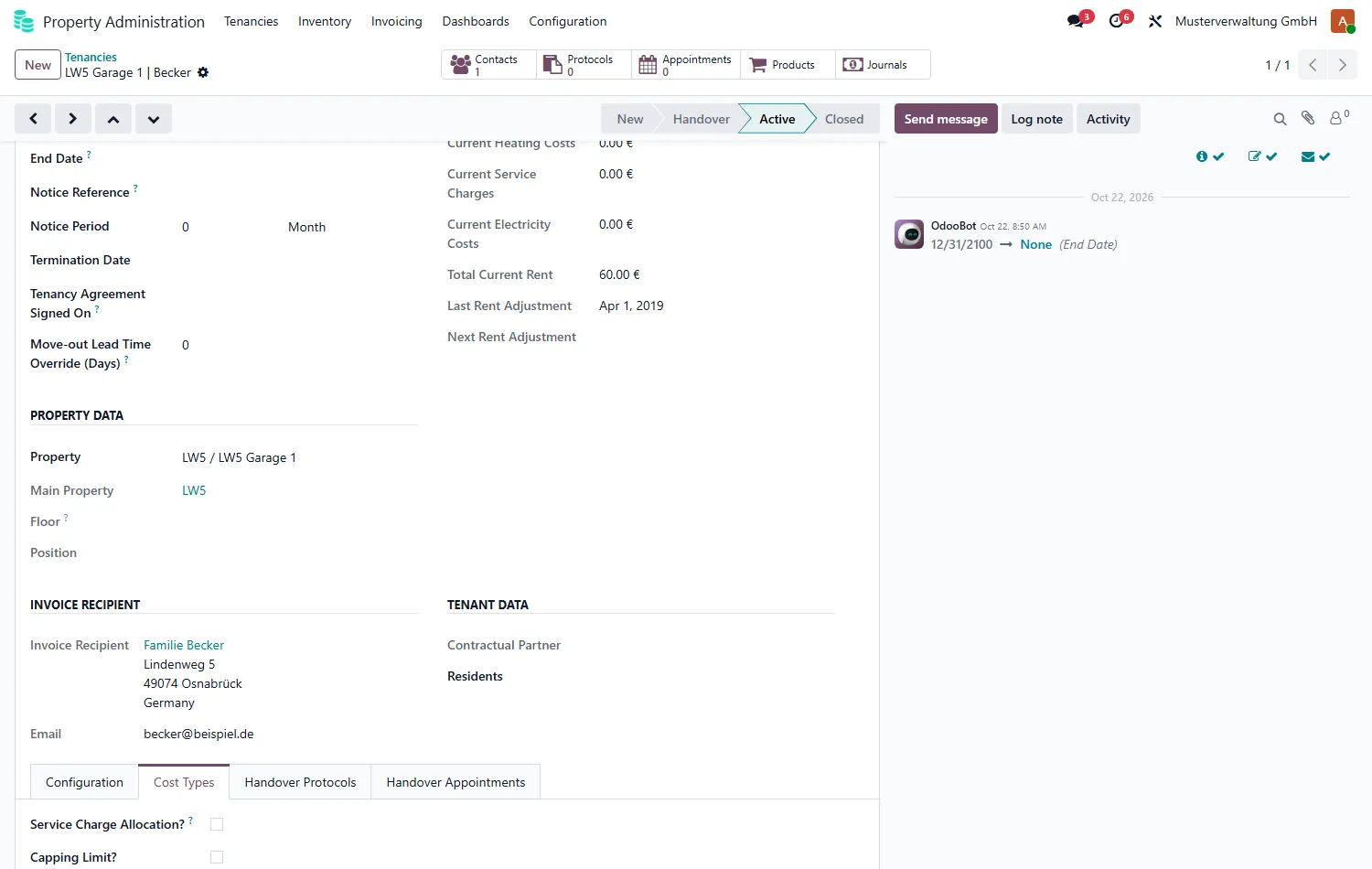
Usages under a framework agreement are full usages and take over the setting from the property. The framework agreement itself never takes part in the allocation.
Didn't find an answer? Contact support