

Evaluate the cash receipts statement
Business only
Question about the manual? Ask Claude · Ask ChatGPT
Your accounts must be assigned first (see Set up the cash receipts statement).
Open the report
Section titled “Open the report”What you do
Section titled “What you do”-
Open Accounting › Reporting › Cash Receipts Statement.
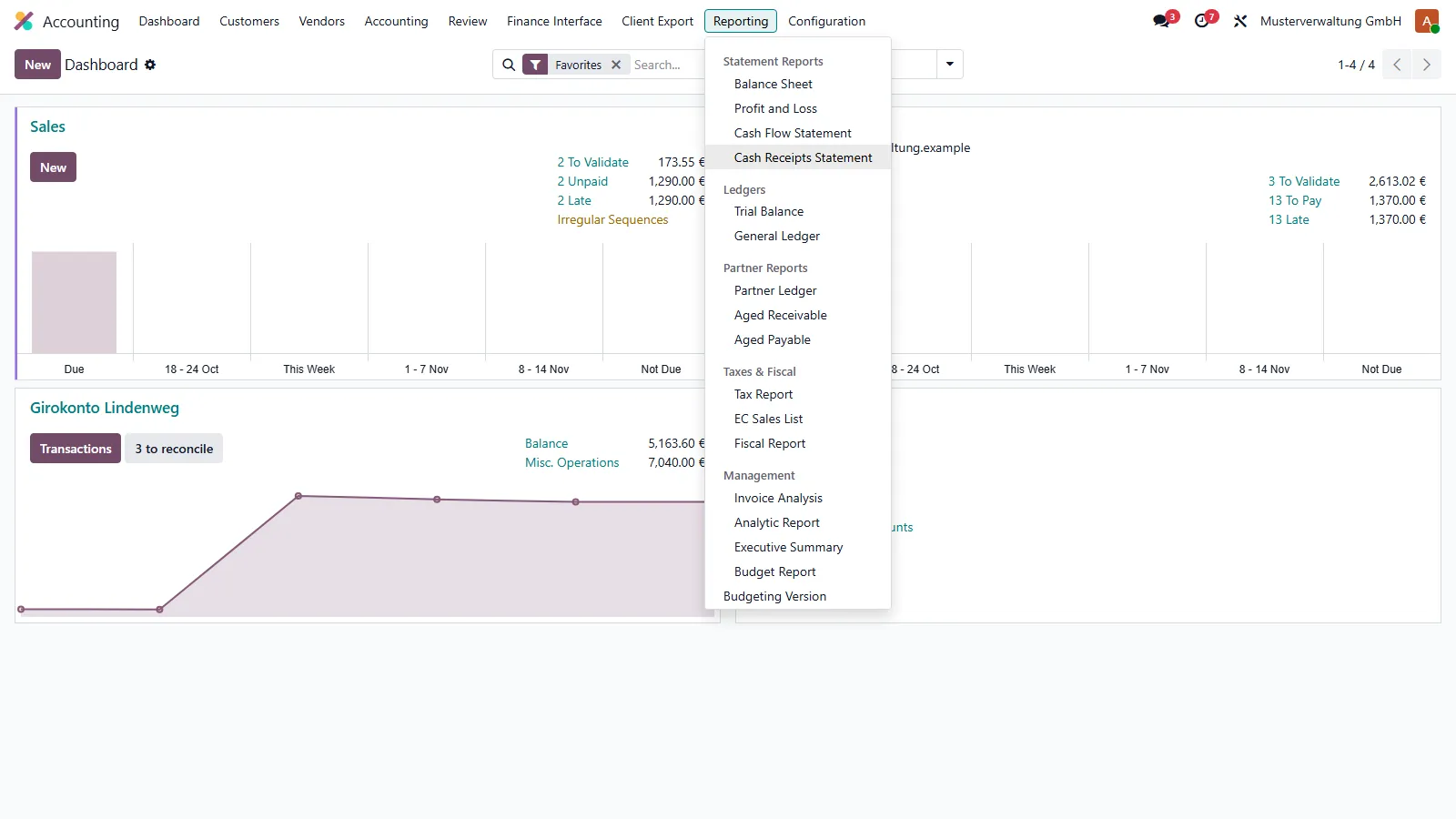
-
Choose the period at the top. The default is the current year.
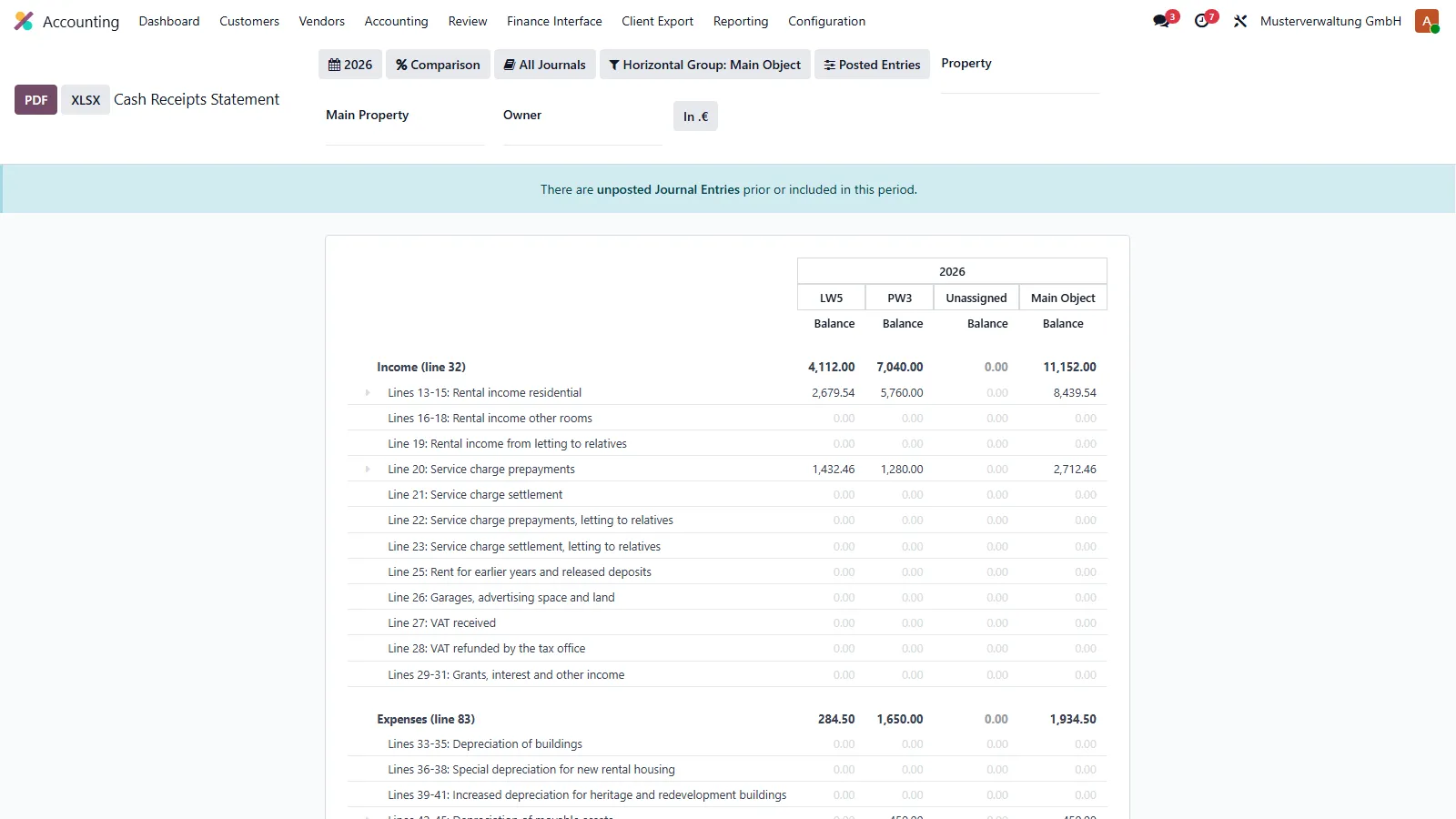
What happens automatically
Section titled “What happens automatically”- The report always calculates by the receipt date, that is, the day the money moved. There is no switch for this.
- There is one column per main property. The Unassigned column collects amounts without a property. The last column is the total.
- The notice about unposted journal entries refers to drafts, for example planned depreciation. It does not change the figures.
Read the report
Section titled “Read the report”Each line names the line of the Schedule V (Anlage V) 2025 form. The totals Income (line 32) and Expenses (line 83) are at the top of each block.
What you do
Section titled “What you do”-
Click a line with an arrow. The accounts the amount comes from appear below it.
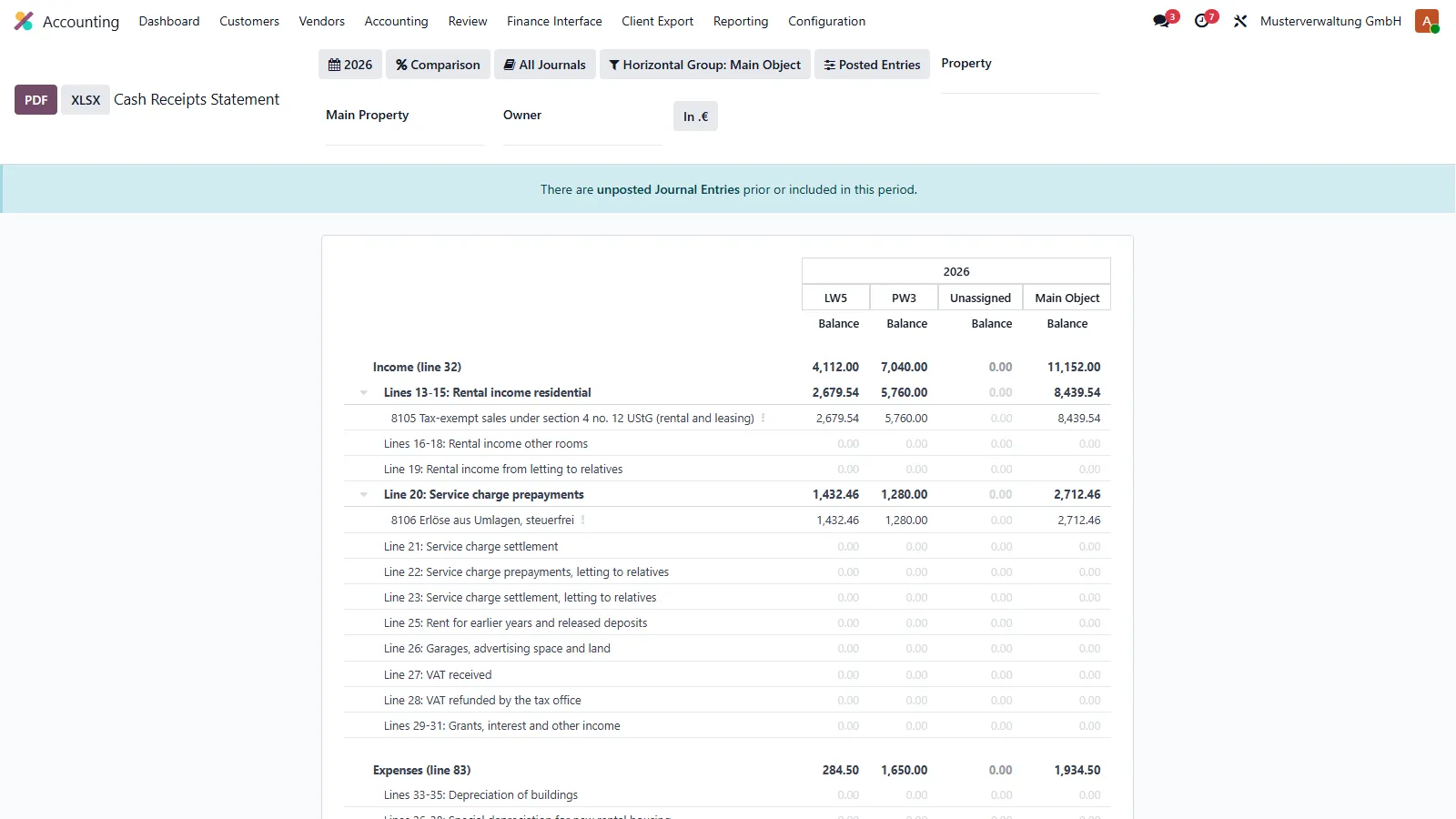
-
Scroll to the end. There you find Surplus (line 85), the input VAT for information, the two remainder lines and two notes.
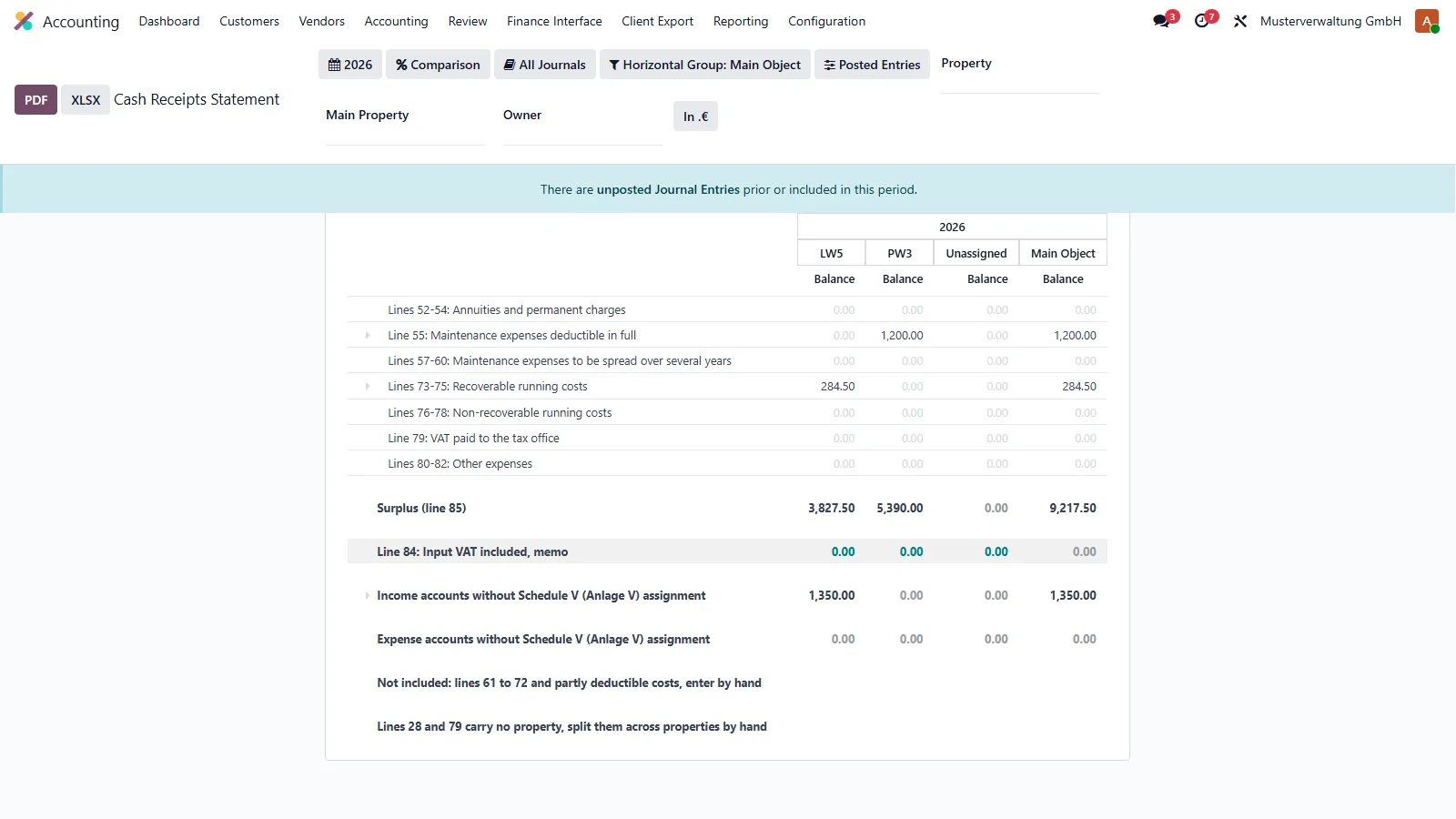
Evaluate per owner
Section titled “Evaluate per owner”What you do
Section titled “What you do”-
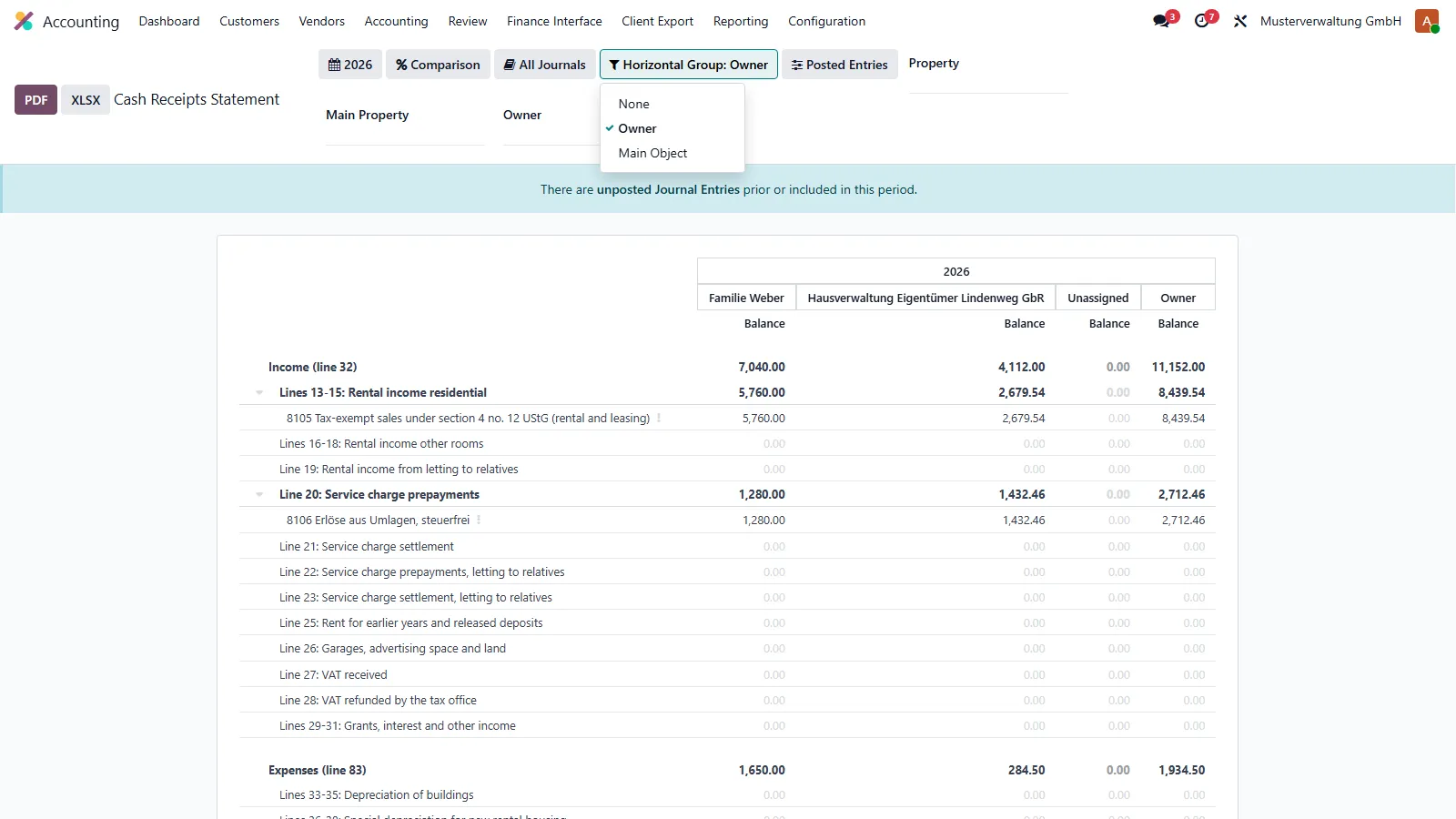
Click Horizontal Group and choose Owner. Each owner gets a column of their own.
-
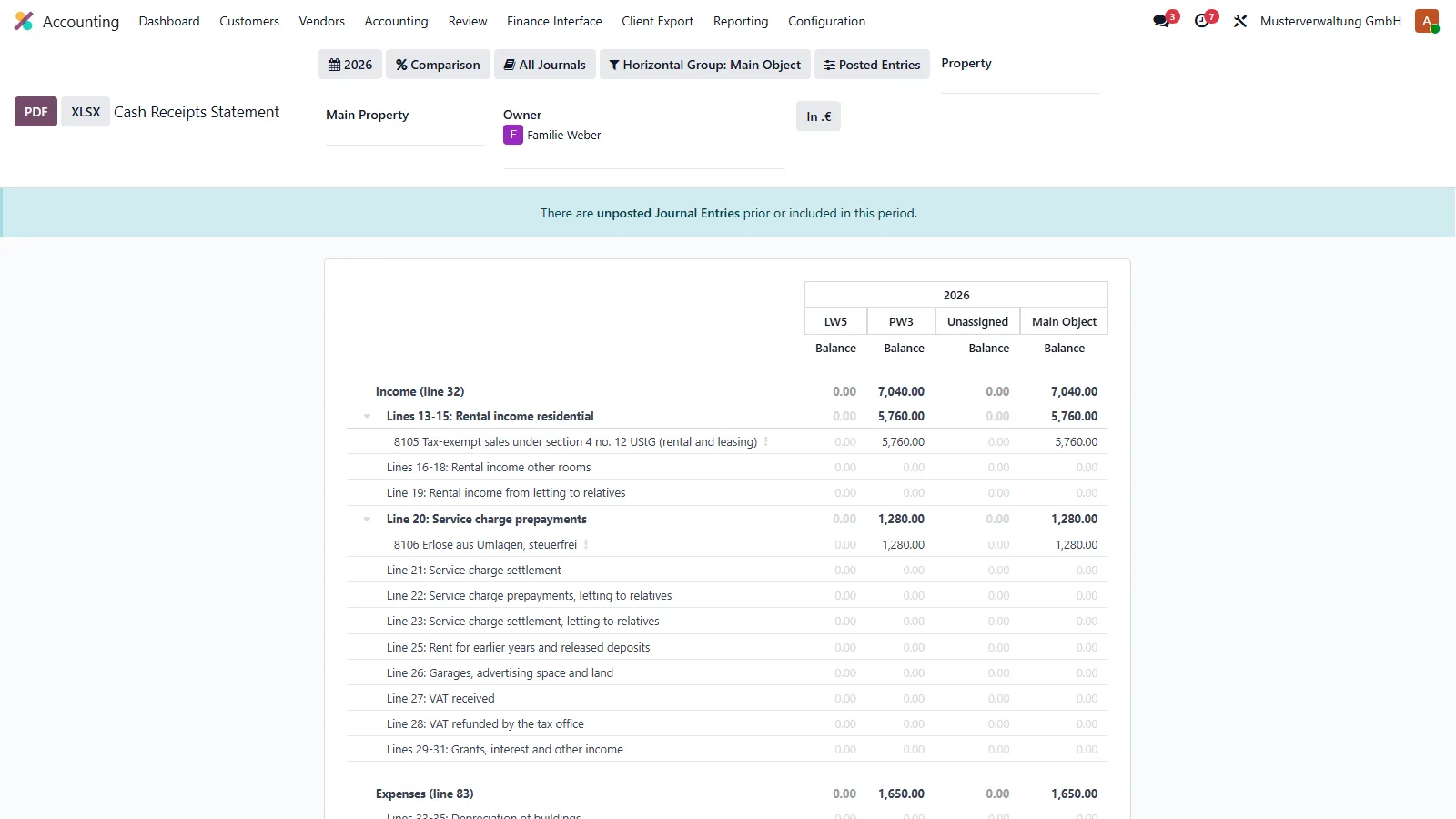
Type the name in the Owner field at the top and select it. The report then shows only that owner’s properties. You filter by Main Property and Property the same way.
What happens automatically
Section titled “What happens automatically”- With an owner filter, amounts without an owner drop out, including the payments to the tax office.
- With None, you switch the columns off and see only the total.
Before handing over to your tax advisor
Section titled “Before handing over to your tax advisor”- Both remainder lines are at 0.00. Otherwise an account still lacks its tag.
- The Unassigned column contains only the tax office lines 28 and 79. Other amounts there need a property on the invoice line.
- Enter partly deductible costs and the spread maintenance expenses from previous years (lines 61 to 72) by hand. The same applies to splitting the tax office payments across the main properties.
- Export the report with PDF or XLSX at the top left.
How the report assigns payments around the turn of the year is described in Payments around the turn of the year.
Didn't find an answer? Contact support