

Correction statement
Question about the manual? Ask Claude · Ask ChatGPT
If another cost invoice for the period arrives after the invoices are posted, such as an amended property tax assessment, or if a value was wrong, create a correction statement. It recalculates the whole period. Each tenant receives only the difference to what was already settled with them.
Requirements
Section titled “Requirements”- The overall statement is Released, and all its invoices are posted. Otherwise SMARTBRIX reports “Post all invoices of the statement before correcting it.”
- There is no correction for this overall statement yet. You create a second correction on the first correction.
If no invoice has been posted yet, you do not need a correction: reset the overall statement with Reset to Draft and calculate again.
- Record or change the expenditure, for example “Grundsteuer 2025 Nachveranlagung” (supplementary property tax assessment) for €180.00.
- Open the released overall statement and click Create Correction. The button appears as soon as all invoices are posted and there is no correction yet. SMARTBRIX creates a new overall statement “Correction of …” in draft and opens it. The Corrects field refers to the original overall statement.
- Go through the stages as usual: Check Allocation, Create Service Charge Statement in the result list, review the figures, Release (see Create the overall statement).
- Review and post the difference documents with Post Invoices, and send them.
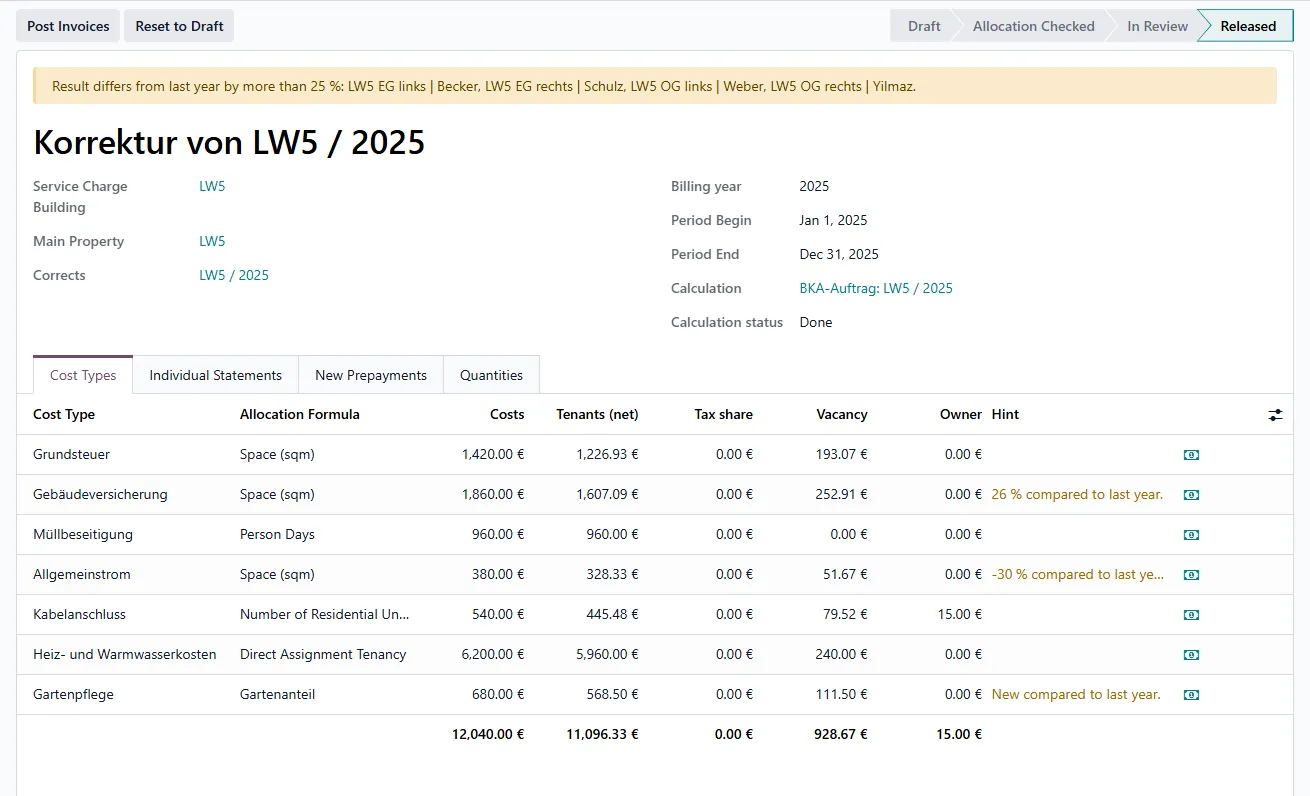
The original overall statement stays unchanged. Afterwards it can neither be recalculated nor reset.
The correction allocates each cost type with the allocation key of the original statement. If the allocation key itself was wrong, first create a new version of the cost type (see Change a cost type after settlement).
The difference documents
Section titled “The difference documents”For each usage, SMARTBRIX compares the new result with the previous one:
- Unchanged: the statement is marked No Difference, and no document is created.
- Changed: the document contains all items of the new statement. Below them follows the “Already Settled” section with one line “Settled with …” per earlier document. On an English printout, these two lines still appear in German for now. The amount due is the difference.
- Usage dropped: if a usage is no longer settled at all in the correction, it receives a credit note for the earlier document.
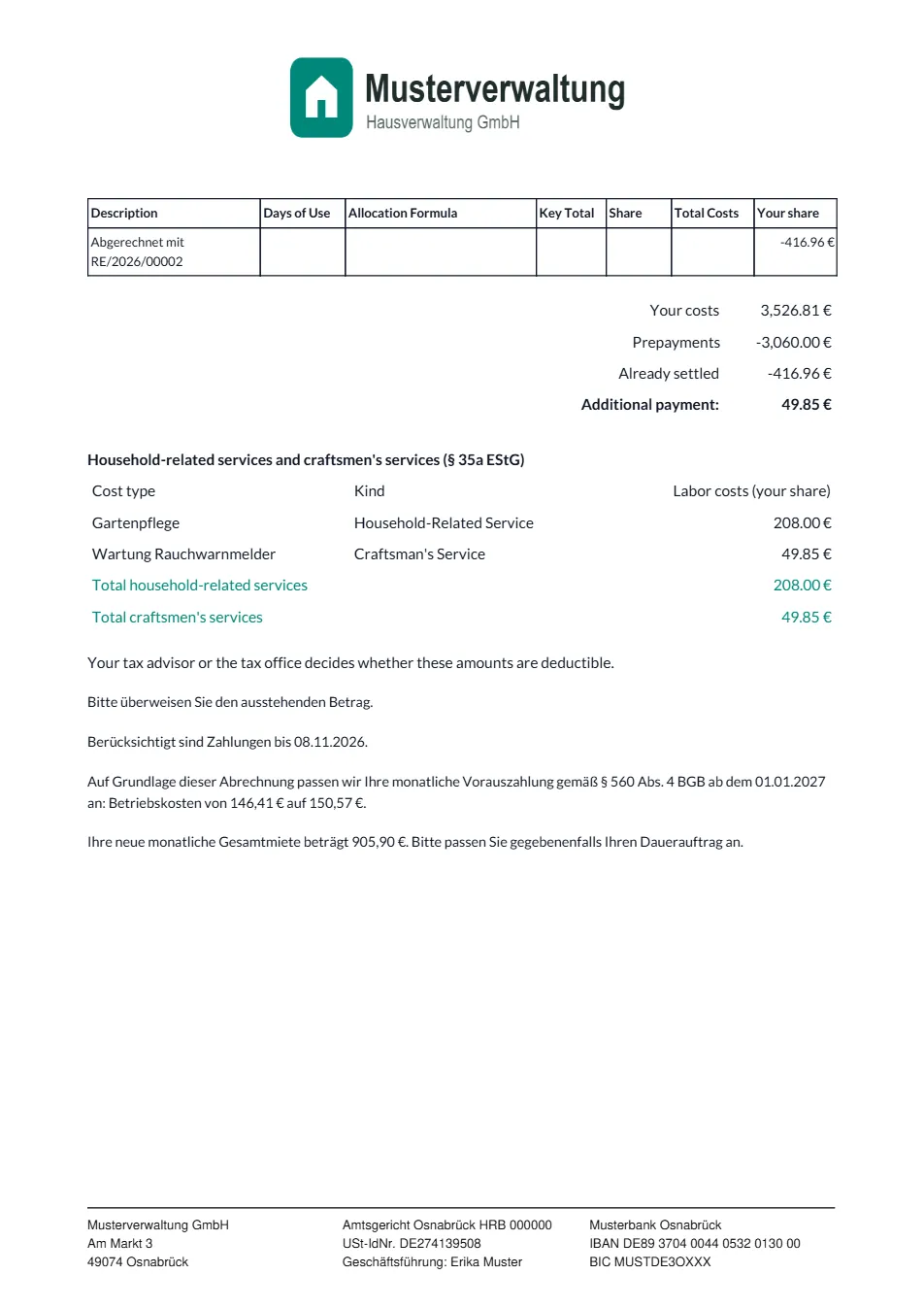
In the example, the apartment EG links has 72 of 260 m². Of the €180.00 supplementary assessment, €49.85 falls on it. That is the amount due on the difference document.
Didn't find an answer? Contact support