

Permanent rent invoice
Question about the manual? Ask Claude · Ask ChatGPT
The permanent rent invoice is a single invoice that stays valid until the rent changes. Tenants who deduct the VAT as input tax need it as a receipt, usually commercial tenants when the letting is subject to VAT. SMARTBRIX creates a PDF and an e-invoice in XRechnung format for it and stores both on the tenancy.
The permanent rent invoice does not replace the rent debits. The rent debits create the posted rent invoice every month, which you use to track incoming payments. The permanent rent invoice posts nothing and creates no open item. It is only the document for the tenant.
Settings
Section titled “Settings”Under Settings › Permanent Rent Invoice, you store the texts the wizard suggests:
- Opening (first invoice): for the first permanent rent invoice of a tenancy. Default: “With this letter you receive your new rent in the following amount:”
- Opening (rent adjustment): for every further one. Default: “Due to the rent adjustment you receive the following updated rent invoice:”
- Payment terms note: default “due on the 3rd working day of each month”.
If you leave a field empty, the default applies.
What must be correct beforehand
Section titled “What must be correct beforehand”SMARTBRIX takes the amounts and data from the tenancy and the property:
- Rent line: A rent line must be valid on the start date of the permanent rent invoice. It supplies the base rent, prepayments and payment interval.
- Products: On the Configuration tab of the tenancy, Debit Position Rent, Debit Position Service Charges and, if applicable, Debit Position Heating Costs and Debit Position Electricity Costs must be set. An item without a product is missing from the invoice. The tax of the products determines which line appears with VAT.
- Owner: If the property does not belong to your company, the owner appears as the landlord on the invoice. The owner needs a complete address and a VAT ID.
- Bank account: The Recipient Bank of the tenancy is suggested, by the same rule as for the rent invoice (see Bank account on the invoice).
Create a permanent rent invoice
Section titled “Create a permanent rent invoice”- Open the tenancy under Property Administration › Tenancies › Tenancies.
- In the Actions menu (gear icon next to the name), choose Permanent Rent Invoice.
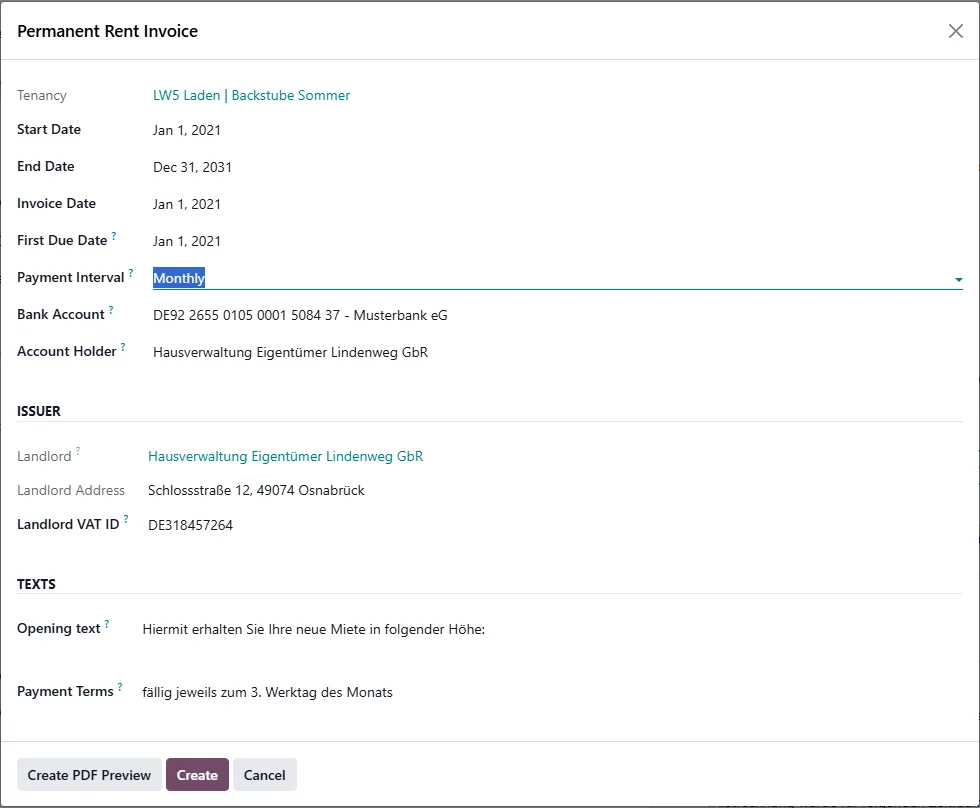
- Check the prefilled details:
- Start Date: from when the invoice is valid. The start of the tenancy is prefilled.
- End Date: until when it is valid. For an open-ended tenancy, it stays empty.
- Invoice Date: It follows when you change the start date.
- First Due Date: the due date in the e-invoice.
- Payment Interval: Monthly, Quarterly or Yearly, prefilled from the rent line. For quarterly or yearly payment, the invoice states the amount for three or twelve months.
- Bank Account and Account Holder: the account the tenant transfers to. If the account belongs to an owner, see Bank accounts of external owners.
- Under Issuer, for a third-party owner, you see Landlord, Landlord Address and Landlord VAT ID. If you add a VAT ID here, SMARTBRIX saves it on the landlord.
- Under Texts, you see Opening text and Payment Terms from the settings. You can change both for this invoice.
- Click Create PDF Preview to see the document in advance. The preview does not assign a number.
- Click Create.
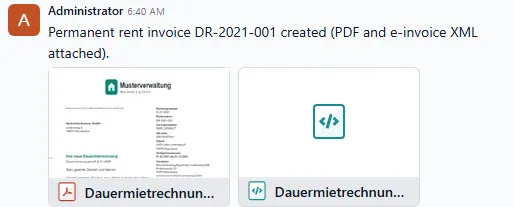
SMARTBRIX then assigns the number, creates the e-invoice and the PDF and opens the record. The history of the tenancy shows the note “Permanent rent invoice … created (PDF and e-invoice XML attached).” with both files.
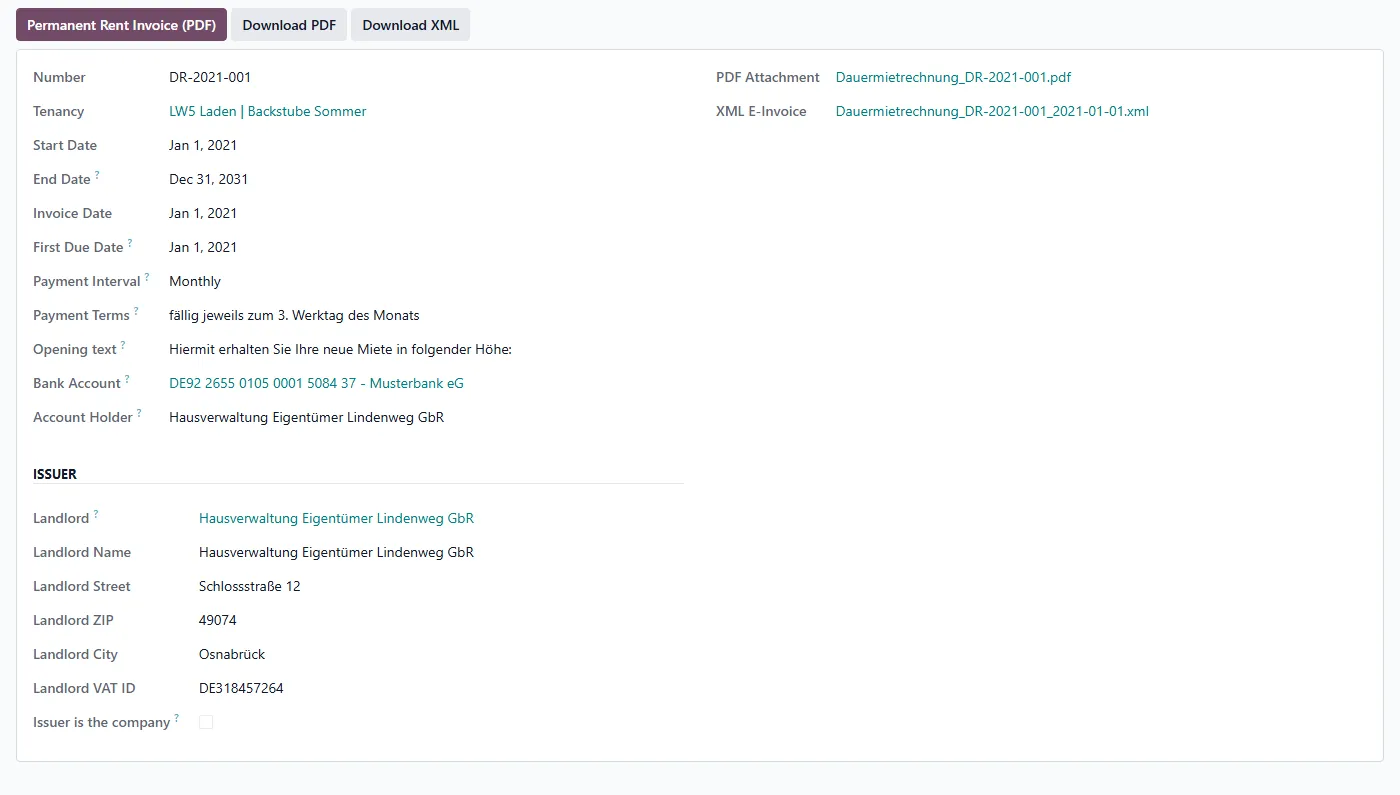
The number has the form “DR-2026-001”. The year follows the invoice date, and numbering runs consecutively for your company.
The invoice
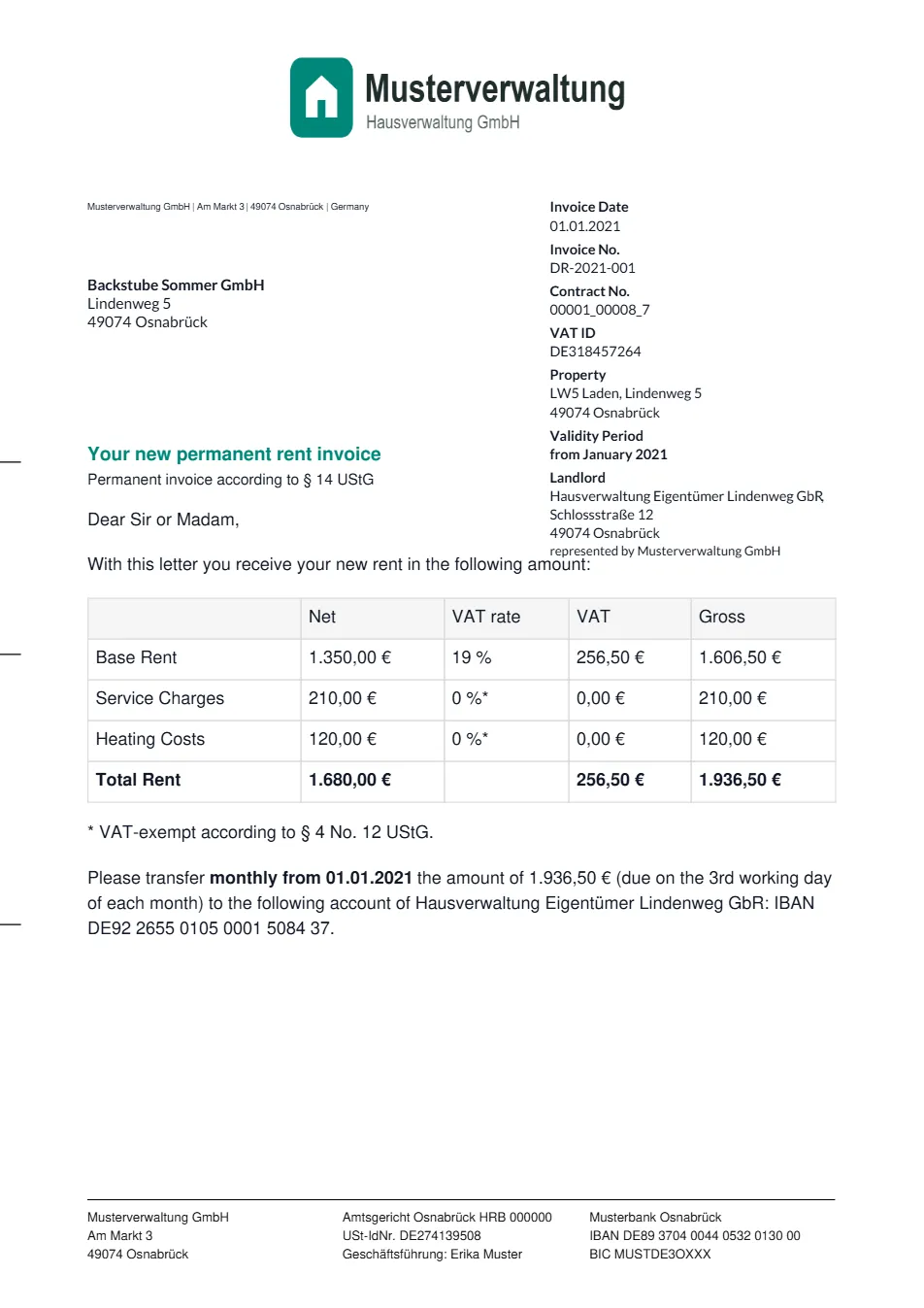
Section titled “The invoice”The PDF is printed on your letterhead and addressed to the invoice recipient. At the top right are the invoice date, invoice number, contract number, VAT ID, property, period of validity and, for a third-party owner, the landlord with the addition “represented by” your company.
The table lists base rent, prepayments and additional products with net amount, VAT rate, VAT and gross amount. Tax-exempt lines carry a reference to § 4 Nr. 12 UStG, the VAT exemption for letting. If the whole letting is tax-exempt, there is only the Amount column. Below follow the amount, interval and bank details, plus notes on validity, the service period and retention.
Earlier permanent rent invoices
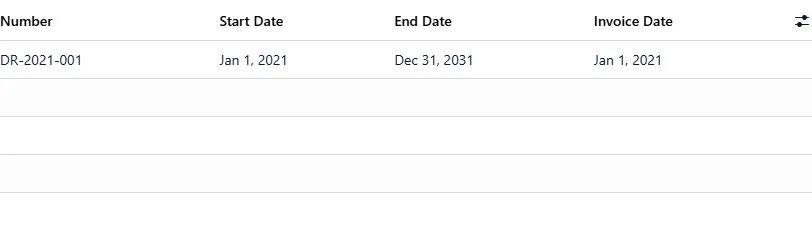
Section titled “Earlier permanent rent invoices”Once the tenancy has a permanent rent invoice, the Permanent Rent Invoice tab appears with Number, Start Date, End Date and Invoice Date. Click a line to open the record. There, Download PDF and Download XML download the stored files.
A permanent rent invoice cannot be changed or deleted.
When the rent changes
Section titled “When the rent changes”If the rent changes, for example through an index-linked rent, create a new permanent rent invoice. SMARTBRIX does not do this on its own.
- First enter the new rent line.
- Open Action › Permanent Rent Invoice. If the last permanent rent invoice has an end date, the new one starts on the day after. Otherwise set the Start Date to the day from which the new rent applies.
- Check Payment Interval and First Due Date. They do not follow when you change the start date.
- Click Create.
SMARTBRIX now suggests the text for the rent adjustment as the opening.
Frequently asked questions
Section titled “Frequently asked questions”How does the invoice get to the tenant? SMARTBRIX does not send it. Send the PDF and XML, for example with Send message in the history of the tenancy, or download both.
“No rent is valid on the selected start date.” There is no rent line on the start date. Check the start date or the rent lines of the tenancy.
“Please select a bank account of the company, the owner or the property.” The Bank Account field is empty. Choose an account, or store the Recipient Bank on the property.
“The rental has already started but is not activated yet.” Your company blocks rent invoices for tenancies that are not activated yet. Activate the tenancy as soon as the tenancy agreement is recorded.
Why is an item missing from the invoice? The tenancy has no product for this item, or its amount in the rent line is 0.
Didn't find an answer? Contact support