

Posting a fee invoice creates up to two documents: your invoice as the manager (manager side) and the matching entry for the client (client side). Why there are two is explained under Management fee. Which ones are created depends on your company’s settings and on the contract.
With manager side
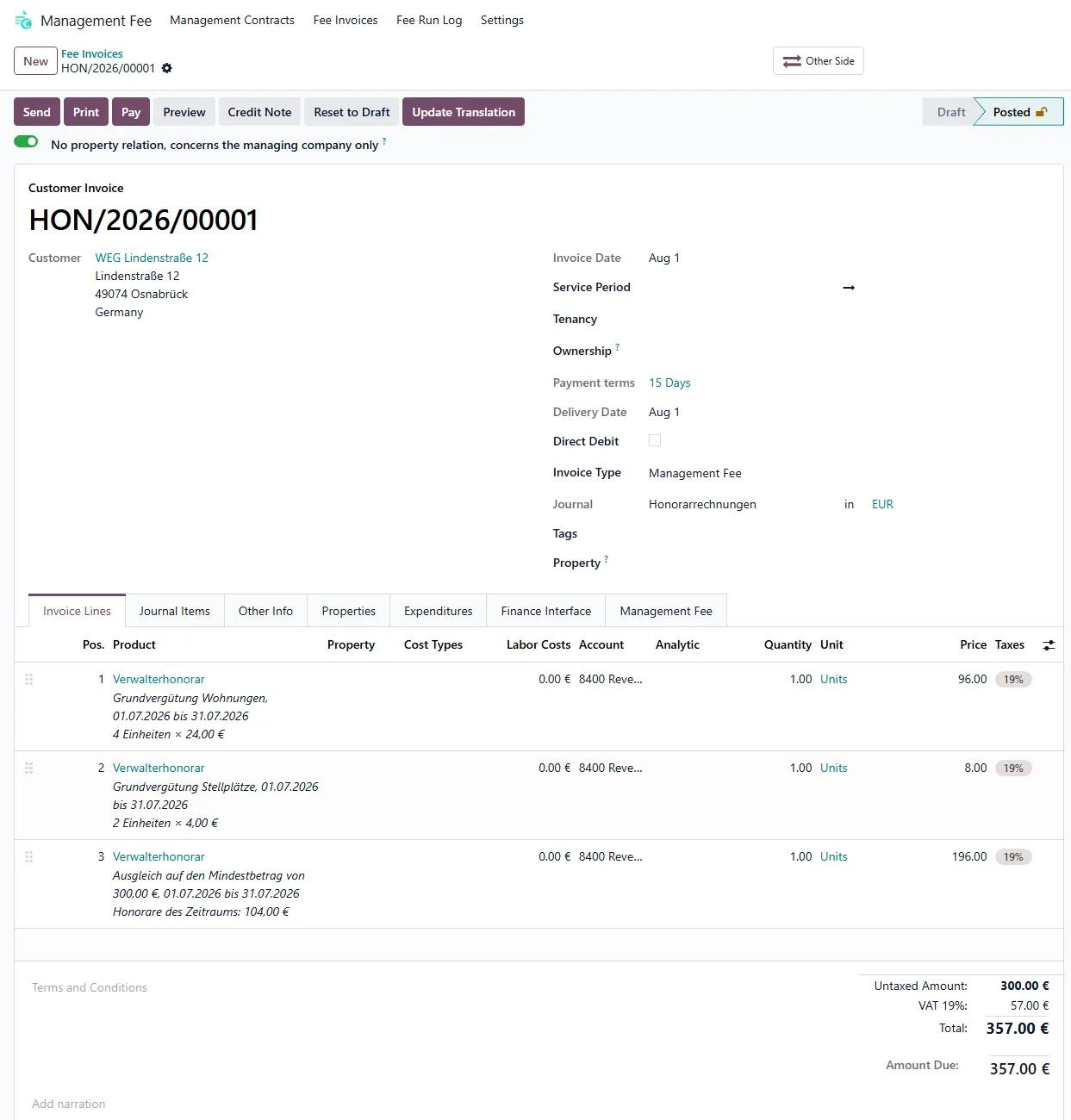
Section titled “With manager side”If Book Manager Side is enabled in the settings, the draft is your customer invoice to the client in the fee invoice journal. The VAT comes from the product of the fee position. The invoice carries the switch No property relation, concerns the managing company only, so SMARTBRIX posts the income without a property.
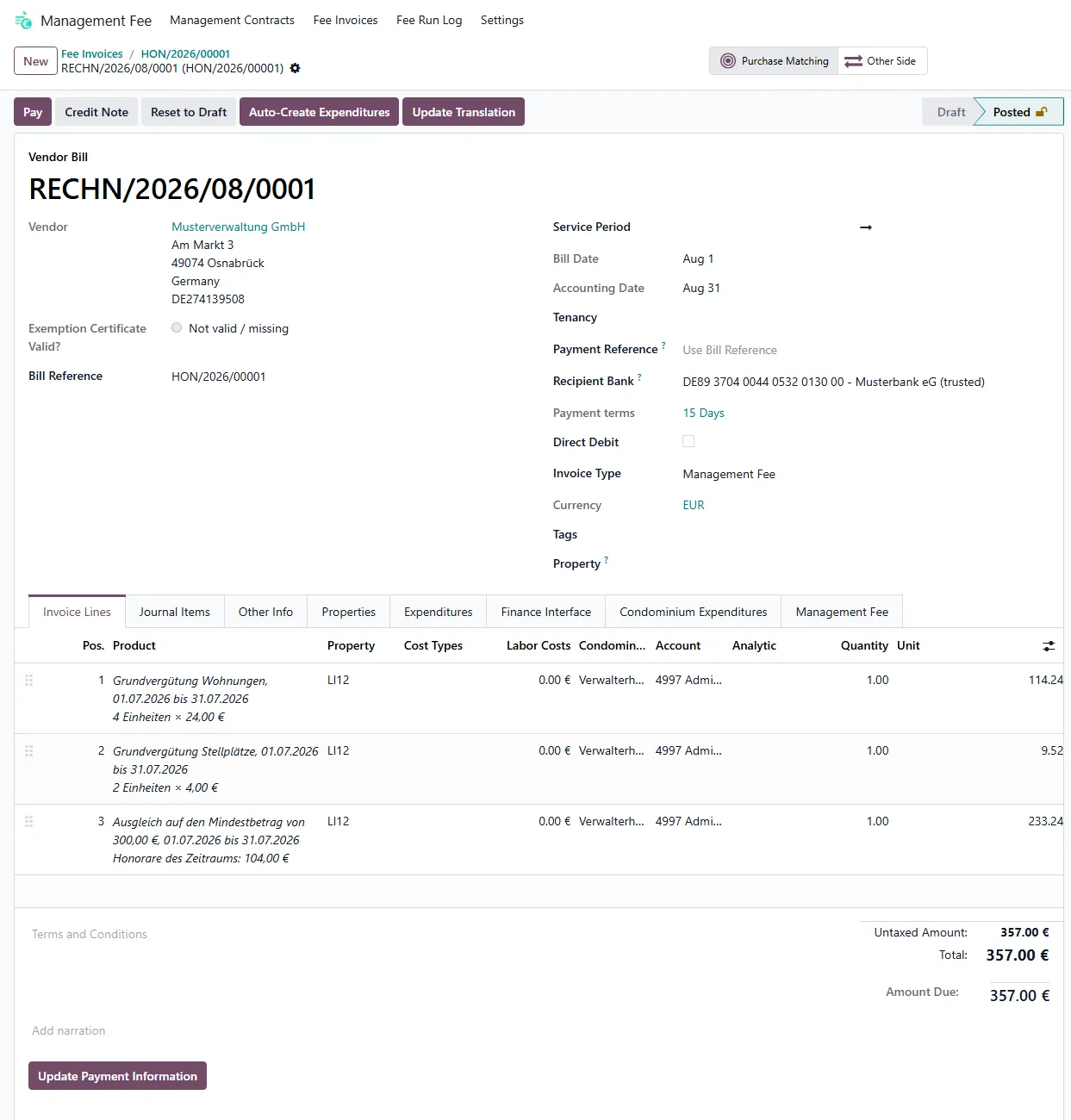
Click Confirm. SMARTBRIX posts your invoice, creates the client side as a vendor bill and posts it as well:
- Vendor: your company.
- Bill Reference: the number of your customer invoice.
- Amount: the gross amount of your invoice as an expense on the Fee Expense Account, without input tax. Condominium communities and private owners cannot deduct input tax.
- Payment Terms: as on your invoice.
The Other Side button at the top of the invoice opens the other side. The Management Fee tab shows the management contract, the side of the fee invoice and the other side.
Condominium contract
Section titled “Condominium contract”Each line of the client side is on the community’s booking property with the Condominium Cost Type from the Management Fee Cost Type setting. When posted, this creates a condominium expenditure like any vendor bill, shown on the Condominium Expenditures tab, see Post costs. The annual settlement splits the fee by the cost type’s allocation key.
Rental management contract
Section titled “Rental management contract”The client side has one line per property of the contract on the Fee Expense Account. Each line carries the property and therefore its owner. This puts the expense into the client export for the owner’s tax advisor.
If the contract covers several properties, SMARTBRIX splits the amount by each property’s share:
- Per unit: by the counted units of the property.
- Percentage of rent: by the rent basis of the property.
- Flat fee: by the number of units per property.
- Top-up to the minimum fee and cut to the maximum fee: in proportion to the other lines of the period.
Without manager side
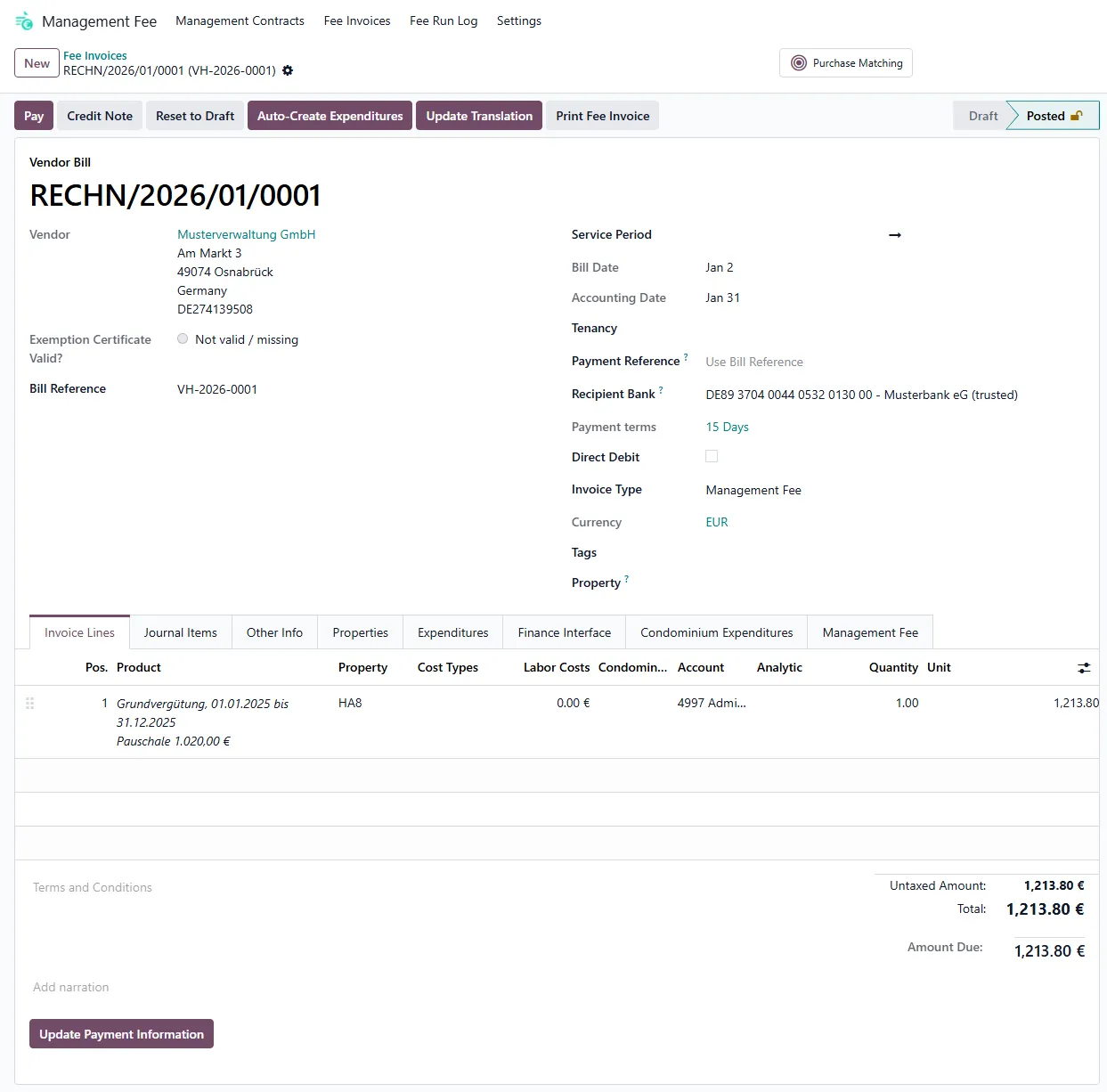
Section titled “Without manager side”If you keep your own accounting outside SMARTBRIX and Book Manager Side is disabled, the draft is the client side itself: a vendor bill with the gross amount and your company as the vendor. When you confirm it, it gets a consecutive number from the Fee Invoice Number Range as its Bill Reference.
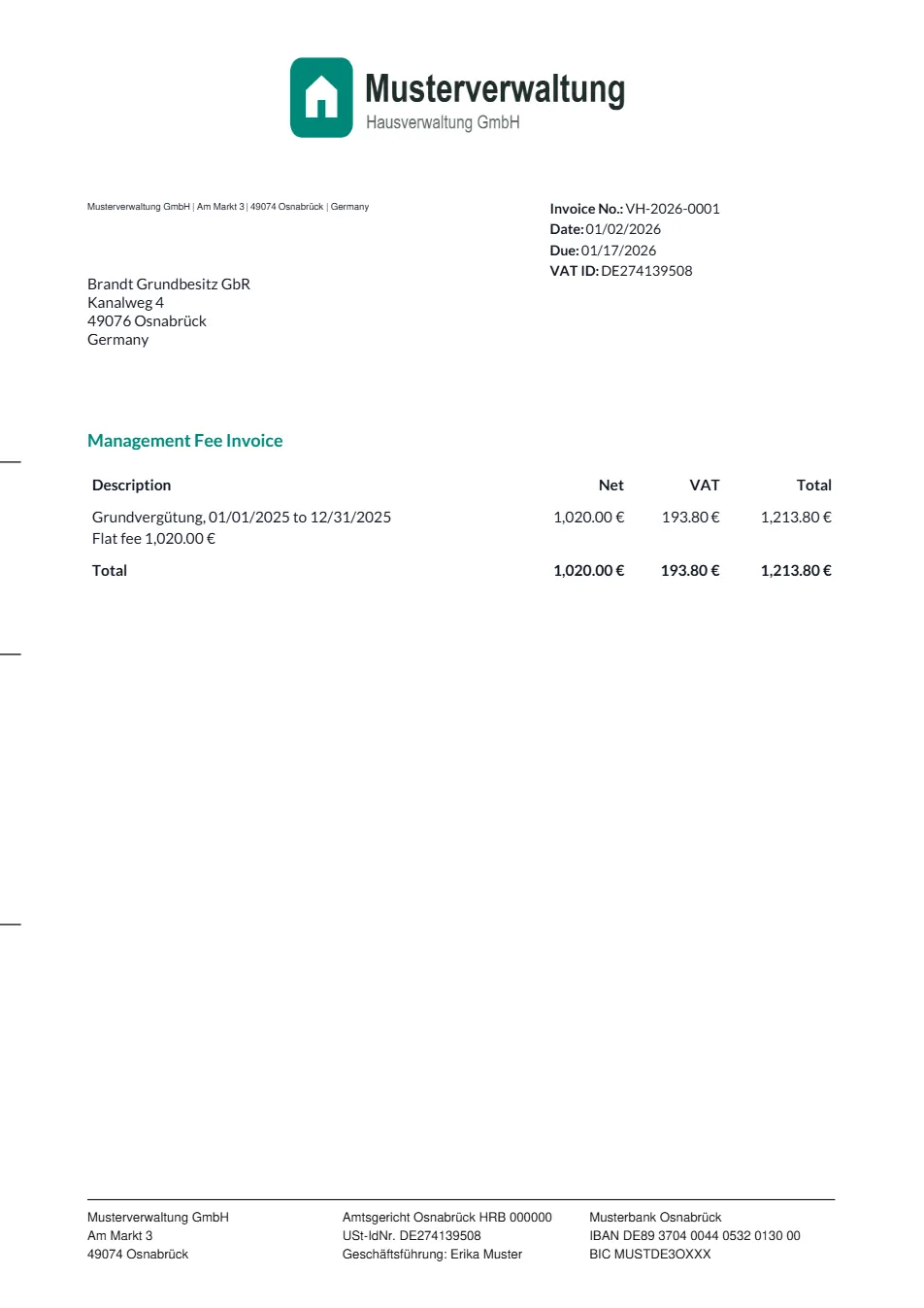
The Print Fee Invoice button on the posted document gives you the invoice to the client: your company as the sender, the client as the recipient, with the number from the number range, your VAT ID (if none is stored, your tax number) and net amount, VAT and total per line. You post your income in your own accounting.
Owner pays directly
Section titled “Owner pays directly”If Owner Pays Directly is set on the contract, only your customer invoice is created. There is no client side, because no money flows from an account of the owner held with you. Send the owner the PDF. The owner pays by bank transfer like a regular customer.
Send the fee invoice to the client as a PDF like any invoice, for example with the Send button. This way the client knows what was taken from their account. SMARTBRIX does not send fee invoices automatically.
- Client side: pay it like any vendor bill by bank transfer from the community’s account or from the owner’s trust account, for example with your usual payment order. The withdrawal then appears on the bank statement of the community or the owner.
- Manager side: when the money arrives in your account, reconcile the customer invoice in Bank matching.
Both sides stay in line
Section titled “Both sides stay in line”The manager side and the client side are linked. From either side, the Other Side button takes you to the other.
- The client side cannot be reset to draft on its own as long as there is a manager side. Always change the manager side.
- If you reset the manager side to draft, SMARTBRIX reverses the client side. The next confirmation creates a new one. If the client side is already paid, the manager side cannot be reset.
- If you create a Credit Note for the manager side and post it, SMARTBRIX creates the other side as a credit note on the client side.
Frequently asked questions
Section titled “Frequently asked questions”The client side cannot be reset. SMARTBRIX shows “This document follows the fee invoice … Reset that one instead.” Reset the manager side, correct it and confirm it again.
The manager side cannot be reset to draft. The client side is already paid. Create a credit note instead.
I cannot find the fee in the owner’s client export. Only the client side appears there. SMARTBRIX posts your income without a property; it belongs in your own export. With Owner Pays Directly, there is no client side.
The fee is missing from the condominium community’s annual settlement. Check that the fee invoice is posted and that the Management Fee Cost Type is entered in the condominium management settings.
Didn't find an answer? Contact support