

Record a vendor bill
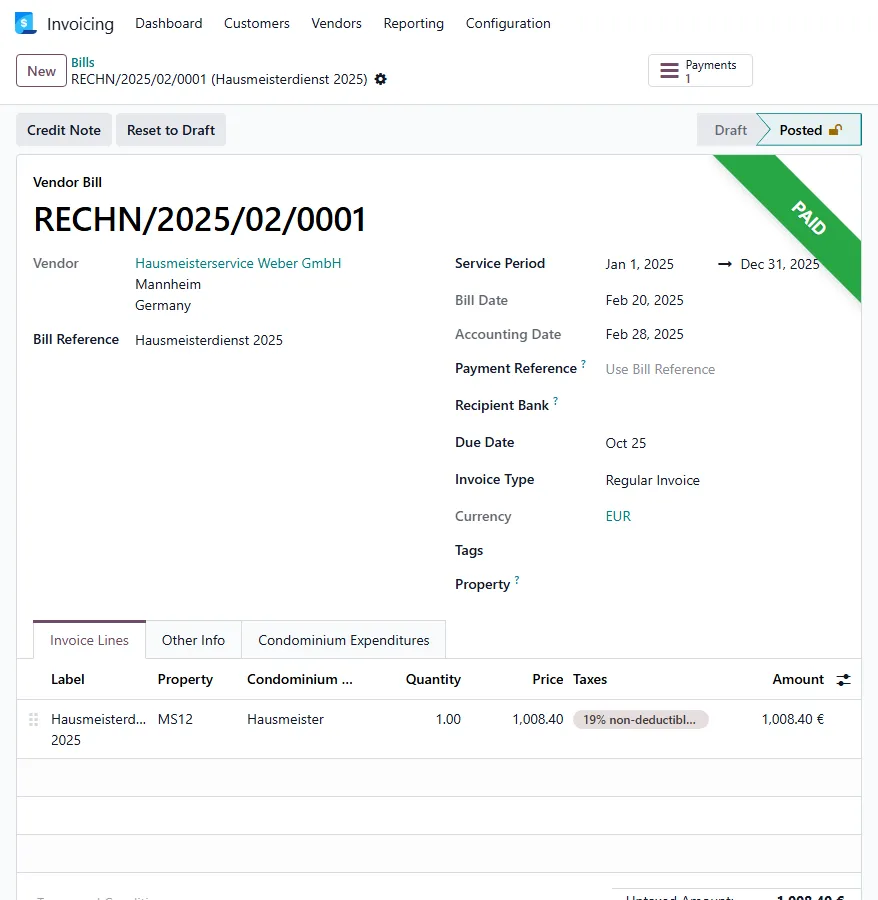
Section titled “Record a vendor bill”- Open Invoicing › Vendors › Bills and create the vendor bill as usual.
- In the invoice line, choose the community’s building under Property and the matching condominium cost type under Condominium Cost Type. Only the condominium cost types of this property are offered.
- Enter the Service Period if needed and confirm the bill.
- Record the payment as usual through the community’s checking account.
- Open Accounting › Vendors › Bills and create the vendor bill as usual.
- In the invoice line, choose the community’s building under Property and the matching condominium cost type under Condominium Cost Type. Only the condominium cost types of this property are offered.
- Enter the Service Period if needed and confirm the bill.
- Record the payment as usual through the community’s checking account.
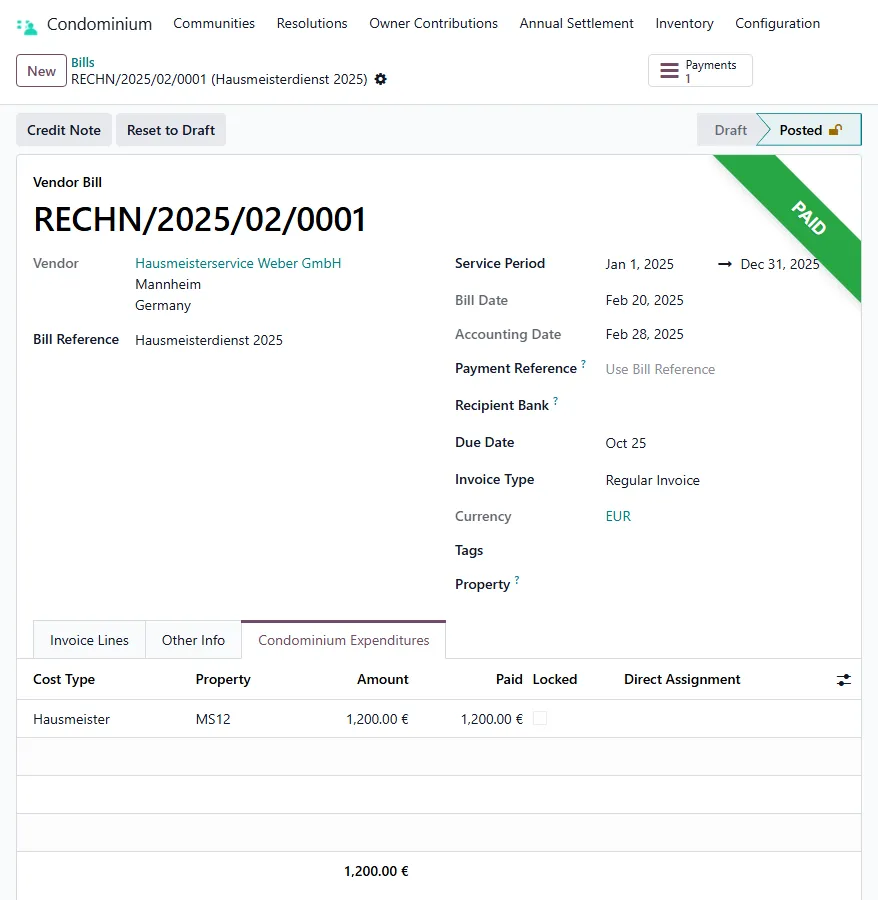
When you confirm the bill, a condominium expenditure is created for each line. You see it on the bill’s Condominium Expenditures tab with cost type, property, Amount, Paid, lock and direct assignment, and all of them together under Condominium › Annual Settlement › Condominium Expenditures, where the payment status is shown as well.
Costs without an invoice
Section titled “Costs without an invoice”You post account fees or direct debits without a document directly to the account stored on the matching condominium cost type (see Setup).
Post the bank line as an entry in the journal of the community account.
Post the bank line to the account during bank matching.
SMARTBRIX creates a condominium expenditure for it by itself; you do not need an invoice. It counts in the year of its posting date and is allocated like any other condominium expenditure.
Expenses paid from a reserve
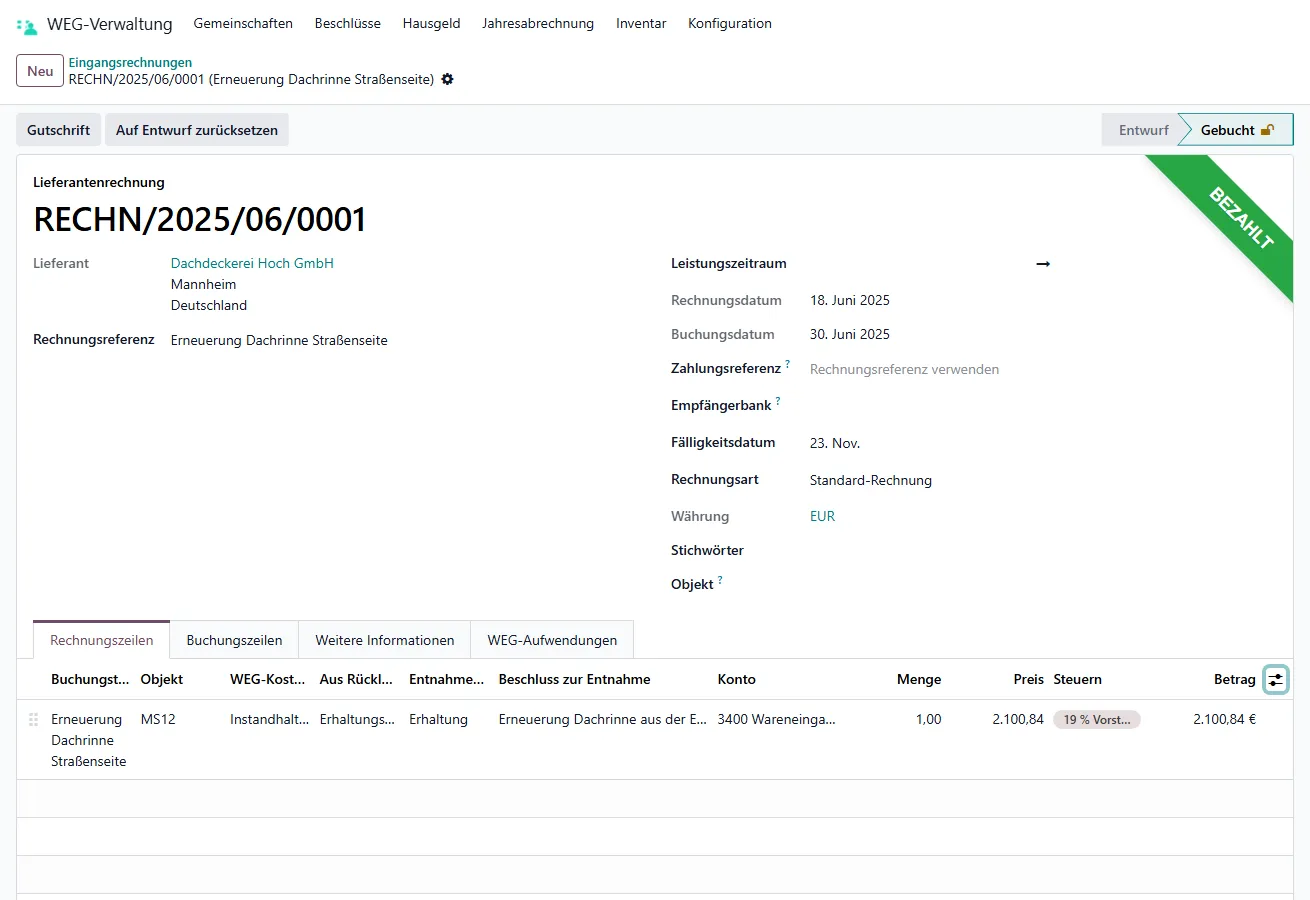
Section titled “Expenses paid from a reserve”If a bill is paid from a reserve, for example a roof repair from the maintenance reserve, the line keeps its condominium cost type. The cost type says what the money was spent on. In addition, you mark the line as a withdrawal.
- In the invoice lines of the vendor bill, add the Paid from Reserve, Withdrawal Type and Resolution on Withdrawal columns through the column selection.
- Under Paid from Reserve, select the community’s reserve.
- Select the Withdrawal Type: Maintenance for maintenance work, Improvement for a structural change. Apartment owners treat the two differently for tax.
- Under Resolution on Withdrawal, select the resolution that allows paying from the reserve, if there is one.
- Confirm the bill and pay it from the reserve as described below.
A withdrawal is not distributed to the units and changes no settlement balance, because the apartment owners already paid the money through their contributions. The overall statement lists it in the group “Expenses from reserves”, and the reserve shows it in its development as a withdrawal for maintenance or for improvements (see Reserves).
How you pay depends on how the reserve is held:
- Separate bank account: Pay the bill from this account. The line stays on its expense account, and the payment reduces the reserve.
- Provision in the checking account: Mark the line before you confirm the bill. SMARTBRIX then sets its account to the reserve’s account, and the bill reduces the provision. This is no longer possible on a posted bill: reset it to draft first.
You mark a bank entry without a bill in the form of the condominium expenditure under Condominium › Annual Settlement › Condominium Expenditures. You also change the details there for a bill that is already posted, as long as the condominium expenditure is not Locked.
Direct assignment
Section titled “Direct assignment”If the key Direct Assignment applies to a condominium cost type, you assign each condominium expenditure to the units it concerns.
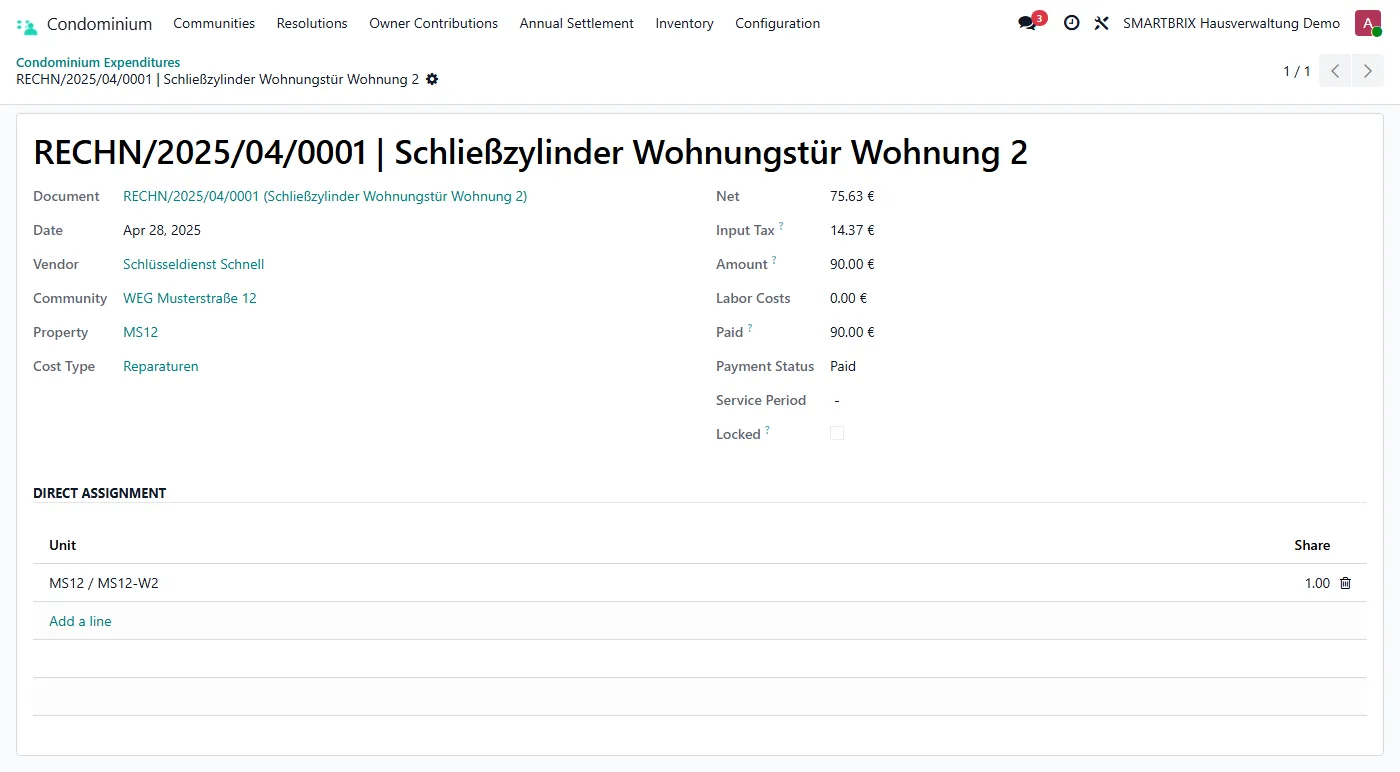
- Open the condominium expenditure under Condominium › Annual Settlement › Condominium Expenditures. The tab on the invoice only displays the assignment.
- In the Direct Assignment section, click Add a line and choose the Unit and the Share. With several units, SMARTBRIX allocates in proportion to the shares; a rounding cent goes to the unit entered last.
Didn't find an answer? Contact support